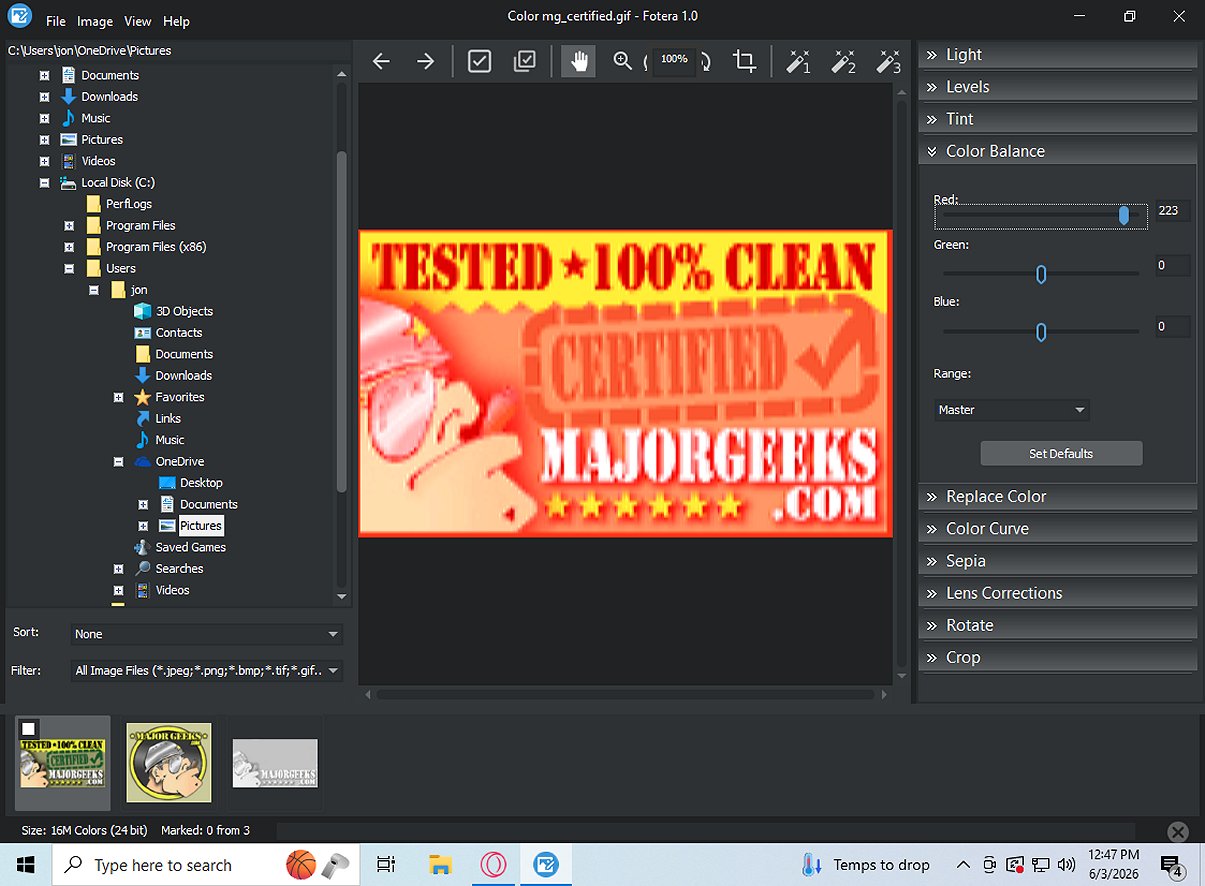
Fotera 2.0 has been released as a free photo-editing software designed for users who prioritize quick, efficient, and non-destructive editing of their images. This software ensures that any modifications made to photos are saved separately from the original files, thereby maintaining the integrity of the source images.
Key Features of Fotera:
- Non-destructive Editing: Users can make adjustments like exposure, contrast, saturation, and cropping without altering the original image files. This allows for experimentation with edits while retaining the ability to revert to the original photo at any time.
- Folder-Based Workflow: Fotera features an intuitive folder-based interface that displays image thumbnails, enabling easy navigation and selection for editing. Users can sort and filter images, mark favorites for quick access, and batch export multiple photos to streamline their workflow.
- RAW Photo Support: The software supports various camera RAW formats, providing advanced options for editing RAW images. Users can adjust settings such as RAW preview sizes, color spaces, and white balance, ensuring precise control over their edits.
- Image Correction Tools: Fotera includes numerous correction tools for enhancements, allowing users to rotate, crop, and correct lens distortions. Additionally, creative effects like sepia tones and auto enhancement presets are available to enrich the editing experience.
- Batch Export Functionality: Users can export edited images in bulk while applying non-destructive adjustments to full-resolution files, ensuring that original images remain untouched.
Overall, Fotera 2.0 is an excellent choice for anyone seeking high-quality, free photo editing software that prioritizes the preservation of original image quality while offering a wide array of editing features. With its user-friendly design and robust functionality, Fotera empowers photographers and casual users alike to achieve their desired visual outcomes with confidence.
Future Enhancements:
Looking ahead, Fotera could benefit from the integration of AI-driven editing features to automate common adjustments, further enhancing user efficiency. Additionally, expanding compatibility with more image formats and improving mobile accessibility could attract a broader audience. Implementing collaborative features would also allow multiple users to work on projects simultaneously, catering to professionals in creative industries
Key Features of Fotera:
- Non-destructive Editing: Users can make adjustments like exposure, contrast, saturation, and cropping without altering the original image files. This allows for experimentation with edits while retaining the ability to revert to the original photo at any time.
- Folder-Based Workflow: Fotera features an intuitive folder-based interface that displays image thumbnails, enabling easy navigation and selection for editing. Users can sort and filter images, mark favorites for quick access, and batch export multiple photos to streamline their workflow.
- RAW Photo Support: The software supports various camera RAW formats, providing advanced options for editing RAW images. Users can adjust settings such as RAW preview sizes, color spaces, and white balance, ensuring precise control over their edits.
- Image Correction Tools: Fotera includes numerous correction tools for enhancements, allowing users to rotate, crop, and correct lens distortions. Additionally, creative effects like sepia tones and auto enhancement presets are available to enrich the editing experience.
- Batch Export Functionality: Users can export edited images in bulk while applying non-destructive adjustments to full-resolution files, ensuring that original images remain untouched.
Overall, Fotera 2.0 is an excellent choice for anyone seeking high-quality, free photo editing software that prioritizes the preservation of original image quality while offering a wide array of editing features. With its user-friendly design and robust functionality, Fotera empowers photographers and casual users alike to achieve their desired visual outcomes with confidence.
Future Enhancements:
Looking ahead, Fotera could benefit from the integration of AI-driven editing features to automate common adjustments, further enhancing user efficiency. Additionally, expanding compatibility with more image formats and improving mobile accessibility could attract a broader audience. Implementing collaborative features would also allow multiple users to work on projects simultaneously, catering to professionals in creative industries
Fotera 2.0 released
Fotera is freeware photo-editing software tailored for individuals seeking quick, efficient, and non-destructive image editing. It ensures that every modification is saved separately from the original image, preserving the integrity of your source photos.