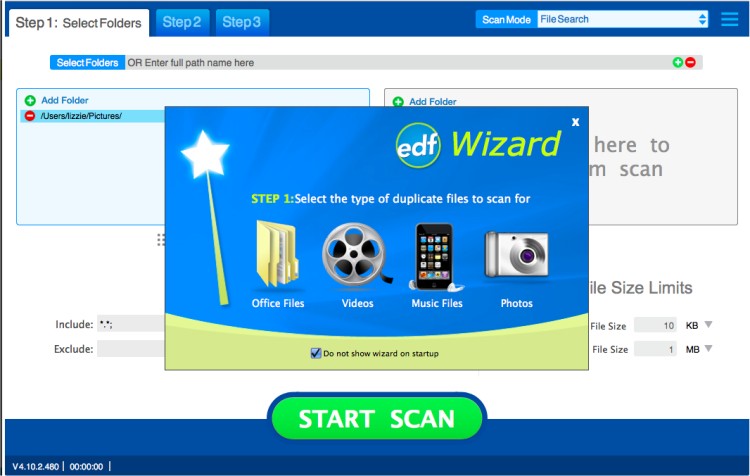
Easy Duplicate Finder has released version 8.2.0.5 / 5.29.0.1109, designed to assist users in efficiently locating and removing duplicate files from their PCs. This software addresses the common issue of duplicate files taking up valuable hard disk space. With its advanced search capabilities, Easy Duplicate Finder can quickly identify true duplicates—files that contain identical content—using its powerful search engine.
Users can customize their search with various settings, such as specifying file size conditions and excluding zero-length files. The program allows scanning of selected folders or drives, and users can add multiple locations to enhance scanning efficiency. The interface is user-friendly, making it accessible for individuals of varying skill levels to navigate and manage duplicate files effectively.
Key features include:
- Protection of system files and folders to prevent accidental deletions.
- An intuitive user interface that simplifies the process of searching and deleting files.
- Advanced management options that enable users to remove only unnecessary duplicates.
- The ability to manually select files for deletion or to automatically delete all duplicates.
- Quick access to the folder containing any selected file.
- Display of file properties for better decision-making.
Additionally, users may encounter related topics such as error messages when trying to delete files, secure deletion methods in Windows, and instructions for taking full ownership of files and folders.
In summary, Easy Duplicate Finder is a robust tool for maintaining an organized digital environment by eliminating unnecessary duplicate files, thereby freeing up storage space and improving overall system performance. As technology continues to evolve, future updates of Easy Duplicate Finder could incorporate even more sophisticated algorithms and features, enhancing its effectiveness in managing digital clutter
Users can customize their search with various settings, such as specifying file size conditions and excluding zero-length files. The program allows scanning of selected folders or drives, and users can add multiple locations to enhance scanning efficiency. The interface is user-friendly, making it accessible for individuals of varying skill levels to navigate and manage duplicate files effectively.
Key features include:
- Protection of system files and folders to prevent accidental deletions.
- An intuitive user interface that simplifies the process of searching and deleting files.
- Advanced management options that enable users to remove only unnecessary duplicates.
- The ability to manually select files for deletion or to automatically delete all duplicates.
- Quick access to the folder containing any selected file.
- Display of file properties for better decision-making.
Additionally, users may encounter related topics such as error messages when trying to delete files, secure deletion methods in Windows, and instructions for taking full ownership of files and folders.
In summary, Easy Duplicate Finder is a robust tool for maintaining an organized digital environment by eliminating unnecessary duplicate files, thereby freeing up storage space and improving overall system performance. As technology continues to evolve, future updates of Easy Duplicate Finder could incorporate even more sophisticated algorithms and features, enhancing its effectiveness in managing digital clutter
Easy Duplicate Finder 8.2.0.5 / 5.29.0.1109 released
Easy Duplicate Finder will help you to find and delete duplicate files easily.
Easy Duplicate Finder 8.2.0.5 / 5.29.0.1109 released @ MajorGeeks