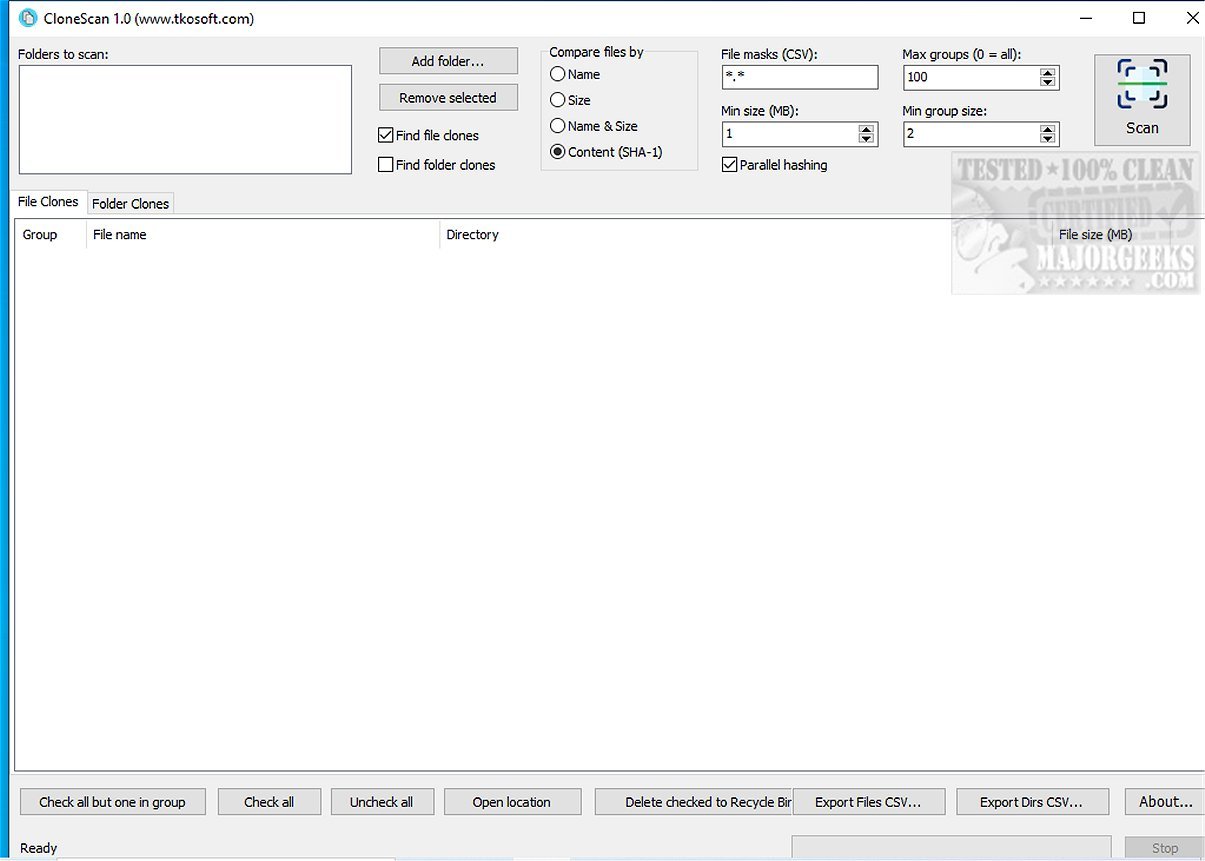
CloneScan is an intuitive and user-friendly tool designed for Windows users to effectively identify, evaluate, and remove duplicate files and folders from their computers. This free utility is ideal for those looking to declutter their digital workspace and optimize storage efficiency by eliminating unnecessary duplicate content that can take up valuable space.
- Comprehensive Duplicate Detection: Beyond just files, CloneScan also identifies duplicate folders, analyzing directory structures to uncover copied project folders, backups, and archives that may be cluttering your system.
- Efficient Scanning: The tool utilizes parallel SHA-1 hashing, making the scanning process faster, even when dealing with large volumes of data.
- Customizable Scanning Options: Users can tailor their scans using file masks to focus on specific file types or patterns, enhancing the efficiency of searches.
- Safe Deletion Process: Instead of permanently deleting items, CloneScan moves selected duplicates to the Windows Recycle Bin, allowing for easy recovery if needed.
- Export Functionality: Users can export scan results to CSV files for further analysis or record-keeping, making it easy to keep track of duplicate files and folders.
- How to Use Storage Sense to Automate Junk File Deletion in Windows 10/11
- Running Disk Cleanup Automatically with All Options Selected
- Comparing Drive Cleaners: CCleaner, Wise Disk Cleaner, and PrivaZer
- Managing Folder Visibility in Windows Libraries: Show, Hide, Add, or Remove Folders in Windows 10 & 11
In summary, CloneScan 2.3 is a robust, free solution that empowers users to effectively manage their digital files, ensuring a more organized and efficient computing environment
Key Features of CloneScan:
- User-Friendly Interface: CloneScan provides a straightforward interface that streamlines the process of reviewing and managing detected duplicates, allowing users to make quick decisions on what to keep or delete.- Comprehensive Duplicate Detection: Beyond just files, CloneScan also identifies duplicate folders, analyzing directory structures to uncover copied project folders, backups, and archives that may be cluttering your system.
- Efficient Scanning: The tool utilizes parallel SHA-1 hashing, making the scanning process faster, even when dealing with large volumes of data.
- Customizable Scanning Options: Users can tailor their scans using file masks to focus on specific file types or patterns, enhancing the efficiency of searches.
- Safe Deletion Process: Instead of permanently deleting items, CloneScan moves selected duplicates to the Windows Recycle Bin, allowing for easy recovery if needed.
- Export Functionality: Users can export scan results to CSV files for further analysis or record-keeping, making it easy to keep track of duplicate files and folders.
Performance and Testing
During testing, CloneScan demonstrated impressive speed and organization, effectively handling large scanning criteria and presenting results in an easily digestible format. The seamless design of the interface contributed to an efficient user experience, making the process straightforward and hassle-free.Conclusion
CloneScan is an invaluable tool for anyone looking to organize their digital landscape. Its combination of robust features, ease of use, and free availability makes it a top choice for both personal and commercial use. With CloneScan, users can say goodbye to the chaos of duplicate files and folders, reclaiming precious storage space while enhancing the overall performance of their systems.Additional Resources
For those interested in other methods of maintaining system cleanliness, consider exploring:- How to Use Storage Sense to Automate Junk File Deletion in Windows 10/11
- Running Disk Cleanup Automatically with All Options Selected
- Comparing Drive Cleaners: CCleaner, Wise Disk Cleaner, and PrivaZer
- Managing Folder Visibility in Windows Libraries: Show, Hide, Add, or Remove Folders in Windows 10 & 11
In summary, CloneScan 2.3 is a robust, free solution that empowers users to effectively manage their digital files, ensuring a more organized and efficient computing environment
CloneScan 2.3 released
CloneScan is a user-friendly Windows tool that helps you identify, evaluate, and securely remove duplicate files and folders on your computer. This free utility simplifies organizing your digital space by scanning your system for duplicate content, which can waste storage and create clutter.