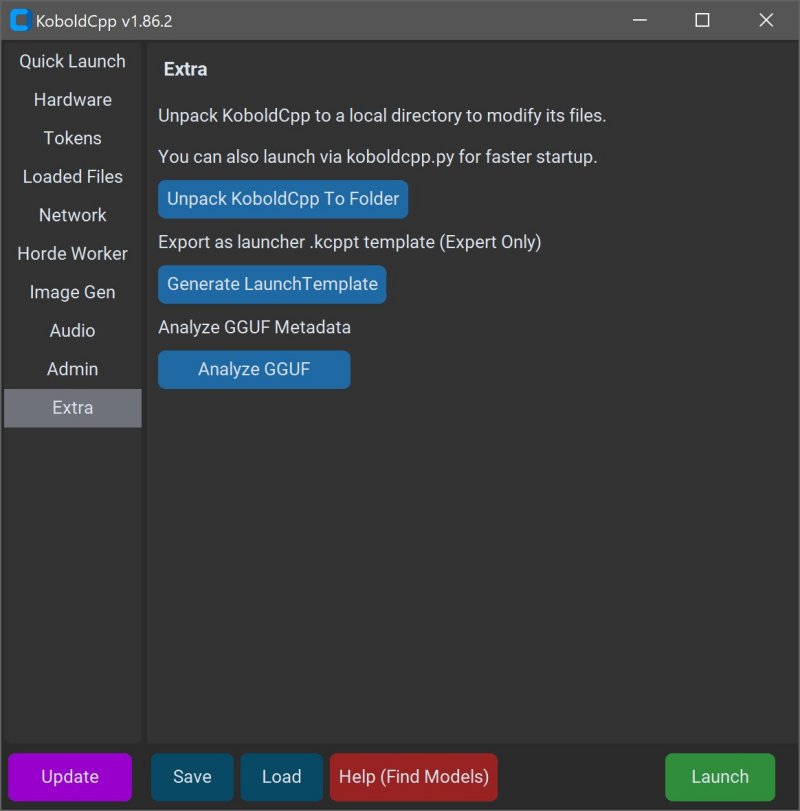
KoboldCPP 1.125.1 has been released, providing an efficient and private way to run AI models directly on your computer without the need for accounts, internet access, or any privacy compromises. This lightweight, open-source tool enables users to interact with powerful AI language models offline, making it perfect for various applications such as story writing, game lore creation, and private business projects.
KoboldCPP serves as a backend for the KoboldAI web interface, allowing users to experience a chat window similar to ChatGPT, all while keeping the data local. It supports GGUF-format models, specifically designed for local usage, which are fast and lightweight, making them suitable for mid-range PCs. Users are advised to download models from trusted sources, particularly those in the 4-bit or 8-bit GGUF versions.
This tool is especially beneficial for individuals wary of cloud services and data sharing, such as writers, game developers, and tech enthusiasts looking to explore AI in a private setting. The main features of KoboldCPP include local LLM support, offline functionality, fast performance with GPU acceleration, easy setup, and compatibility with KoboldAI features.
To use KoboldCPP, users need to download a GGUF model, launch the application, select the model, choose the suitable backend, and start chatting through a local web interface. The system requirements are modest, supporting both Windows and Linux, with 8GB of RAM as a minimum.
For a seamless experience, users should consider the appropriate version of KoboldCPP based on their hardware capabilities, including options for systems lacking advanced instruction sets and those optimized for newer NVIDIA GPUs.
In summary, KoboldCPP is an excellent choice for bringing AI technology directly onto your desktop, eliminating reliance on internet services and offering a high degree of control over the AI experience. Whether for creative writing, game design, or personal experimentation, it stands out as a user-friendly solution that caters to various needs while ensuring privacy and data security. If users require assistance with model selection or setup customization, guidance is readily available
KoboldCPP serves as a backend for the KoboldAI web interface, allowing users to experience a chat window similar to ChatGPT, all while keeping the data local. It supports GGUF-format models, specifically designed for local usage, which are fast and lightweight, making them suitable for mid-range PCs. Users are advised to download models from trusted sources, particularly those in the 4-bit or 8-bit GGUF versions.
This tool is especially beneficial for individuals wary of cloud services and data sharing, such as writers, game developers, and tech enthusiasts looking to explore AI in a private setting. The main features of KoboldCPP include local LLM support, offline functionality, fast performance with GPU acceleration, easy setup, and compatibility with KoboldAI features.
To use KoboldCPP, users need to download a GGUF model, launch the application, select the model, choose the suitable backend, and start chatting through a local web interface. The system requirements are modest, supporting both Windows and Linux, with 8GB of RAM as a minimum.
For a seamless experience, users should consider the appropriate version of KoboldCPP based on their hardware capabilities, including options for systems lacking advanced instruction sets and those optimized for newer NVIDIA GPUs.
In summary, KoboldCPP is an excellent choice for bringing AI technology directly onto your desktop, eliminating reliance on internet services and offering a high degree of control over the AI experience. Whether for creative writing, game design, or personal experimentation, it stands out as a user-friendly solution that caters to various needs while ensuring privacy and data security. If users require assistance with model selection or setup customization, guidance is readily available
KoboldCPP 1.125.1 released
KoboldCPP is a great choice for running powerful AI models on your computer with no accounts, internet, subscriptions, or privacy trade-offs.