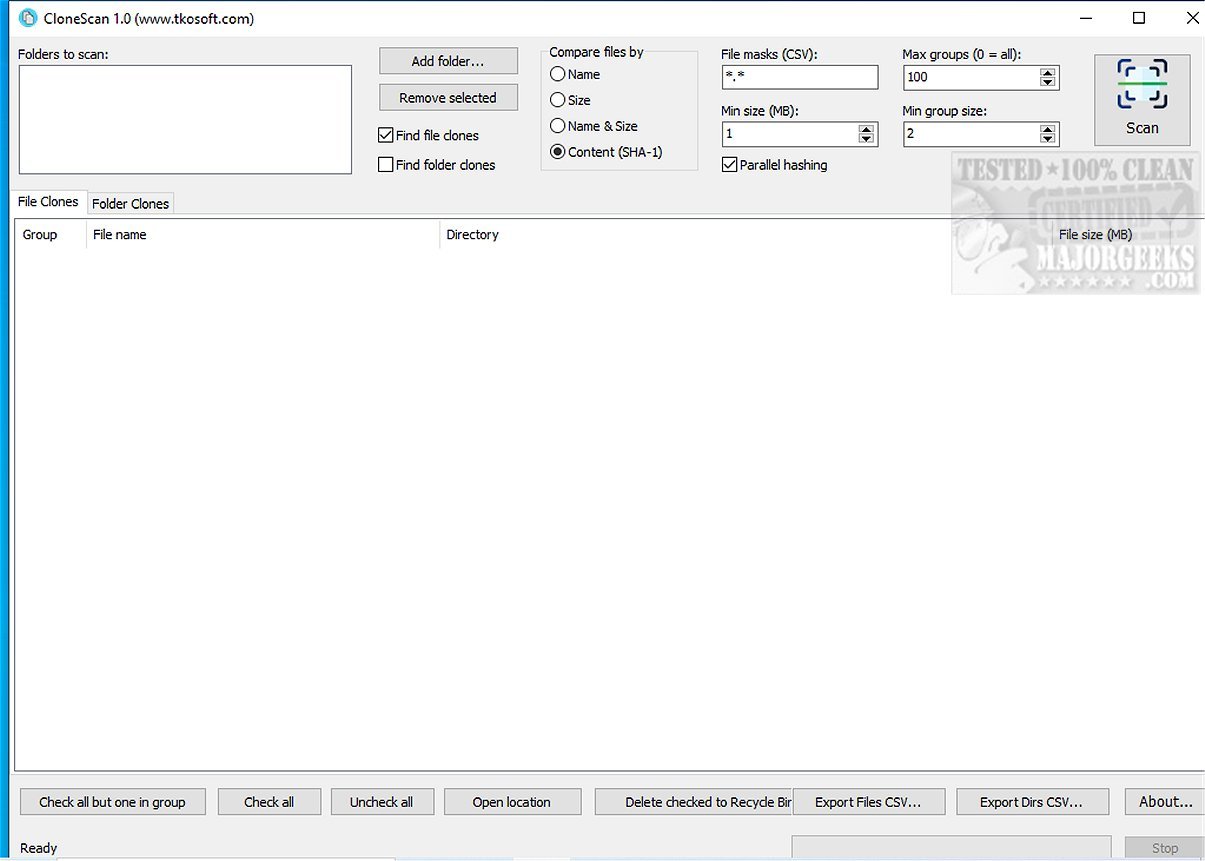
CloneScan 2.2 has been released as a free and user-friendly Windows application designed to help users efficiently identify, evaluate, and securely remove duplicate files and folders on their computers. By scanning for duplicate content, CloneScan aids in decluttering digital storage, enhancing organization, and optimizing system performance.
- Duplicate Identification: CloneScan not only finds duplicate files but also identifies duplicate folders by analyzing their contents and generating unique folder signatures.
- Efficient Scanning: With features like file mask filtering, users can customize scans to target specific file types or patterns, improving the efficiency of the process.
- Fast Processing: CloneScan employs parallel SHA-1 hashing to speed up the scanning process, ensuring quick results even with extensive scanning criteria.
- Safe Deletion: Instead of permanently deleting files, CloneScan moves selected items to the Windows Recycle Bin, allowing users to recover files if needed.
- Result Exporting: The application enables users to export scan results to CSV files, facilitating reporting and further analysis.
- Using Storage Sense to delete junk files in Windows 10/11 automatically
- Running Disk Cleanup with all items checked
- A comparison of top drive cleaners: CCleaner vs. Wise Disk Cleaner vs. PrivaZer
- Managing folders in Windows libraries effectively
In summary, CloneScan not only simplifies the process of identifying and removing duplicates but also empowers users to take control of their digital organization, ensuring a more efficient and clutter-free computing experience
Key Features of CloneScan:
- Intuitive Interface: Users can easily navigate the application to review detected duplicates, allowing for quick decisions on retention or deletion.- Duplicate Identification: CloneScan not only finds duplicate files but also identifies duplicate folders by analyzing their contents and generating unique folder signatures.
- Efficient Scanning: With features like file mask filtering, users can customize scans to target specific file types or patterns, improving the efficiency of the process.
- Fast Processing: CloneScan employs parallel SHA-1 hashing to speed up the scanning process, ensuring quick results even with extensive scanning criteria.
- Safe Deletion: Instead of permanently deleting files, CloneScan moves selected items to the Windows Recycle Bin, allowing users to recover files if needed.
- Result Exporting: The application enables users to export scan results to CSV files, facilitating reporting and further analysis.
User Experience:
During testing, CloneScan demonstrated quick performance and provided organized results for easy viewing and decision-making. The straightforward interface contributed to an enjoyable user experience, making file management tasks feel effortless.Conclusion:
Overall, CloneScan serves as a reliable tool for anyone looking to declutter their digital space. This version enhances users' ability to reclaim storage space and maintain an organized digital environment without any cost. With its robust features and intuitive design, CloneScan stands out as an essential utility for efficient file management.Additional Resources:
To maximize your storage management, explore related articles such as:- Using Storage Sense to delete junk files in Windows 10/11 automatically
- Running Disk Cleanup with all items checked
- A comparison of top drive cleaners: CCleaner vs. Wise Disk Cleaner vs. PrivaZer
- Managing folders in Windows libraries effectively
In summary, CloneScan not only simplifies the process of identifying and removing duplicates but also empowers users to take control of their digital organization, ensuring a more efficient and clutter-free computing experience
CloneScan 2.2 released
CloneScan is a user-friendly Windows tool that helps you identify, evaluate, and securely remove duplicate files and folders on your computer. This free utility simplifies organizing your digital space by scanning your system for duplicate content, which can waste storage and create clutter.