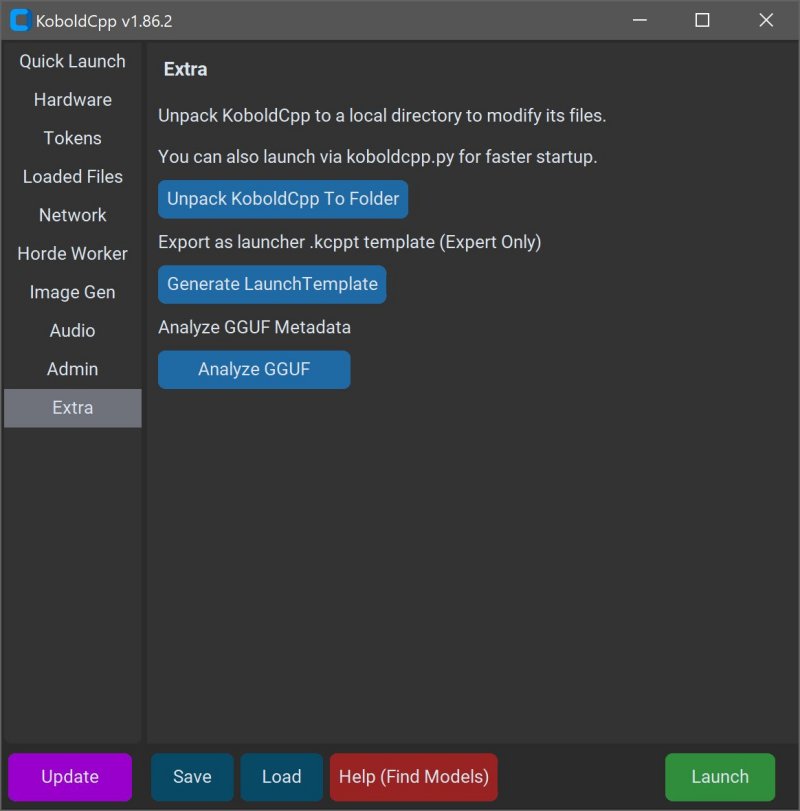
KoboldCPP 1.121 has been released, offering an efficient way to run AI models on personal computers without the need for internet connectivity, accounts, subscriptions, or compromising privacy. This tool is particularly beneficial for users who prefer to work offline, whether for business projects, creative writing, game development, or simply experimenting with AI in a secure environment.
KoboldCPP is a lightweight, open-source application that operates GGUF-format AI language models locally. It serves as a backend for the KoboldAI web interface, providing a user-friendly chat experience reminiscent of ChatGPT, but all processing occurs on the user's machine. The setup is straightforward, requiring just a few clicks to get started, and it supports both CPU and GPU acceleration, making it adaptable to various hardware configurations.
The GGUF, or GPT-Generated Unified Format, is specifically designed for local usage, optimizing performance for quantized models that are easier to run on mid-range PCs. While it supports many popular open-source models available on platforms like Hugging Face, it does not accommodate GPTQ, Safetensors, or proprietary OpenAI models.
KoboldCPP is ideal for a diverse audience, including writers, RPG developers, and anyone looking for a private AI chatbot experience. It allows users to maintain control over their data and the AI's functionalities without the limitations of cloud-based services.
Key Features:
- Local execution of GGUF/LLAMA-based models
- Complete offline functionality
- Fast performance through GPU acceleration
- Simple installation process
- Compatibility with the KoboldAI web interface for enhanced features
- Customization options for personalizing the user experience
Users can obtain AI models separately, with Hugging Face being a primary source. When selecting models, it’s best to opt for 4-bit or 8-bit GGUF versions for optimal performance on mid-range systems.
Usage Instructions:
1. Launch KoboldCPP.
2. Select the downloaded .gguf model file.
3. Choose the backend (CPU or GPU).
4. Adjust settings as needed.
5. Start the local web chat interface.
System Requirements:
- OS: Windows or Linux
- RAM: Minimum of 8GB, 16GB recommended
- CPU: Modern Intel or AMD with AVX2 support
- GPU: Optional, for enhanced performance
KoboldCPP is accessible for various hardware configurations, with tailored versions for different CPU and GPU setups. Whether you're a writer or a developer, KoboldCPP offers an unparalleled opportunity to harness AI technology privately and efficiently. With a supportive open-source community behind it, users can easily seek guidance on setup and model selection.
In summary, KoboldCPP is an excellent solution for anyone looking to utilize AI capabilities on their desktop without the burdens of cloud dependency, data privacy concerns, or ongoing fees. It’s an empowering tool for creative and technical endeavors, ensuring that AI can be integrated into personal projects seamlessly
KoboldCPP is a lightweight, open-source application that operates GGUF-format AI language models locally. It serves as a backend for the KoboldAI web interface, providing a user-friendly chat experience reminiscent of ChatGPT, but all processing occurs on the user's machine. The setup is straightforward, requiring just a few clicks to get started, and it supports both CPU and GPU acceleration, making it adaptable to various hardware configurations.
The GGUF, or GPT-Generated Unified Format, is specifically designed for local usage, optimizing performance for quantized models that are easier to run on mid-range PCs. While it supports many popular open-source models available on platforms like Hugging Face, it does not accommodate GPTQ, Safetensors, or proprietary OpenAI models.
KoboldCPP is ideal for a diverse audience, including writers, RPG developers, and anyone looking for a private AI chatbot experience. It allows users to maintain control over their data and the AI's functionalities without the limitations of cloud-based services.
Key Features:
- Local execution of GGUF/LLAMA-based models
- Complete offline functionality
- Fast performance through GPU acceleration
- Simple installation process
- Compatibility with the KoboldAI web interface for enhanced features
- Customization options for personalizing the user experience
Users can obtain AI models separately, with Hugging Face being a primary source. When selecting models, it’s best to opt for 4-bit or 8-bit GGUF versions for optimal performance on mid-range systems.
Usage Instructions:
1. Launch KoboldCPP.
2. Select the downloaded .gguf model file.
3. Choose the backend (CPU or GPU).
4. Adjust settings as needed.
5. Start the local web chat interface.
System Requirements:
- OS: Windows or Linux
- RAM: Minimum of 8GB, 16GB recommended
- CPU: Modern Intel or AMD with AVX2 support
- GPU: Optional, for enhanced performance
KoboldCPP is accessible for various hardware configurations, with tailored versions for different CPU and GPU setups. Whether you're a writer or a developer, KoboldCPP offers an unparalleled opportunity to harness AI technology privately and efficiently. With a supportive open-source community behind it, users can easily seek guidance on setup and model selection.
In summary, KoboldCPP is an excellent solution for anyone looking to utilize AI capabilities on their desktop without the burdens of cloud dependency, data privacy concerns, or ongoing fees. It’s an empowering tool for creative and technical endeavors, ensuring that AI can be integrated into personal projects seamlessly
KoboldCPP 1.121 released
KoboldCPP is a great choice for running powerful AI models on your computer with no accounts, internet, subscriptions, or privacy trade-offs.