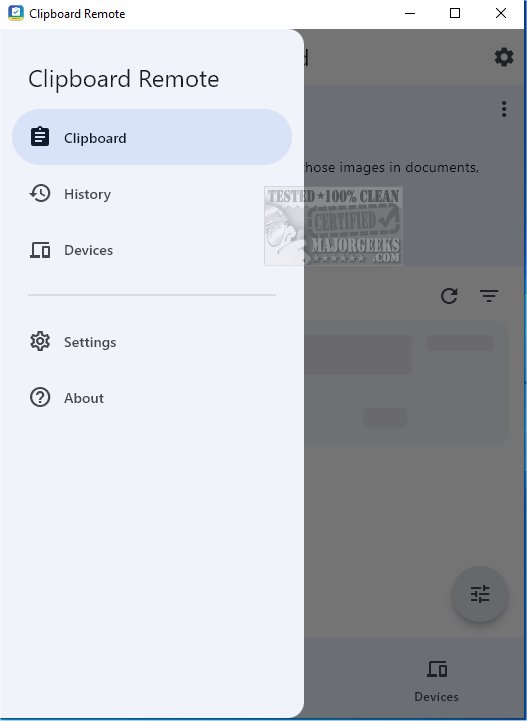
Clipboard Remote has recently launched version 2.0.1, enhancing the convenience of sharing URLs and transferring photos across multiple devices. It serves as a reliable alternative to Quick Share, enabling immediate access to images for various uses, including documents, presentations, and social media.
To utilize Clipboard Remote effectively, users must install the application on at least two devices, which can range from mobile phones to desktop computers. The app automatically scans for nearby devices and presents them in a user-friendly interface for easy access. Before sharing content, users need to manually pair their devices through a simple two-click process.
Once devices are paired, Clipboard Remote's functionality comes into play. Copying text using CTRL-C uploads the content to Clipboard Remote, allowing for instant access on the paired device. A standout feature is the app's default setting that preserves text formatting, ensuring that the appearance remains consistent across devices.
Key features of Clipboard Remote include:
- Cross-Platform Compatibility: It connects devices across Windows, macOS, iOS, and Android while managing clipboard format differences.
- Easy Copy & Paste: Users can quickly copy from one device's clipboard to another or paste content between devices.
- Clickable URLs: URLs and email addresses in the clipboard can be clicked to open directly in a browser or email app.
- Edit & Crop Images: Users can edit, crop, or rotate images before sending them to another device or after receiving them.
- Clipboard History: Recent copy and paste activities are stored, facilitating easy re-copying or sharing with other applications.
- Secure Data Transfer: Unlike cloud-based alternatives, Clipboard Remote operates solely over LAN or Wi-Fi, ensuring data privacy and encryption within the local network.
While Clipboard Remote offers robust sharing capabilities, it is essential to note that the functionality varies by device type. Users can easily share text between mobile devices and Windows PCs, but image sharing is restricted to transferring images from Android or iOS devices to desktop computers only.
In conclusion, Clipboard Remote is a powerful tool for users seeking to streamline their digital experience by enabling seamless transfers of text snippets, URLs, and photos between devices. By connecting three or more devices, users can use one as a bridge to facilitate data transfer, making it a valuable addition to any tech-savvy individual's toolkit. Whether for personal or professional use, Clipboard Remote is worth downloading for those looking to enhance their productivity and connectivity across devices
To utilize Clipboard Remote effectively, users must install the application on at least two devices, which can range from mobile phones to desktop computers. The app automatically scans for nearby devices and presents them in a user-friendly interface for easy access. Before sharing content, users need to manually pair their devices through a simple two-click process.
Once devices are paired, Clipboard Remote's functionality comes into play. Copying text using CTRL-C uploads the content to Clipboard Remote, allowing for instant access on the paired device. A standout feature is the app's default setting that preserves text formatting, ensuring that the appearance remains consistent across devices.
Key features of Clipboard Remote include:
- Cross-Platform Compatibility: It connects devices across Windows, macOS, iOS, and Android while managing clipboard format differences.
- Easy Copy & Paste: Users can quickly copy from one device's clipboard to another or paste content between devices.
- Clickable URLs: URLs and email addresses in the clipboard can be clicked to open directly in a browser or email app.
- Edit & Crop Images: Users can edit, crop, or rotate images before sending them to another device or after receiving them.
- Clipboard History: Recent copy and paste activities are stored, facilitating easy re-copying or sharing with other applications.
- Secure Data Transfer: Unlike cloud-based alternatives, Clipboard Remote operates solely over LAN or Wi-Fi, ensuring data privacy and encryption within the local network.
While Clipboard Remote offers robust sharing capabilities, it is essential to note that the functionality varies by device type. Users can easily share text between mobile devices and Windows PCs, but image sharing is restricted to transferring images from Android or iOS devices to desktop computers only.
In conclusion, Clipboard Remote is a powerful tool for users seeking to streamline their digital experience by enabling seamless transfers of text snippets, URLs, and photos between devices. By connecting three or more devices, users can use one as a bridge to facilitate data transfer, making it a valuable addition to any tech-savvy individual's toolkit. Whether for personal or professional use, Clipboard Remote is worth downloading for those looking to enhance their productivity and connectivity across devices
Clipboard Remote 2.0.1 released
With Clipboard Remote, sharing URLs and transferring photos between your devices has never been easier. It is a solid alternative to Quick Share for facilitating immediate use of those images in documents, presentations, or social media posts.