Ollama has released version 0.40.18 of its local-first platform designed to run large language models (LLMs) directly on your desktop. This software provides a powerful AI experience without the need for cloud connectivity or account registrations, ensuring user privacy and data control. Ollama allows users to run advanced models such as LLaMA 3.3, Phi-4, Mistral, and DeepSeek entirely offline, making it an attractive option for developers, tech enthusiasts, and privacy advocates.
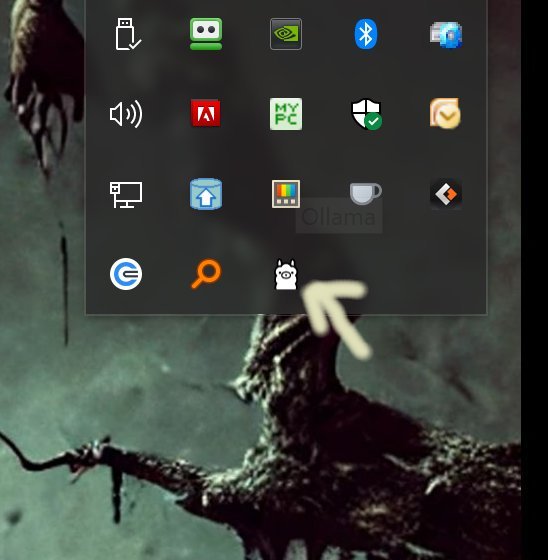
Installation is straightforward; users can simply download and install Ollama, and if it's operational, an icon will appear in the system tray. To begin using the platform, users can open either Command Prompt or PowerShell and start executing commands. Ollama is compatible with Windows, macOS, and Linux, and is designed to be lightweight and flexible, outperforming alternatives like GPT4All and LM Studio.
Key features of Ollama include:
- Local Execution: All processes run on the user’s device, ensuring faster responses and greater data security.
- Cross-Platform Compatibility: Works seamlessly on various operating systems.
- Command-Line Interface (CLI): Provides powerful, scriptable interactions for more advanced users.
- Modelfile Customization: Users can import models, adjust prompts, and create personalized assistants.
- Developer-Friendly: Includes libraries for Python and JavaScript, allowing integration with applications.
Ollama is primarily tailored for those comfortable with command line operations. While there are alternative interfaces available, using the CLI maximizes the potential of Ollama by enabling full command capabilities. Through the Modelfile feature, users can customize model behavior, set default prompts, and automate tasks by scripting commands. Comprehensive documentation is available for users looking to maximize their experience with Ollama, featuring details on commands, model customization, and usage examples.
In conclusion, Ollama is an efficient and local solution for running LLMs, offering users complete control over their AI interactions. While it excels in a CLI environment, the absence of a built-in graphical user interface may deter some users. Nonetheless, for those who prefer a command line approach, Ollama provides a robust and powerful tool for harnessing the capabilities of advanced language models.
Future Considerations: As Ollama continues to develop, potential enhancements could include the introduction of a more user-friendly GUI, expanding accessibility for users less inclined to utilize command line tools. Additionally, ongoing updates could focus on expanding model compatibility and improving customization features to further enhance user experience
Ollama 0.40.18 released
Ollama is the local-first platform that brings large language models (LLMs) right to your desktop.