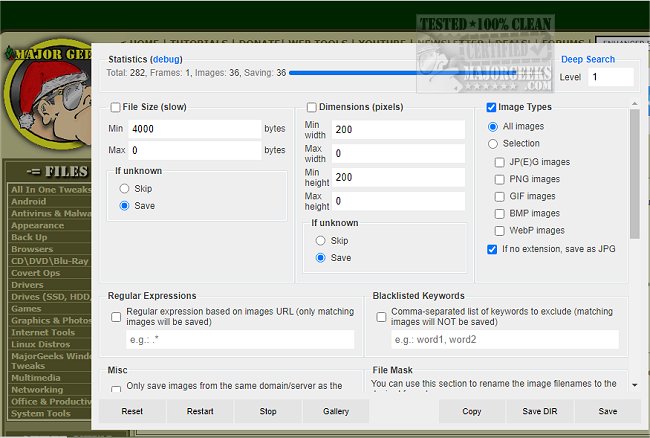
The recently released version 1.1.5 of Download All Images for Chrome offers users an efficient solution for downloading multiple images from web pages. This powerful extension is capable of identifying and saving images embedded within various web elements, including iframes. Users can customize their downloads extensively by applying filters based on criteria such as file size, dimensions, and image type (supporting formats like JPEG, PNG, BMP, and GIF).
One of the standout features is the tool's ability to assess image dimensions by only retrieving the header data, which streamlines the filtering process. In addition to standard images, Download All Images can search for images embedded in links, background scripts, and CSS files, providing a comprehensive download experience. Users can also preview images in a gallery format before initiating the download, allowing for easy selection.
Furthermore, the extension allows users to customize the naming conventions for the saved images and organize them within a zip file structure according to their preferences. The tool also includes a notification feature that alerts users when the number of images on a page exceeds a certain threshold, enhancing usability.
Overall, Download All Images is an intuitive and versatile tool for anyone looking to efficiently gather images from web pages, making it a valuable addition to the Chrome extension library.
In future updates, it would be beneficial to see enhancements such as support for downloading videos, improved batch processing capabilities, and integration with cloud storage options for seamless image management
Download All Images for Chrome 1.1.5 released
Download All Images for Chrome allows you to easily save images with a wide range of customization features, such as file size, dimensions, and image type.