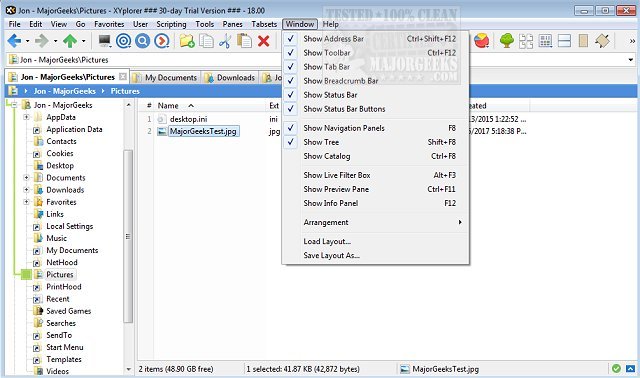
XYplorer has recently released two versions: 28.30.1300 and 27.20.1404. This software is a robust tabbed file manager designed for Windows, offering a wide array of features to enhance file management efficiency. Among its key functionalities are powerful file search capabilities, zip file support, and a duplicate file finder, making it a comprehensive tool for managing files effectively.
XYplorer stands out with its versatile preview feature, a highly customizable interface, and the option for a dual-pane layout, allowing users to manage files more intuitively. Its innovative design aids in automating repetitive tasks, making it not only fast and lightweight but also portable.
The software incorporates various advanced features such as tabbed browsing, dual panes, six key navigation, queued file operations, batch renaming, and one-click previews. Users can also customize folder view settings to suit their preferences.
In addition to its main functionalities, XYplorer is often compared to Windows File Explorer, with users seeking tips on how to disable Quick Access, manage recent files, and add details panes to the context menu. With its continuous updates, XYplorer remains a popular choice for users looking for a more powerful and flexible file management solution.
The latest updates may include performance improvements, bug fixes, or new features that enhance the user experience, making it worthwhile for current users to upgrade and for new users to consider this software as their go-to file manager
XYplorer stands out with its versatile preview feature, a highly customizable interface, and the option for a dual-pane layout, allowing users to manage files more intuitively. Its innovative design aids in automating repetitive tasks, making it not only fast and lightweight but also portable.
The software incorporates various advanced features such as tabbed browsing, dual panes, six key navigation, queued file operations, batch renaming, and one-click previews. Users can also customize folder view settings to suit their preferences.
In addition to its main functionalities, XYplorer is often compared to Windows File Explorer, with users seeking tips on how to disable Quick Access, manage recent files, and add details panes to the context menu. With its continuous updates, XYplorer remains a popular choice for users looking for a more powerful and flexible file management solution.
The latest updates may include performance improvements, bug fixes, or new features that enhance the user experience, making it worthwhile for current users to upgrade and for new users to consider this software as their go-to file manager
XYplorer 28.30.1300 / 27.20.1404 released
XYplorer is a tabbed file manager for Windows featuring powerful file search, zip support, duplicate file finder and much more.