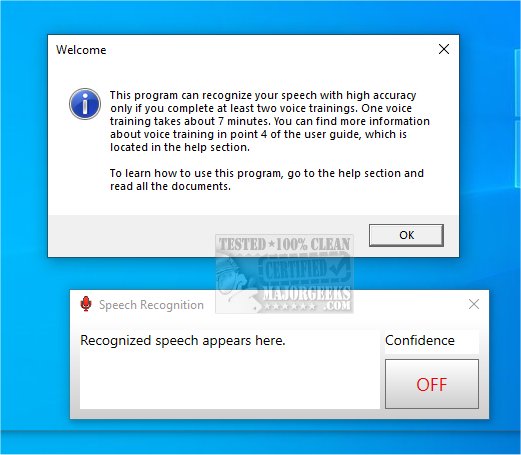
Work by Speech 2.3 has been released, introducing a revolutionary software that enables users to perform a variety of computer tasks exclusively through voice commands. This cutting-edge tool is specifically designed to enhance productivity and efficiency by allowing users to operate their computers without the need for a traditional mouse or keyboard.
The PC Voice Control feature of Work by Speech empowers users to navigate their computers using verbal commands, streamlining workflows and facilitating a hands-free experience. By automating repetitive tasks, users can create custom voice commands and macro recordings, enabling them to open applications or dictate text seamlessly. Additionally, the software supports quiet speaking, allowing users to work without causing distractions to those around them.
One of the standout features of Work by Speech is its comprehensive mouse control capability. Users can execute all standard mouse actions—such as clicking, scrolling, and dragging—simply by voicing the corresponding command. This functionality is particularly advantageous for individuals with mobility challenges or those seeking a more convenient working method.
Overall, Work by Speech offers an exceptional solution for enhancing work efficiency and comfort. Its user-friendly interface and hands-free operation not only promote greater productivity but also alleviate the physical strain associated with prolonged use of traditional input devices. As voice recognition technology continues to advance, tools like Work by Speech are likely to become essential in modern work environments, catering to a diverse range of users seeking to optimize their computer interaction. Future updates may further expand its capabilities, integrating additional features and improving voice recognition accuracy to accommodate a broader array of tasks
The PC Voice Control feature of Work by Speech empowers users to navigate their computers using verbal commands, streamlining workflows and facilitating a hands-free experience. By automating repetitive tasks, users can create custom voice commands and macro recordings, enabling them to open applications or dictate text seamlessly. Additionally, the software supports quiet speaking, allowing users to work without causing distractions to those around them.
One of the standout features of Work by Speech is its comprehensive mouse control capability. Users can execute all standard mouse actions—such as clicking, scrolling, and dragging—simply by voicing the corresponding command. This functionality is particularly advantageous for individuals with mobility challenges or those seeking a more convenient working method.
Overall, Work by Speech offers an exceptional solution for enhancing work efficiency and comfort. Its user-friendly interface and hands-free operation not only promote greater productivity but also alleviate the physical strain associated with prolonged use of traditional input devices. As voice recognition technology continues to advance, tools like Work by Speech are likely to become essential in modern work environments, catering to a diverse range of users seeking to optimize their computer interaction. Future updates may further expand its capabilities, integrating additional features and improving voice recognition accuracy to accommodate a broader array of tasks
Work by Speech 2.3 released
Work by Speech: cutting-edge software that allows you to perform various computer tasks solely using voice commands.