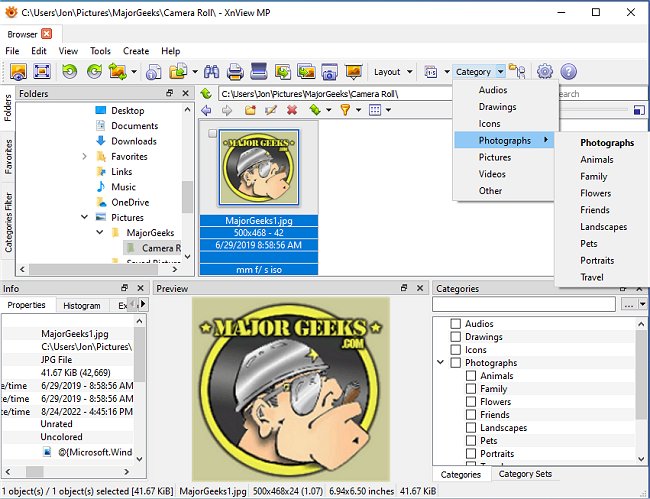
XnView MP version 1.11.6 has been released as a versatile cross-platform image viewer that allows users to view, convert, organize, and edit graphical and video files. This software is freely available for private, non-commercial, educational, and non-profit entities, making it a popular choice for users seeking robust features typically found in commercial image viewers.
One of the standout features of XnView MP is its extensive support for file formats; it can read over 400 image formats as well as various audio and video formats, and it can write to 50 image formats. This capability surpasses that of other prominent image organizers like ACDSee. The software also supports ICC profiles in JPEG, PNG, and TIFF files and can display metadata such as IPTC, Exif, and XMP. However, it falls short of providing a batch editing function for IPTC metadata, which some users have expressed a desire for.
In terms of usability, XnView MP features a range of tools for searching and organizing files, including the ability to search for files by filename, data, or similar graphics. Users can also view histograms for images and create scripts for batch conversions and manipulations, making it efficient for handling large volumes of images. The software offers a suite of image editing tools for color adjustments, resizing, filters, and effects, including the integration of Harry's Filters 3.0 in its full version. Users can manipulate JPEG files losslessly by turning, flipping, or cropping them without re-encoding.
Additionally, XnView MP allows users to create advanced slideshows and provides options for uploading images to FTP sites or ImageShack. The full version also supports burning images to CD or DVD, which requires Nero Burning ROM.
Overall, XnView MP 1.11.6 is a powerful and user-friendly tool for anyone who needs comprehensive image management capabilities, although it does have some limitations regarding metadata editing and thumbnail sorting.
In future updates, users might hope for enhancements such as the requested batch IPTC editing feature, improved thumbnail sorting options, and greater integration with cloud services for seamless file access and sharing. Continuous improvements in user interface and performance can also help maintain XnView MP's competitive edge in the growing market of image viewing and editing software
One of the standout features of XnView MP is its extensive support for file formats; it can read over 400 image formats as well as various audio and video formats, and it can write to 50 image formats. This capability surpasses that of other prominent image organizers like ACDSee. The software also supports ICC profiles in JPEG, PNG, and TIFF files and can display metadata such as IPTC, Exif, and XMP. However, it falls short of providing a batch editing function for IPTC metadata, which some users have expressed a desire for.
In terms of usability, XnView MP features a range of tools for searching and organizing files, including the ability to search for files by filename, data, or similar graphics. Users can also view histograms for images and create scripts for batch conversions and manipulations, making it efficient for handling large volumes of images. The software offers a suite of image editing tools for color adjustments, resizing, filters, and effects, including the integration of Harry's Filters 3.0 in its full version. Users can manipulate JPEG files losslessly by turning, flipping, or cropping them without re-encoding.
Additionally, XnView MP allows users to create advanced slideshows and provides options for uploading images to FTP sites or ImageShack. The full version also supports burning images to CD or DVD, which requires Nero Burning ROM.
Overall, XnView MP 1.11.6 is a powerful and user-friendly tool for anyone who needs comprehensive image management capabilities, although it does have some limitations regarding metadata editing and thumbnail sorting.
In future updates, users might hope for enhancements such as the requested batch IPTC editing feature, improved thumbnail sorting options, and greater integration with cloud services for seamless file access and sharing. Continuous improvements in user interface and performance can also help maintain XnView MP's competitive edge in the growing market of image viewing and editing software
XnView MP 1.11.6 released
XnView MP is a cross-platform image viewer used to view, convert, organize, and edit graphical & video files.