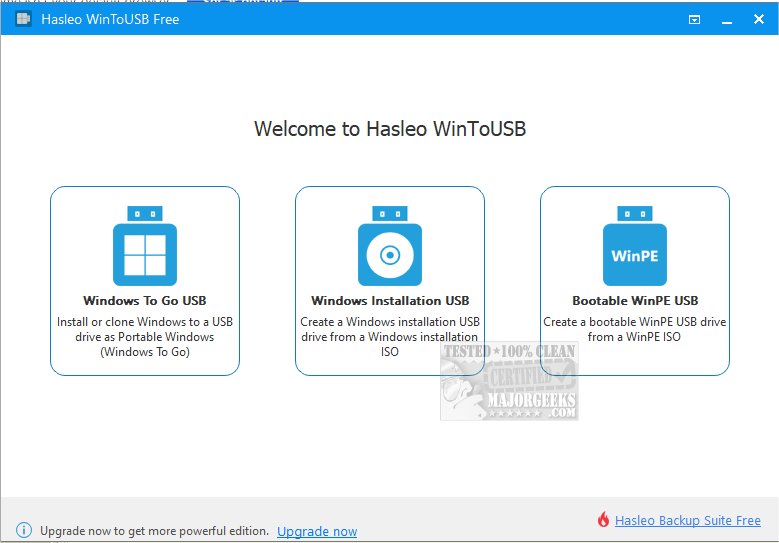
WinToUSB version 10.8.1.2 has been released, allowing users to install and run the Windows operating system on USB drives, whether they are USB hard drives or flash drives. This software utilizes ISO images or CD/DVD drives as sources for installation. By having a Windows installation source, such as a DVD or an image file, along with a valid Windows product key, users can easily set up Windows on their USB drives.
Key features of WinToUSB include:
- A straightforward three-step process for installing or cloning Windows onto a USB drive.
- Compatibility with any edition of Windows 8(.1) or 10 to create a Windows To Go USB drive.
- The capability to create a Windows To Go workspace on non-certified USB drives.
- Support for Windows 7, Windows 8(.1), Windows 10 Technical Preview, and various versions of WinPE (2/3/4/5) in both 32-bit and 64-bit formats.
Additionally, users can find helpful resources on optimizing USB drives for improved performance, retrieving embedded Windows keys, transferring Windows licenses to different computers, diagnosing USB issues, and accessing detailed information about Windows 10 and 11 installation ISOs.
Overall, WinToUSB is a versatile tool for users looking to deploy Windows in a portable format, making it convenient for both personal and professional use cases. With its recent update, users can expect enhanced functionality and support for various Windows versions, making it an essential utility for those who frequently work with multiple operating systems
Key features of WinToUSB include:
- A straightforward three-step process for installing or cloning Windows onto a USB drive.
- Compatibility with any edition of Windows 8(.1) or 10 to create a Windows To Go USB drive.
- The capability to create a Windows To Go workspace on non-certified USB drives.
- Support for Windows 7, Windows 8(.1), Windows 10 Technical Preview, and various versions of WinPE (2/3/4/5) in both 32-bit and 64-bit formats.
Additionally, users can find helpful resources on optimizing USB drives for improved performance, retrieving embedded Windows keys, transferring Windows licenses to different computers, diagnosing USB issues, and accessing detailed information about Windows 10 and 11 installation ISOs.
Overall, WinToUSB is a versatile tool for users looking to deploy Windows in a portable format, making it convenient for both personal and professional use cases. With its recent update, users can expect enhanced functionality and support for various Windows versions, making it an essential utility for those who frequently work with multiple operating systems
WinToUSB 10.8.1.2 released
WinToUSB will install and run the Windows operating system on a USB hard drive or USB flash drive, using an ISO image or CD/DVD drive as the installation source.