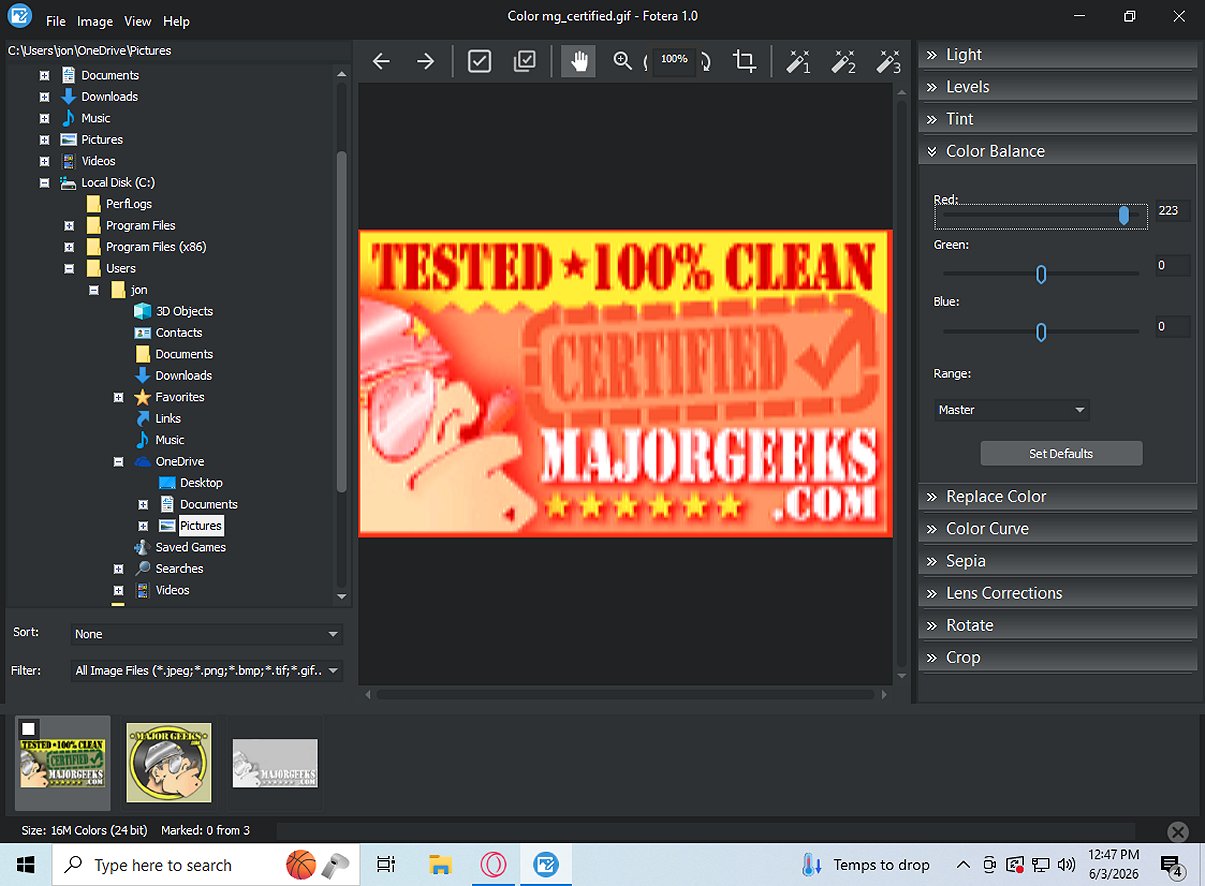
Fotera 1.0 has been launched as a freeware photo editing software designed for users who value quick, efficient, and non-destructive image editing. A key feature of Fotera is its ability to save every modification separately from the original image, which helps maintain the integrity of source photos.
The software employs a user-friendly folder-based workflow, making it easy to browse image thumbnails, select photos for editing, and navigate between images. It includes features like sorting and filtering photos, quick referencing, and batch exporting multiple images, which streamlines workflow management.
Key Features of Fotera
Fotera’s non-destructive editing approach allows users to make various adjustments—such as exposure, contrast, saturation, cropping, and applying lens corrections—without compromising the original file. Changes are saved as distinct edit data linked to the respective photo, enabling users to revert back to the original image or finalize edits only when satisfied.The software employs a user-friendly folder-based workflow, making it easy to browse image thumbnails, select photos for editing, and navigate between images. It includes features like sorting and filtering photos, quick referencing, and batch exporting multiple images, which streamlines workflow management.
RAW Photo Editing Support
Fotera supports RAW photo editing across various camera formats, offering advanced settings for a more controlled editing process. Users can choose different RAW engines, manage color spaces, and handle highlights effectively, among other options.Image Correction Tools
The software provides a range of image correction tools, allowing users to perform transformations, such as rotating and cropping images, correcting lens distortions, and applying creative effects like sepia. Additionally, auto enhancement presets can quickly elevate photos with minimal effort.Efficient Exporting
Fotera features robust batch export functionality, allowing users to export marked photos while maintaining all non-destructive adjustments. This ensures the creation of edited copies without altering the original high-resolution images.Conclusion
For those seeking high-quality and free photo editing software on Windows, Fotera offers an ideal solution. Its non-destructive editing capabilities ensure original photos remain untouched, while its efficient workflow and versatile features make it a valuable tool for both amateur and professional photographers.Future Prospects
As Fotera continues to evolve, future updates could include enhanced AI-driven editing tools, integration with online storage platforms for easy access, and expanded support for additional camera formats and features to further enhance the user experience. Additionally, community feedback could lead to the introduction of new effects and tools that cater to emerging trends in photography and editingFotera 1.0 released
Fotera is freeware photo-editing software tailored for individuals seeking quick, efficient, and non-destructive image editing. It ensures that every modification is saved separately from the original image, preserving the integrity of your source photos.