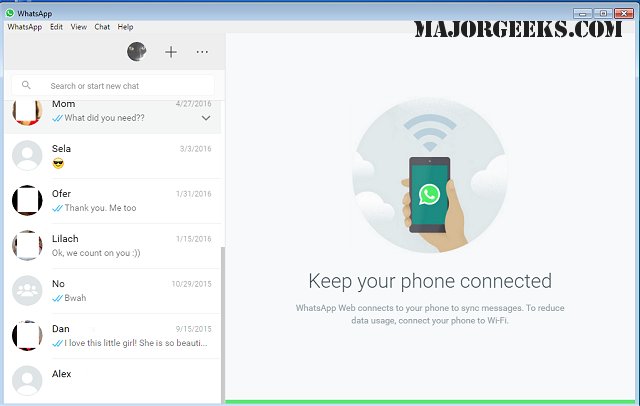
WhatsApp has released version 2.2615.101.0 for Desktop, which offers a comprehensive messaging experience similar to its Android counterpart, making it easy for users to communicate from their PCs. This app allows individuals to chat with friends, family, and colleagues without the need to constantly reach for their phones. Users can send messages, share media, and make voice or video calls, all while ensuring their conversations, contacts, and files remain synced between devices.
The new version enhances usability by allowing users to access their accounts even when their phones are off, offering faster loading times and reduced resource consumption for a smoother multitasking experience. The desktop interface is tailored for larger screens, enabling users to enjoy full-sized media, type efficiently with a keyboard, and manage chats with a user-friendly layout. It also supports easy file sharing through drag-and-drop functionality.
Security remains a priority, with end-to-end encryption ensuring that messages and calls are private. Users can also control visibility settings for their last-seen status, profile photos, and read receipts directly from the desktop app.
WhatsApp Desktop supports group voice calls for up to 32 participants and video calls for up to 8, positioning it as a viable alternative to traditional conferencing tools like Zoom and Microsoft Teams. For those who prefer not to install the app, WhatsApp Web offers a browser-based option for quick messaging. While it lacks some advanced features such as voice and video calls, it allows users to sync their chats seamlessly by scanning a QR code.
In conclusion, both WhatsApp for Desktop and WhatsApp Web provide convenient ways to communicate effectively. The desktop app is ideal for users needing comprehensive features, while WhatsApp Web serves as a quick solution for on-the-go messaging. Regardless of the platform, users can expect reliable, encrypted messaging across devices.
Extension: As digital communication continues to evolve, the need for versatile messaging platforms grows. WhatsApp's latest updates reflect this trend, catering to a diverse user base that ranges from casual users to professionals. With the integration of features like large group calls and enhanced file-sharing capabilities, WhatsApp positions itself as a central tool for both personal and business communication. Additionally, as remote work becomes more prevalent, platforms that facilitate easy and secure communication are essential. The ability to switch between desktop and mobile effortlessly enhances productivity, making tools like WhatsApp invaluable in today’s fast-paced environment. Future updates may further improve functionalities, such as integrating more collaborative tools or enhancing user interface customization to meet different user preferences
The new version enhances usability by allowing users to access their accounts even when their phones are off, offering faster loading times and reduced resource consumption for a smoother multitasking experience. The desktop interface is tailored for larger screens, enabling users to enjoy full-sized media, type efficiently with a keyboard, and manage chats with a user-friendly layout. It also supports easy file sharing through drag-and-drop functionality.
Security remains a priority, with end-to-end encryption ensuring that messages and calls are private. Users can also control visibility settings for their last-seen status, profile photos, and read receipts directly from the desktop app.
WhatsApp Desktop supports group voice calls for up to 32 participants and video calls for up to 8, positioning it as a viable alternative to traditional conferencing tools like Zoom and Microsoft Teams. For those who prefer not to install the app, WhatsApp Web offers a browser-based option for quick messaging. While it lacks some advanced features such as voice and video calls, it allows users to sync their chats seamlessly by scanning a QR code.
In conclusion, both WhatsApp for Desktop and WhatsApp Web provide convenient ways to communicate effectively. The desktop app is ideal for users needing comprehensive features, while WhatsApp Web serves as a quick solution for on-the-go messaging. Regardless of the platform, users can expect reliable, encrypted messaging across devices.
Extension: As digital communication continues to evolve, the need for versatile messaging platforms grows. WhatsApp's latest updates reflect this trend, catering to a diverse user base that ranges from casual users to professionals. With the integration of features like large group calls and enhanced file-sharing capabilities, WhatsApp positions itself as a central tool for both personal and business communication. Additionally, as remote work becomes more prevalent, platforms that facilitate easy and secure communication are essential. The ability to switch between desktop and mobile effortlessly enhances productivity, making tools like WhatsApp invaluable in today’s fast-paced environment. Future updates may further improve functionalities, such as integrating more collaborative tools or enhancing user interface customization to meet different user preferences
WhatsApp 2.2615.101.0 released
WhatsApp for Desktop provides you with nearly all the same free functionality of the Android version directly on your PC.