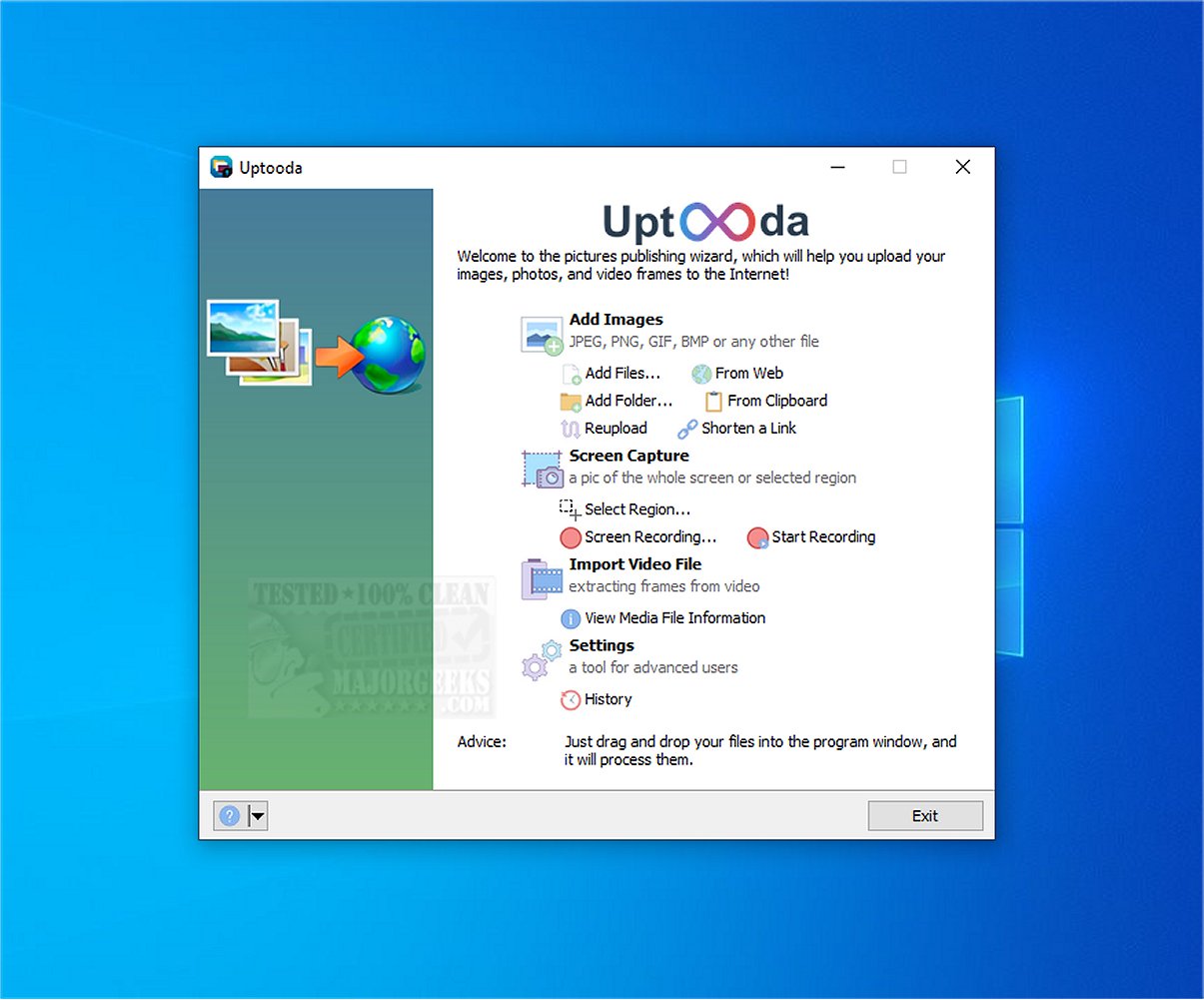
Uptooda version 1.4.8 has been released, showcasing its capabilities as a versatile tool for uploading images, screenshots, and various file types to multiple hosting services. Formerly known as Image Uploader, Uptooda simplifies the setup process, guiding users through configuration to optimize usage for their specific needs. It supports a wide range of image formats, including JPG, GIF, PNG, and BMP, as well as video files like AVI, MPG, VOB, and WMV, making it a comprehensive solution for different types of media.
Users can capture full-screen shots, active windows, or designated areas, and any captured image can be edited in Paint before uploading to a file-sharing site. Uptooda also offers features to access file details and adjust settings such as aspect ratio, image quality, watermarking, and thumbnails. Additionally, users can create custom keyboard shortcuts for more efficient uploads.
The screenshot capture feature is particularly beneficial for users who need to quickly share visual content. Overall, Uptooda stands out as a user-friendly and effective tool for uploading a variety of files to hosting platforms.
In addition to its core features, future updates could further enhance Uptooda by incorporating advanced editing tools, cloud storage integration, and improved collaboration features for teams. This would position Uptooda as a more robust solution for both individual users and businesses looking for efficient file management and sharing options
Users can capture full-screen shots, active windows, or designated areas, and any captured image can be edited in Paint before uploading to a file-sharing site. Uptooda also offers features to access file details and adjust settings such as aspect ratio, image quality, watermarking, and thumbnails. Additionally, users can create custom keyboard shortcuts for more efficient uploads.
The screenshot capture feature is particularly beneficial for users who need to quickly share visual content. Overall, Uptooda stands out as a user-friendly and effective tool for uploading a variety of files to hosting platforms.
In addition to its core features, future updates could further enhance Uptooda by incorporating advanced editing tools, cloud storage integration, and improved collaboration features for teams. This would position Uptooda as a more robust solution for both individual users and businesses looking for efficient file management and sharing options
Uptooda 1.4.8 released
Uptooda (formerly Image Uploader) allows you to efficiently upload images, screenshots, and files to numerous hosting services.