uBlock Origin Lite for Chrome has released version 2026.419.1519, offering a permission-less content blocker that effectively blocks ads, trackers, and miners. This extension is built on Manifest V3 technology, allowing it to function without requiring extensive permissions from users, thereby ensuring a smoother browsing experience by filtering out unwanted content on web pages.
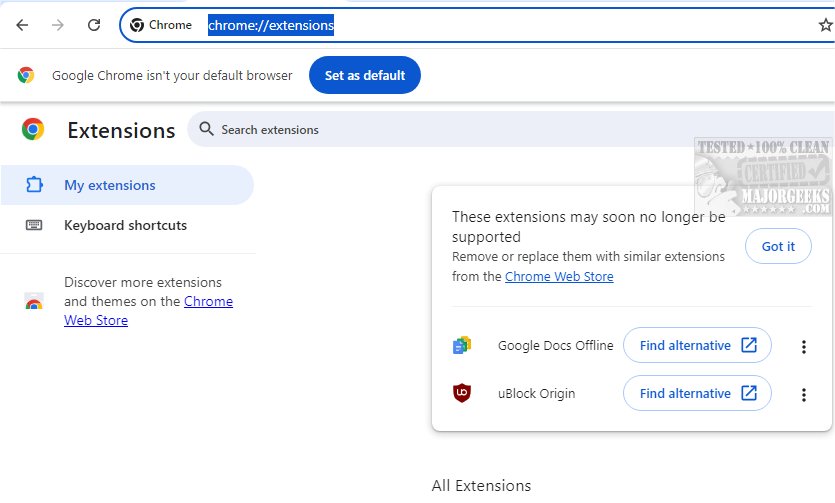
As the original uBlock Origin faces impending support issues with newer Chrome versions due to Manifest V3, uBlock Origin Lite serves as a viable alternative, preserving much of the functionality of its predecessor. Users can verify the status of their extensions by visiting chrome://extensions/, where unsupported extensions will be flagged.
While uBlock Origin Lite maintains a default ruleset that mirrors that of the original uBlock Origin, including popular filter lists such as EasyList and EasyPrivacy, it does have some limitations in features. Users can enhance their filtering capabilities by accessing the options page and adding additional rulesets. A notable design choice of uBlock Origin Lite is its minimal permission requirement during installation, which restricts some capabilities compared to other content blockers that demand broader permissions.
However, users do have the option to grant extended permissions on specific sites to optimize the extension’s performance. By adjusting the filtering mode to Optimal or Complete, users can enable cosmetic filtering and scriptlet injections for selected websites. The browser will notify users when extra permissions are requested, allowing them to make informed decisions about granting access.
In summary, uBlock Origin Lite aims to enhance user experience by blocking unwanted content without the need for extensive permissions, and it allows for customization based on user preferences. This makes it a practical choice for those looking for an efficient content blocker as they navigate the evolving landscape of Chrome extensions.
Future developments may include additional features and enhancements as the extension continues to evolve alongside user needs and browser updates
As the original uBlock Origin faces impending support issues with newer Chrome versions due to Manifest V3, uBlock Origin Lite serves as a viable alternative, preserving much of the functionality of its predecessor. Users can verify the status of their extensions by visiting chrome://extensions/, where unsupported extensions will be flagged.
While uBlock Origin Lite maintains a default ruleset that mirrors that of the original uBlock Origin, including popular filter lists such as EasyList and EasyPrivacy, it does have some limitations in features. Users can enhance their filtering capabilities by accessing the options page and adding additional rulesets. A notable design choice of uBlock Origin Lite is its minimal permission requirement during installation, which restricts some capabilities compared to other content blockers that demand broader permissions.
However, users do have the option to grant extended permissions on specific sites to optimize the extension’s performance. By adjusting the filtering mode to Optimal or Complete, users can enable cosmetic filtering and scriptlet injections for selected websites. The browser will notify users when extra permissions are requested, allowing them to make informed decisions about granting access.
In summary, uBlock Origin Lite aims to enhance user experience by blocking unwanted content without the need for extensive permissions, and it allows for customization based on user preferences. This makes it a practical choice for those looking for an efficient content blocker as they navigate the evolving landscape of Chrome extensions.
Future developments may include additional features and enhancements as the extension continues to evolve alongside user needs and browser updates
uBlock Origin Lite for Chrome 2026.419.1519 released
uBlock Origin Lite gives you a permission-less content blocker that blocks ads, trackers, miners, and more.
uBlock Origin Lite for Chrome 2026.419.1519 released @ MajorGeeks