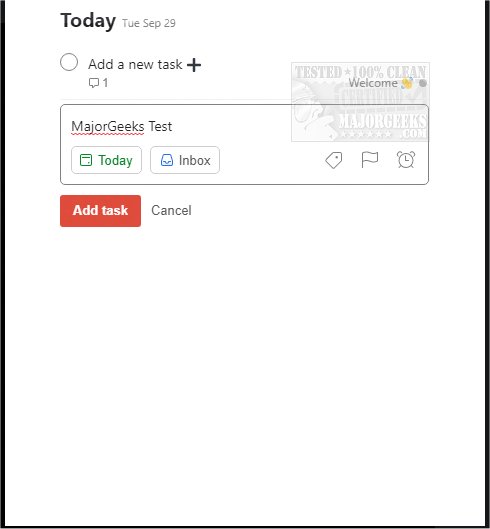
The recent release of Todoist for Chrome, Firefox, Edge, Safari, and Android (version 12.21.9) enhances its capabilities as a powerful tool for managing both work and personal tasks. This application allows users to seamlessly integrate frequently visited websites into their task lists, making it easy to add items such as blog posts or wishlist products. Additionally, Todoist enables users to manage work-related tasks that need timely follow-ups, offering a clear visual representation of daily goals.
With Todoist, users can efficiently organize their tasks and complete them directly from their browser, eliminating the need to switch between different applications. The platform supports over 60 app integrations, including popular services like Google Drive, Dropbox, Zapier, Evernote, and Slack, establishing Todoist as a central hub for productivity.
Key features of Todoist include:
- Capturing and organizing tasks as they arise
- Setting reminders and due dates to keep deadlines in check
- Building habits with recurring tasks
- Collaborating on projects by assigning tasks to team members
- Prioritizing tasks to focus on what matters most
- Tracking progress through personalized productivity metrics
To get started with Todoist, users need to sign up using their email or link an existing account.
In addition to these features, Todoist continues to evolve, offering users new tools and functionalities that cater to their organizational needs. As digital workspaces become increasingly complex, the ability to centralize tasks and integrate various tools into one platform is essential for maintaining productivity and work-life balance. Future updates may include even more integrations and advanced features to further enhance the user experience
With Todoist, users can efficiently organize their tasks and complete them directly from their browser, eliminating the need to switch between different applications. The platform supports over 60 app integrations, including popular services like Google Drive, Dropbox, Zapier, Evernote, and Slack, establishing Todoist as a central hub for productivity.
Key features of Todoist include:
- Capturing and organizing tasks as they arise
- Setting reminders and due dates to keep deadlines in check
- Building habits with recurring tasks
- Collaborating on projects by assigning tasks to team members
- Prioritizing tasks to focus on what matters most
- Tracking progress through personalized productivity metrics
To get started with Todoist, users need to sign up using their email or link an existing account.
In addition to these features, Todoist continues to evolve, offering users new tools and functionalities that cater to their organizational needs. As digital workspaces become increasingly complex, the ability to centralize tasks and integrate various tools into one platform is essential for maintaining productivity and work-life balance. Future updates may include even more integrations and advanced features to further enhance the user experience
Todoist for Chrome, Firefox, Edge, Safari, and Android 12.21.9 released
Todoist for Chrome, Firefox, Edge, Safari, and Android is an efficient means for organizing your work and personal life.
Todoist for Chrome, Firefox, Edge, Safari, and Android 12.21.9 released @ MajorGeeks