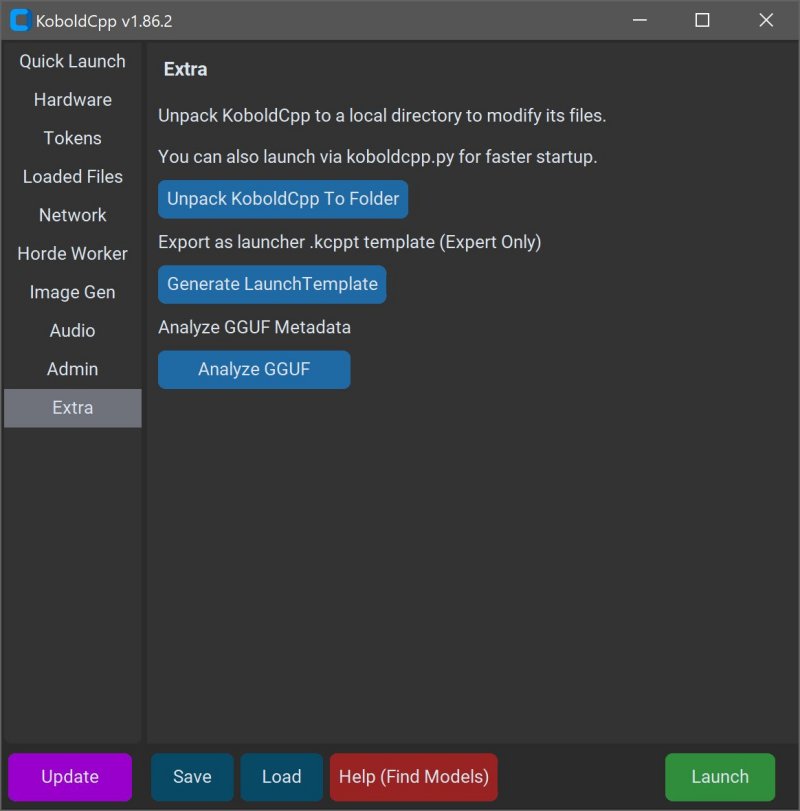
KoboldCPP is an innovative tool designed for individuals looking to run powerful AI models directly on their computers without the need for accounts, internet access, subscriptions, or compromising on privacy. This makes it an ideal solution for various applications such as private business projects, creative writing, game lore development, and personal AI experimentation—all while maintaining a secure offline environment.
What is KoboldCPP?
KoboldCPP is a lightweight, open-source application that enables users to run GGUF-format AI language models locally. It serves as a backend for the KoboldAI web interface, providing a user-friendly chat experience akin to ChatGPT but operated entirely on the user's device. Users simply need to download a model file, launch KoboldCPP, and start interacting with the AI. It supports both CPU and GPU acceleration, catering to diverse hardware configurations.
Understanding GGUF and Supported Models
The term GGUF refers to GPT-Generated Unified Format, a format optimized for local use. It is fast, lightweight, and particularly efficient with quantized models (like 4-bit or 8-bit) that can operate smoothly on mid-range PCs. While many popular open-source models on platforms like Hugging Face are available in GGUF format, KoboldCPP does not support GPTQ, Safetensors, or proprietary models from OpenAI. Therefore, users need to ensure that the models they download are compatible.
Target Audience for KoboldCPP
KoboldCPP is tailored for individuals interested in AI but who prefer not to engage with cloud services due to privacy concerns. This includes writers looking to collaborate on narratives, RPG designers seeking AI-driven NPCs, developers exploring local AI setups, and users wanting a private alternative to traditional chatbots. It is particularly beneficial for those in low-connectivity areas or anyone who is dissatisfied with existing cloud-based AI services.
Key Features of KoboldCPP:
- Local LLMs: Supports GGUF/LLAMA-based models on personal computers.
- Offline Functionality: Operates without internet or cloud dependency.
- Performance Efficiency: Compatible with Intel oneAPI and NVIDIA CUDA for GPU acceleration.
- User-Friendly Setup: Requires no complex installations—just unzip and run.
- KoboldAI Compatibility: Integrates popular features like memory, world information, and character cards.
- Customization: Offers options to load LoRA adapters, adjust context size, and personalize chat interactions.
Acquiring AI Models for KoboldCPP
While KoboldCPP does not come with built-in AI models, users can download them from trusted sources such as Hugging Face. It is advisable to select 4-bit or 8-bit GGUF models for optimal performance on mid-range systems.
Using KoboldCPP: A Quick Guide
1. Launch KoboldCPP.exe.
2. Select the downloaded .gguf model file.
3. Choose a backend (CPU or GPU options).
4. Adjust settings for context size and memory usage.
5. Click Start to open a local web chat interface.
6. Engage in conversations just like with any AI chatbot.
System Requirements
KoboldCPP operates effectively on standard hardware:
- Operating System: Windows or Linux
- RAM: Minimum 8GB, recommended 16GB+
- CPU: Modern Intel or AMD processors with AVX2 support
- GPU (optional): NVIDIA or Intel GPU for enhanced performance
Considerations When Using KoboldCPP
While the initial setup may seem technical, subsequent usage is straightforward. Users should start with smaller models to ensure compatibility and upgrade as needed. Each version of KoboldCPP has been tailored for specific hardware capabilities, ensuring optimal performance regardless of system specifications.
Conclusion
KoboldCPP empowers users with complete control over their AI experience without the need for internet access or data sharing. It is a highly accessible solution for anyone wanting to harness AI capabilities privately and securely. Whether for creative endeavors, gaming development, or simply exploring AI, KoboldCPP stands out as an excellent choice for users seeking an independent AI assistant experience. If you need assistance with model selection or setup customization, support is readily available
What is KoboldCPP?
KoboldCPP is a lightweight, open-source application that enables users to run GGUF-format AI language models locally. It serves as a backend for the KoboldAI web interface, providing a user-friendly chat experience akin to ChatGPT but operated entirely on the user's device. Users simply need to download a model file, launch KoboldCPP, and start interacting with the AI. It supports both CPU and GPU acceleration, catering to diverse hardware configurations.
Understanding GGUF and Supported Models
The term GGUF refers to GPT-Generated Unified Format, a format optimized for local use. It is fast, lightweight, and particularly efficient with quantized models (like 4-bit or 8-bit) that can operate smoothly on mid-range PCs. While many popular open-source models on platforms like Hugging Face are available in GGUF format, KoboldCPP does not support GPTQ, Safetensors, or proprietary models from OpenAI. Therefore, users need to ensure that the models they download are compatible.
Target Audience for KoboldCPP
KoboldCPP is tailored for individuals interested in AI but who prefer not to engage with cloud services due to privacy concerns. This includes writers looking to collaborate on narratives, RPG designers seeking AI-driven NPCs, developers exploring local AI setups, and users wanting a private alternative to traditional chatbots. It is particularly beneficial for those in low-connectivity areas or anyone who is dissatisfied with existing cloud-based AI services.
Key Features of KoboldCPP:
- Local LLMs: Supports GGUF/LLAMA-based models on personal computers.
- Offline Functionality: Operates without internet or cloud dependency.
- Performance Efficiency: Compatible with Intel oneAPI and NVIDIA CUDA for GPU acceleration.
- User-Friendly Setup: Requires no complex installations—just unzip and run.
- KoboldAI Compatibility: Integrates popular features like memory, world information, and character cards.
- Customization: Offers options to load LoRA adapters, adjust context size, and personalize chat interactions.
Acquiring AI Models for KoboldCPP
While KoboldCPP does not come with built-in AI models, users can download them from trusted sources such as Hugging Face. It is advisable to select 4-bit or 8-bit GGUF models for optimal performance on mid-range systems.
Using KoboldCPP: A Quick Guide
1. Launch KoboldCPP.exe.
2. Select the downloaded .gguf model file.
3. Choose a backend (CPU or GPU options).
4. Adjust settings for context size and memory usage.
5. Click Start to open a local web chat interface.
6. Engage in conversations just like with any AI chatbot.
System Requirements
KoboldCPP operates effectively on standard hardware:
- Operating System: Windows or Linux
- RAM: Minimum 8GB, recommended 16GB+
- CPU: Modern Intel or AMD processors with AVX2 support
- GPU (optional): NVIDIA or Intel GPU for enhanced performance
Considerations When Using KoboldCPP
While the initial setup may seem technical, subsequent usage is straightforward. Users should start with smaller models to ensure compatibility and upgrade as needed. Each version of KoboldCPP has been tailored for specific hardware capabilities, ensuring optimal performance regardless of system specifications.
Conclusion
KoboldCPP empowers users with complete control over their AI experience without the need for internet access or data sharing. It is a highly accessible solution for anyone wanting to harness AI capabilities privately and securely. Whether for creative endeavors, gaming development, or simply exploring AI, KoboldCPP stands out as an excellent choice for users seeking an independent AI assistant experience. If you need assistance with model selection or setup customization, support is readily available
KoboldCPP 1.118 released
KoboldCPP is a great choice for running powerful AI models on your computer with no accounts, internet, subscriptions, or privacy trade-offs.