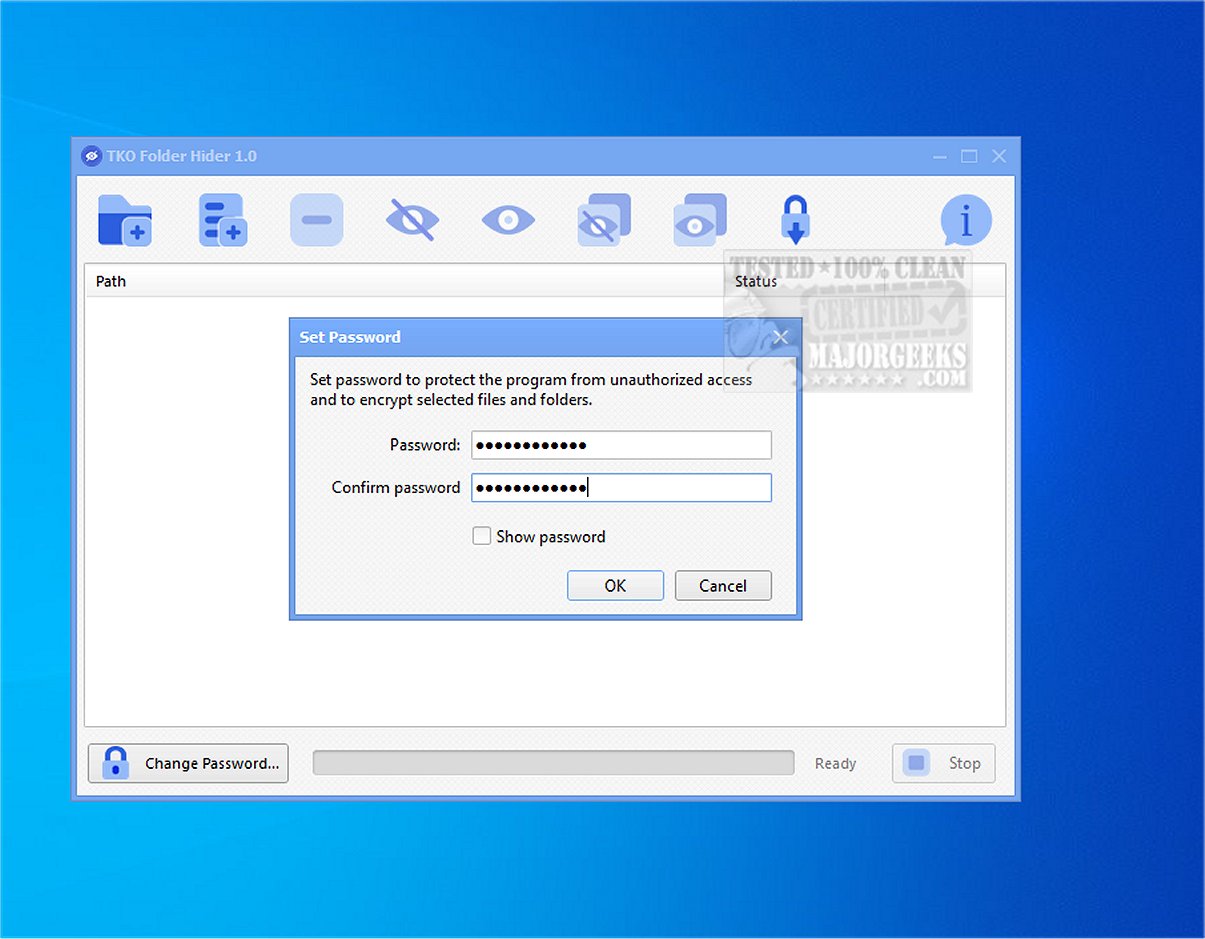
The latest update to TKO Folder Hider, version 2.4, has been launched, offering a free and effective privacy solution for Windows users. This tool is designed to encrypt and hide files or folders within password-protected .fhlocker locker files, ensuring sensitive data remains secure from unauthorized access on shared computers.
Overview of TKO Folder Hider
TKO Folder Hider allows users to protect individual files or entire folders by creating encrypted locker files. This is particularly useful for safeguarding personal photos, confidential documents, work-related data, backups, and any other private information. The application enables users to add files to a managed list and applies encryption using a general password. Once encrypted, the original items are concealed and replaced by the corresponding locker files, which are not visible in their original locations.
To access protected data, users must enter the correct password, which unlocks the locker, allowing for seamless decryption and restoration of the original files. The software supports both selective restoration of files and batch processing, making it efficient for users needing to hide or reveal multiple items simultaneously.
Key Features of TKO Folder Hider:
- Encrypt and hide individual files and complete folders
- Restore selected items or all encrypted files in one action
- Drag-and-drop support for easy file management
- Batch operations for efficient processing
- Password management options, including changing passwords and importing existing .fhlocker files
- Real-time progress tracking and status display for ongoing operations
User-Friendly Design
The design of TKO Folder Hider emphasizes user-friendliness, featuring a simple interface that allows users to manage multiple protected paths effortlessly. The drag-and-drop functionality simplifies the process of adding items for protection, while batch operations enhance efficiency for users dealing with large volumes of data.
Security Measures
TKO Folder Hider employs robust security measures, utilizing a password-based encryption method with SHA-256 hashing and HMAC for key derivation and integrity verification. The Advanced Encryption Standard (AES) is used to encrypt locker files, providing a higher level of security compared to standard hidden folders in Windows. This multi-step security approach ensures that once an item is protected, it is not only hidden but also encrypted, making it difficult for unauthorized users to access sensitive information.
Conclusion
In summary, TKO Folder Hider 2.4 is an invaluable tool for anyone looking to enhance their privacy and safeguard local files. Its user-friendly interface, powerful encryption features, and efficient management capabilities make it a reliable choice for protecting sensitive information from prying eyes. Users are reminded to remember their passwords, as losing them could result in permanent loss of access to protected files.
Further Developments
As digital privacy concerns continue to grow, tools like TKO Folder Hider will likely evolve, incorporating advanced features such as cloud integration, enhanced user authentication methods, and even more sophisticated encryption algorithms. Future updates may also focus on improving user experience by integrating support for additional operating systems and devices, ensuring users can maintain their privacy across platforms
Overview of TKO Folder Hider
TKO Folder Hider allows users to protect individual files or entire folders by creating encrypted locker files. This is particularly useful for safeguarding personal photos, confidential documents, work-related data, backups, and any other private information. The application enables users to add files to a managed list and applies encryption using a general password. Once encrypted, the original items are concealed and replaced by the corresponding locker files, which are not visible in their original locations.
To access protected data, users must enter the correct password, which unlocks the locker, allowing for seamless decryption and restoration of the original files. The software supports both selective restoration of files and batch processing, making it efficient for users needing to hide or reveal multiple items simultaneously.
Key Features of TKO Folder Hider:
- Encrypt and hide individual files and complete folders
- Restore selected items or all encrypted files in one action
- Drag-and-drop support for easy file management
- Batch operations for efficient processing
- Password management options, including changing passwords and importing existing .fhlocker files
- Real-time progress tracking and status display for ongoing operations
User-Friendly Design
The design of TKO Folder Hider emphasizes user-friendliness, featuring a simple interface that allows users to manage multiple protected paths effortlessly. The drag-and-drop functionality simplifies the process of adding items for protection, while batch operations enhance efficiency for users dealing with large volumes of data.
Security Measures
TKO Folder Hider employs robust security measures, utilizing a password-based encryption method with SHA-256 hashing and HMAC for key derivation and integrity verification. The Advanced Encryption Standard (AES) is used to encrypt locker files, providing a higher level of security compared to standard hidden folders in Windows. This multi-step security approach ensures that once an item is protected, it is not only hidden but also encrypted, making it difficult for unauthorized users to access sensitive information.
Conclusion
In summary, TKO Folder Hider 2.4 is an invaluable tool for anyone looking to enhance their privacy and safeguard local files. Its user-friendly interface, powerful encryption features, and efficient management capabilities make it a reliable choice for protecting sensitive information from prying eyes. Users are reminded to remember their passwords, as losing them could result in permanent loss of access to protected files.
Further Developments
As digital privacy concerns continue to grow, tools like TKO Folder Hider will likely evolve, incorporating advanced features such as cloud integration, enhanced user authentication methods, and even more sophisticated encryption algorithms. Future updates may also focus on improving user experience by integrating support for additional operating systems and devices, ensuring users can maintain their privacy across platforms
TKO Folder Hider 2.4 released
KO Folder Hider is a free Windows tool that encrypts and hides files or folders in password-protected .fhlocker locker files.