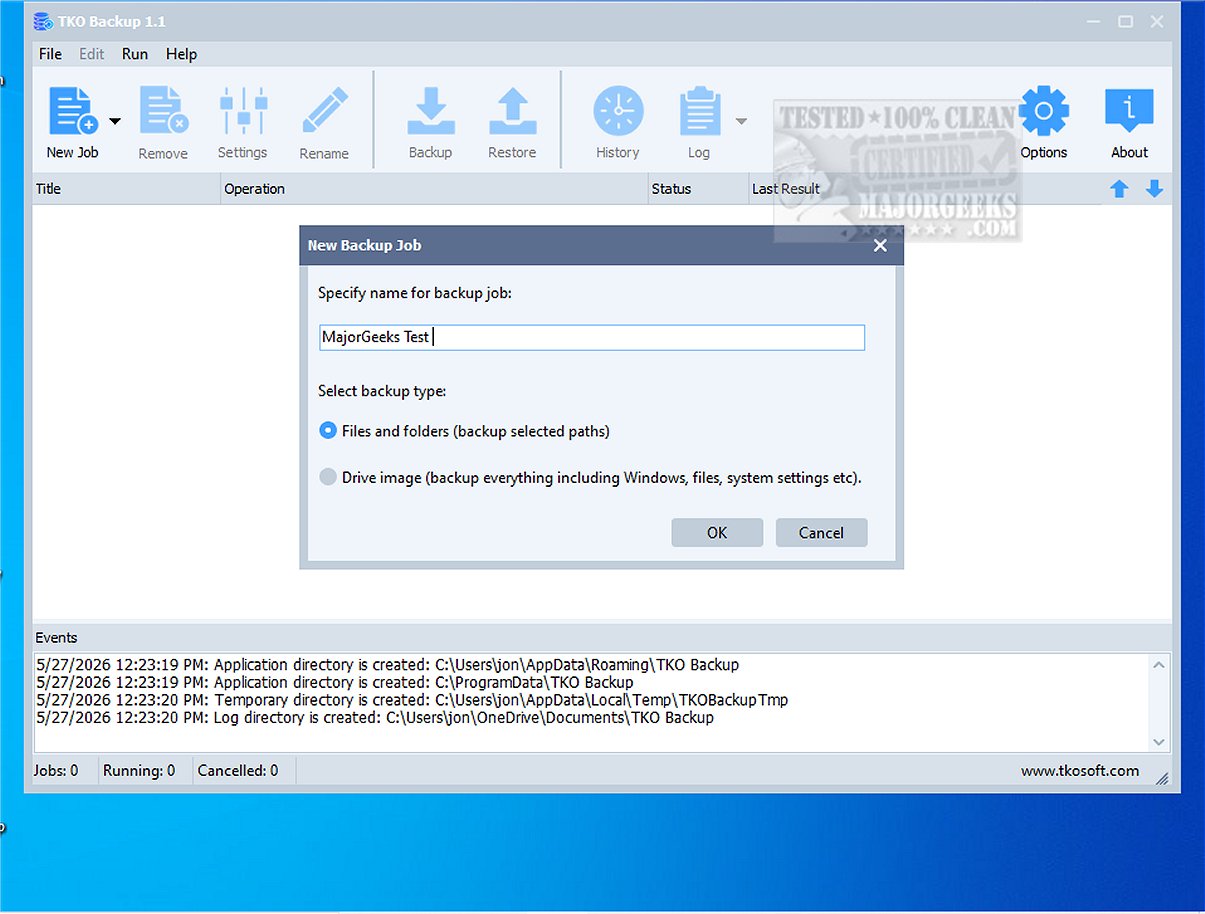
TKO Backup is a newly launched intuitive backup program tailored for users who prioritize a straightforward and effective solution for protecting their essential files, folders, and entire drives. With its user-friendly interface, TKO Backup simplifies the backup process, allowing users to easily select items for backup, designate storage locations, choose from various backup methods, and schedule tasks to run either manually or automatically.
Key Features of TKO Backup
1. Versatile Backup Options: TKO Backup supports different types of backups, including:
- Full Backups: Capturing all selected data at once.
- Incremental Backups: Saving only the changes made since the last backup.
- Mirror Backups: Creating an exact copy of the latest data state.
2. Drive Image Backup: This feature allows users to create a complete backup image of their entire drive, enhancing security and providing easy recovery options in case of data loss.
3. Restore Capabilities: Users can effortlessly recover lost files from backup points, ensuring peace of mind.
4. Backup Storage Flexibility: TKO Backup supports backing up to external drives, local disks, or network shares, and includes network path support with user authentication.
5. User-Friendly Interface: The program features a simple wizard for creating backup jobs, making it accessible for all users, regardless of technical expertise.
6. Customizable Scheduling and Filters: Users can automate backups at their preferred times, apply sophisticated file filters to include or exclude specific files, and handle missed schedules efficiently.
7. Convenience Features: Additional functionalities include retry mechanisms for failed operations and the option to shut down the computer automatically after completing the backup process.
Ideal for Home and Small Office Use
TKO Backup is particularly suited for home users and small office environments that want reliable Windows backup software without the constraints of cloud dependency, subscription fees, or complex configurations. Its straightforward approach makes it an excellent choice for anyone seeking to maintain an efficient and secure backup routine.
Extended Features and Future Enhancements
As TKO Backup continues to evolve, potential future enhancements could include:
- Cloud Integration: While currently focused on local and network storage, adding cloud backup options could provide additional flexibility and accessibility.
- Enhanced Security Features: Implementing encryption for backups could further protect sensitive data.
- Mobile Accessibility: Developing a mobile app or web interface could allow users to manage backups remotely.
- User Community and Support: Establishing a user community forum could provide users with tips, troubleshooting advice, and shared experiences.
- Advanced Reporting: Offering detailed reports and analytics on backup performance and data integrity would help users monitor their backup health effectively.
In conclusion, TKO Backup 2.0 is a robust and user-centric solution for anyone serious about data protection, offering a blend of essential features and ease of use that meets the everyday backup needs of its users
Key Features of TKO Backup
1. Versatile Backup Options: TKO Backup supports different types of backups, including:
- Full Backups: Capturing all selected data at once.
- Incremental Backups: Saving only the changes made since the last backup.
- Mirror Backups: Creating an exact copy of the latest data state.
2. Drive Image Backup: This feature allows users to create a complete backup image of their entire drive, enhancing security and providing easy recovery options in case of data loss.
3. Restore Capabilities: Users can effortlessly recover lost files from backup points, ensuring peace of mind.
4. Backup Storage Flexibility: TKO Backup supports backing up to external drives, local disks, or network shares, and includes network path support with user authentication.
5. User-Friendly Interface: The program features a simple wizard for creating backup jobs, making it accessible for all users, regardless of technical expertise.
6. Customizable Scheduling and Filters: Users can automate backups at their preferred times, apply sophisticated file filters to include or exclude specific files, and handle missed schedules efficiently.
7. Convenience Features: Additional functionalities include retry mechanisms for failed operations and the option to shut down the computer automatically after completing the backup process.
Ideal for Home and Small Office Use
TKO Backup is particularly suited for home users and small office environments that want reliable Windows backup software without the constraints of cloud dependency, subscription fees, or complex configurations. Its straightforward approach makes it an excellent choice for anyone seeking to maintain an efficient and secure backup routine.
Extended Features and Future Enhancements
As TKO Backup continues to evolve, potential future enhancements could include:
- Cloud Integration: While currently focused on local and network storage, adding cloud backup options could provide additional flexibility and accessibility.
- Enhanced Security Features: Implementing encryption for backups could further protect sensitive data.
- Mobile Accessibility: Developing a mobile app or web interface could allow users to manage backups remotely.
- User Community and Support: Establishing a user community forum could provide users with tips, troubleshooting advice, and shared experiences.
- Advanced Reporting: Offering detailed reports and analytics on backup performance and data integrity would help users monitor their backup health effectively.
In conclusion, TKO Backup 2.0 is a robust and user-centric solution for anyone serious about data protection, offering a blend of essential features and ease of use that meets the everyday backup needs of its users
TKO Backup 2.0 released
TKO Backup is an intuitive and user-friendly backup program designed specifically for users seeking a straightforward solution to safeguard their critical files, folders, and entire drives.