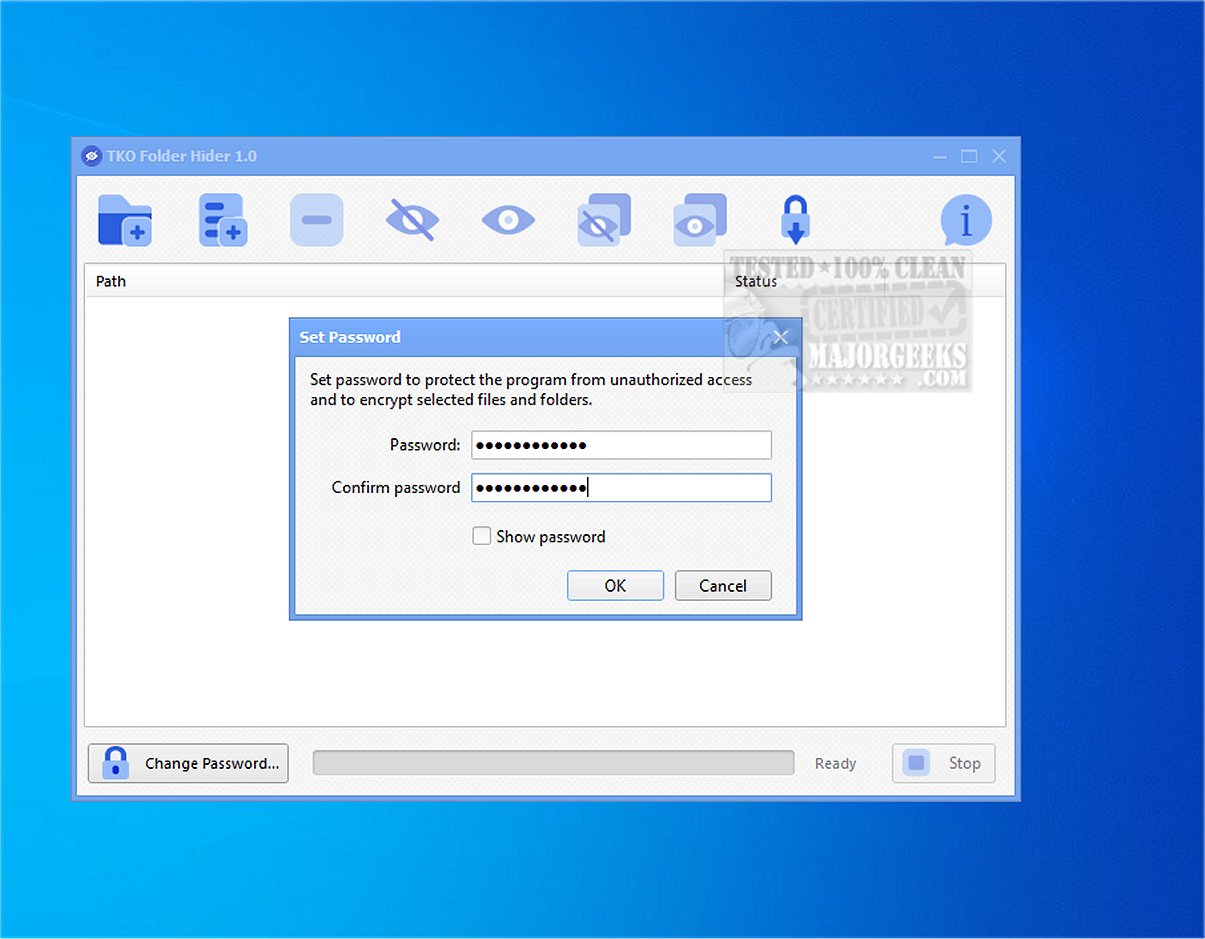
TKO Folder Hider is a free privacy tool for Windows designed to encrypt and conceal files or folders within password-protected .fhlocker locker files. This application serves as an effective solution for individuals seeking to safeguard sensitive data—ranging from personal photographs and confidential documents to work-related files and backup folders—especially on shared or frequently accessed computers.
Functionality and Operation
TKO Folder Hider allows users to manage a list of individual files or entire folders that they wish to encrypt with a single password. Once an item is protected, it is removed from its visible location and replaced with a hidden, encrypted locker file. To retrieve the original files, users must input the correct password, which unlocks and decrypts the locker, restoring the items to their original state.
Key Features of TKO Folder Hider:
- Encrypt and hide individual files or complete folders.
- Restore selected files or folders from encrypted lockers.
- Batch processing capabilities to handle multiple items simultaneously.
- Drag-and-drop support for easy file management.
- Password management features, including the ability to change passwords and import existing .fhlocker files.
- Real-time status displays for operational progress and visibility of items.
User Experience
Designed with user-friendliness in mind, TKO Folder Hider boasts a straightforward interface, making it accessible to non-technical users. The drag-and-drop feature simplifies the process of adding files and folders for protection, while batch operations streamline the management of large datasets.
Security Measures
TKO Folder Hider employs advanced security protocols, using SHA-256 for hashing and HMAC for key derivation and integrity checking, in conjunction with the Advanced Encryption Standard (AES) to encrypt locker files. This robust multi-step security approach provides a higher level of privacy than typical hidden folders in Windows, making it substantially more challenging for unauthorized users to access sensitive information.
Final Thoughts
In conclusion, TKO Folder Hider is a powerful and user-friendly tool that enhances privacy and safeguards local files. Its combination of intuitive design and sophisticated security features makes it an essential utility for anyone looking to protect their sensitive information from unwanted attention. Users are reminded to securely manage their passwords to avoid being locked out of their encrypted data.
Looking Ahead
Future updates could potentially introduce additional features such as cloud integration for easier access across devices, enhanced customization options for locker files, or even biometric security measures to provide users with an extra layer of protection. As digital privacy becomes increasingly important, tools like TKO Folder Hider will play a crucial role in helping individuals maintain control over their personal information
Functionality and Operation
TKO Folder Hider allows users to manage a list of individual files or entire folders that they wish to encrypt with a single password. Once an item is protected, it is removed from its visible location and replaced with a hidden, encrypted locker file. To retrieve the original files, users must input the correct password, which unlocks and decrypts the locker, restoring the items to their original state.
Key Features of TKO Folder Hider:
- Encrypt and hide individual files or complete folders.
- Restore selected files or folders from encrypted lockers.
- Batch processing capabilities to handle multiple items simultaneously.
- Drag-and-drop support for easy file management.
- Password management features, including the ability to change passwords and import existing .fhlocker files.
- Real-time status displays for operational progress and visibility of items.
User Experience
Designed with user-friendliness in mind, TKO Folder Hider boasts a straightforward interface, making it accessible to non-technical users. The drag-and-drop feature simplifies the process of adding files and folders for protection, while batch operations streamline the management of large datasets.
Security Measures
TKO Folder Hider employs advanced security protocols, using SHA-256 for hashing and HMAC for key derivation and integrity checking, in conjunction with the Advanced Encryption Standard (AES) to encrypt locker files. This robust multi-step security approach provides a higher level of privacy than typical hidden folders in Windows, making it substantially more challenging for unauthorized users to access sensitive information.
Final Thoughts
In conclusion, TKO Folder Hider is a powerful and user-friendly tool that enhances privacy and safeguards local files. Its combination of intuitive design and sophisticated security features makes it an essential utility for anyone looking to protect their sensitive information from unwanted attention. Users are reminded to securely manage their passwords to avoid being locked out of their encrypted data.
Looking Ahead
Future updates could potentially introduce additional features such as cloud integration for easier access across devices, enhanced customization options for locker files, or even biometric security measures to provide users with an extra layer of protection. As digital privacy becomes increasingly important, tools like TKO Folder Hider will play a crucial role in helping individuals maintain control over their personal information
TKO Folder Hider 2.0 released
KO Folder Hider is a free Windows tool that encrypts and hides files or folders in password-protected .fhlocker locker files.