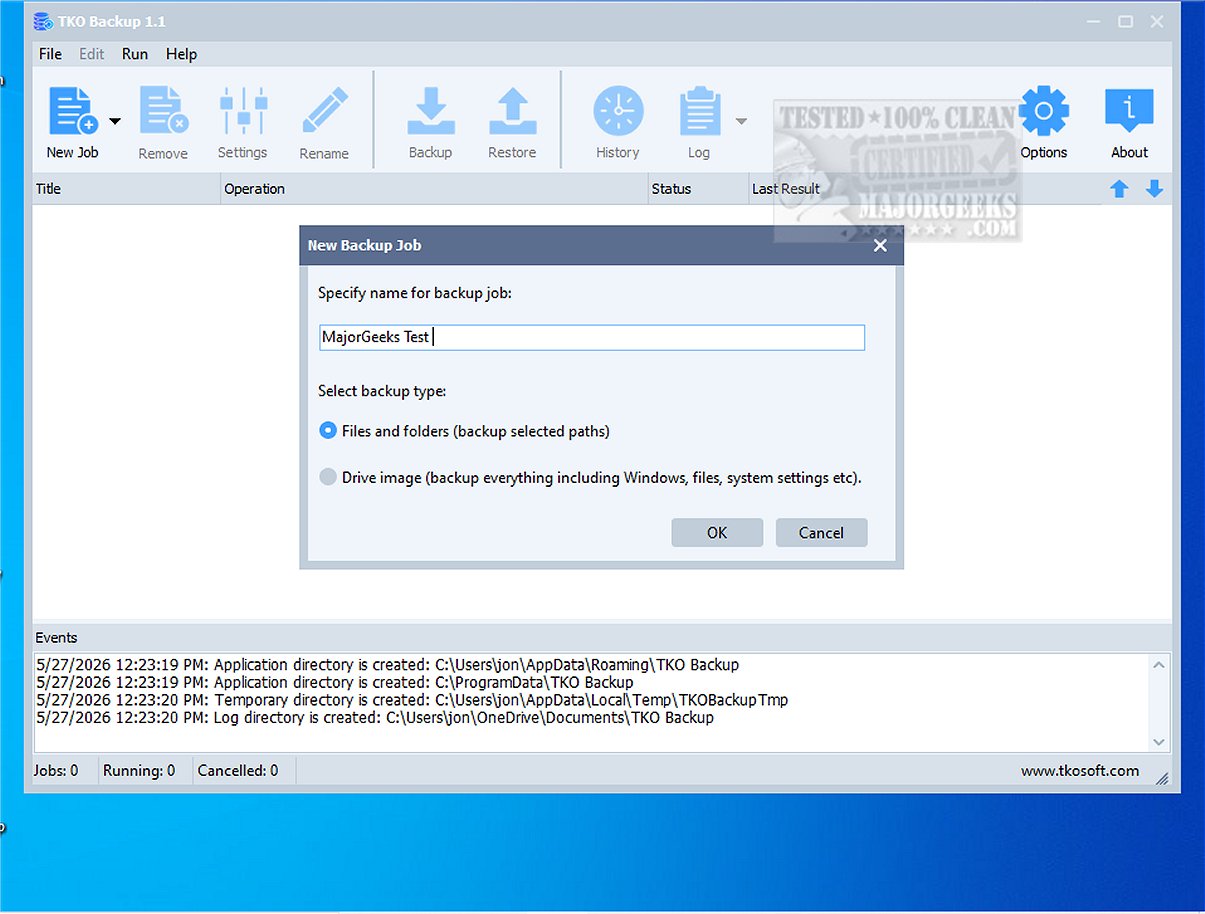
TKO Backup is a user-friendly backup software tailored for individuals looking for an uncomplicated way to protect vital files, folders, and entire drives. This latest version, TKO Backup 1.1, enhances the backup experience, allowing users to effortlessly select items for backup, designate storage locations, choose from multiple backup methods, and schedule tasks for manual or automatic execution.
- Versatile Backup Options: TKO Backup supports various backup types—full backups capture all selected data, incremental backups store only changes since the last backup, and mirror backups replicate the most current state of the data. This flexibility ensures users can choose the method that best fits their needs.
- Drive Image Backup: A standout feature, Drive Image Backup, creates a complete backup image of the entire drive, offering enhanced security and simplified data recovery options in the event of data loss.
- Simplified Workflow: Users can easily initiate backup processes through a wizard-based interface, making it accessible even for those with limited technical skills.
- Restore and History Tracking: The software allows for straightforward restoration of files from backup points and provides a backup history log to monitor previous operations.
- Customizable Scheduling and Automation: Users can automate backups based on their preferred timing, implement sophisticated file filters, and manage missed schedules effectively.
- Convenience Features: Additional functionalities include options for retrying failed operations and configuring the system to shut down after the backup is complete.
TKO Backup is ideal for home users and small office environments seeking a reliable and straightforward backup solution without the complications of cloud dependencies or subscription models. Its ease of use and robust features make it a suitable choice for anyone aiming to establish a dependable backup routine.
Overall, TKO Backup 1.1 is a practical solution for safeguarding data, combining user-friendly design with essential features to meet everyday backup needs. Whether protecting important documents, treasured memories, or ongoing projects, TKO Backup offers a reliable way to ensure data security without unnecessary complexity. As data continues to grow in importance, having an intuitive backup solution is more critical than ever.
Looking ahead, potential improvements for TKO Backup could include enhanced cloud integration options for users who prefer off-site storage, multilingual support to cater to a broader audience, and advanced encryption methods for securing sensitive data during backups. Additionally, features that allow for real-time synchronization could further streamline the backup process, making it even more efficient for users
Key Features of TKO Backup
- Versatile Backup Options: TKO Backup supports various backup types—full backups capture all selected data, incremental backups store only changes since the last backup, and mirror backups replicate the most current state of the data. This flexibility ensures users can choose the method that best fits their needs.
- Drive Image Backup: A standout feature, Drive Image Backup, creates a complete backup image of the entire drive, offering enhanced security and simplified data recovery options in the event of data loss.
- Simplified Workflow: Users can easily initiate backup processes through a wizard-based interface, making it accessible even for those with limited technical skills.
- Restore and History Tracking: The software allows for straightforward restoration of files from backup points and provides a backup history log to monitor previous operations.
- Customizable Scheduling and Automation: Users can automate backups based on their preferred timing, implement sophisticated file filters, and manage missed schedules effectively.
- Convenience Features: Additional functionalities include options for retrying failed operations and configuring the system to shut down after the backup is complete.
Target Audience
TKO Backup is ideal for home users and small office environments seeking a reliable and straightforward backup solution without the complications of cloud dependencies or subscription models. Its ease of use and robust features make it a suitable choice for anyone aiming to establish a dependable backup routine.
Conclusion
Overall, TKO Backup 1.1 is a practical solution for safeguarding data, combining user-friendly design with essential features to meet everyday backup needs. Whether protecting important documents, treasured memories, or ongoing projects, TKO Backup offers a reliable way to ensure data security without unnecessary complexity. As data continues to grow in importance, having an intuitive backup solution is more critical than ever.
Future Enhancements
Looking ahead, potential improvements for TKO Backup could include enhanced cloud integration options for users who prefer off-site storage, multilingual support to cater to a broader audience, and advanced encryption methods for securing sensitive data during backups. Additionally, features that allow for real-time synchronization could further streamline the backup process, making it even more efficient for users
TKO Backup 1.1 released
TKO Backup is an intuitive and user-friendly backup program designed specifically for users seeking a straightforward solution to safeguard their critical files, folders, and entire drives.