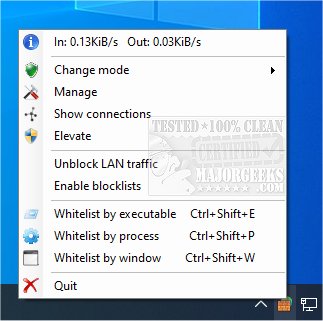
TinyWall 3.5.1 has been released, offering a robust solution for enhancing and managing the advanced Windows Firewall found in Windows 7 and later versions. This free program is designed to operate without being intrusive, allowing users to work uninterrupted while still benefiting from comprehensive protection.
Key features of TinyWall include:
- Non-Intrusive Operation: Users can engage in their activities without being interrupted by annoying pop-ups, as the configuration is user-friendly.
- Lightweight Performance: By leveraging the built-in Windows Firewall, TinyWall ensures minimal impact on system performance.
- Advanced Security Measures: TinyWall offers additional security features such as password protection, safeguards against unauthorized firewall modifications, and a set of stringent built-in rules.
- Safe Operation: The software does not install any drivers or kernel components, which helps maintain system stability.
- User-Friendly Convenience: With various firewall modes and other helpful features, TinyWall is accessible for users of all skill levels.
- Cost-Free: The program is entirely free, devoid of ads, hidden fees, or upgrade limitations.
In addition to TinyWall, users may find resources on topics such as restoring default Windows Defender Firewall settings, understanding Firewall and Network Protection in Windows 10, and insights into Windows Device Performance & Health.
As technology evolves, it is crucial to regularly update security measures. TinyWall's latest version not only enhances user experience and security but also provides a seamless integration with existing Windows functionalities. Future updates could potentially introduce even more advanced features, further solidifying TinyWall's place as a go-to tool for firewall management
Key features of TinyWall include:
- Non-Intrusive Operation: Users can engage in their activities without being interrupted by annoying pop-ups, as the configuration is user-friendly.
- Lightweight Performance: By leveraging the built-in Windows Firewall, TinyWall ensures minimal impact on system performance.
- Advanced Security Measures: TinyWall offers additional security features such as password protection, safeguards against unauthorized firewall modifications, and a set of stringent built-in rules.
- Safe Operation: The software does not install any drivers or kernel components, which helps maintain system stability.
- User-Friendly Convenience: With various firewall modes and other helpful features, TinyWall is accessible for users of all skill levels.
- Cost-Free: The program is entirely free, devoid of ads, hidden fees, or upgrade limitations.
In addition to TinyWall, users may find resources on topics such as restoring default Windows Defender Firewall settings, understanding Firewall and Network Protection in Windows 10, and insights into Windows Device Performance & Health.
As technology evolves, it is crucial to regularly update security measures. TinyWall's latest version not only enhances user experience and security but also provides a seamless integration with existing Windows functionalities. Future updates could potentially introduce even more advanced features, further solidifying TinyWall's place as a go-to tool for firewall management
TinyWall 3.5.1 released
TinyWall is a free program to harden and control the advanced firewall built into Windows 7 and above.