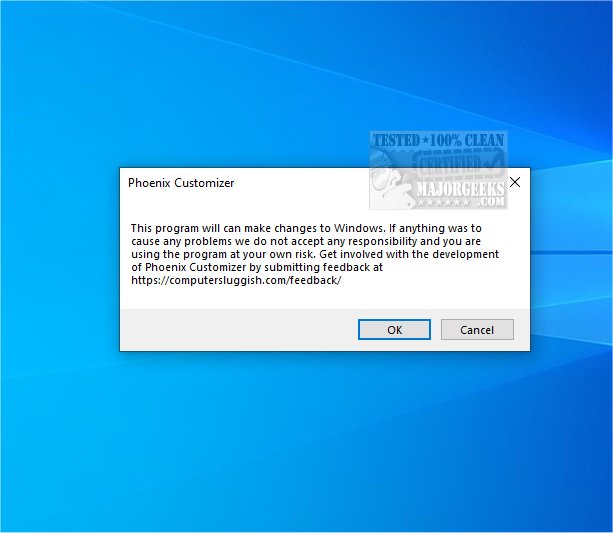
Phoenix Customizer 1.1.12.0 has been released, offering an array of customization options for Windows 10 and Windows 11 users to personalize their operating system according to their preferences. This tool allows users to change the colors and visual effects of Windows folders, enhancing both organization and aesthetics for a more appealing workspace.
In addition to folder customization, Phoenix Customizer enables users to personalize their taskbars. This includes tweaking visual elements such as color schemes and icon arrangements, as well as adjusting functionality by adding or removing shortcuts. Such enhancements not only reflect individual style but also improve workflow efficiency by organizing apps to suit user habits.
The tool features a floating widget that provides easy access to frequently used shortcuts and items. This widget can be positioned anywhere on the desktop, granting users the convenience of having essential tools readily accessible, thereby boosting productivity and organization.
Moreover, Phoenix Customizer allows modifications to the Windows context menu, facilitating a streamlined workflow by enabling users to customize the options based on their needs. This tailored experience makes the operating system more functional and enjoyable to use.
Overall, Phoenix Customizer is a powerful tool that transforms the desktop experience, allowing for a personalized and organized environment that caters specifically to individual needs.
Extension: Looking ahead, future updates to Phoenix Customizer could focus on incorporating more advanced features such as themes for different moods or work scenarios, integration with third-party applications for enhanced functionality, and user-generated templates for quicker setup. Additionally, providing a community platform for users to share their customizations could foster creativity and inspire new ideas within the user base. Enhancements in accessibility options may also be considered to ensure that all users, regardless of their abilities, can enjoy a customized and user-friendly experience
In addition to folder customization, Phoenix Customizer enables users to personalize their taskbars. This includes tweaking visual elements such as color schemes and icon arrangements, as well as adjusting functionality by adding or removing shortcuts. Such enhancements not only reflect individual style but also improve workflow efficiency by organizing apps to suit user habits.
The tool features a floating widget that provides easy access to frequently used shortcuts and items. This widget can be positioned anywhere on the desktop, granting users the convenience of having essential tools readily accessible, thereby boosting productivity and organization.
Moreover, Phoenix Customizer allows modifications to the Windows context menu, facilitating a streamlined workflow by enabling users to customize the options based on their needs. This tailored experience makes the operating system more functional and enjoyable to use.
Overall, Phoenix Customizer is a powerful tool that transforms the desktop experience, allowing for a personalized and organized environment that caters specifically to individual needs.
Extension: Looking ahead, future updates to Phoenix Customizer could focus on incorporating more advanced features such as themes for different moods or work scenarios, integration with third-party applications for enhanced functionality, and user-generated templates for quicker setup. Additionally, providing a community platform for users to share their customizations could foster creativity and inspire new ideas within the user base. Enhancements in accessibility options may also be considered to ensure that all users, regardless of their abilities, can enjoy a customized and user-friendly experience
Phoenix Customizer 1.1.12.0 released
Phoenix Customizer provides a wide range of options to tailor your Windows 10 or Windows 11 operating system according to your personal style and preferences.