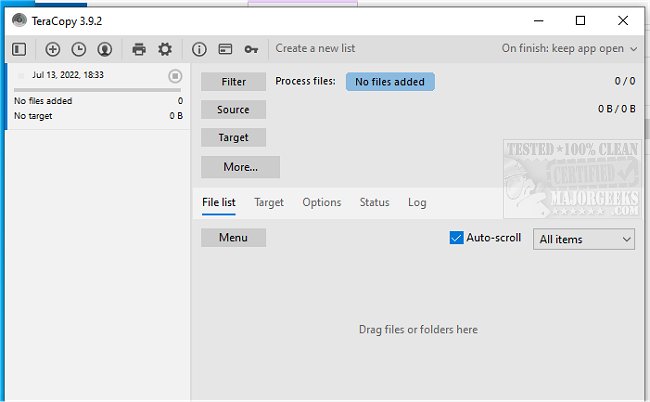
TeraCopy 4.0 RC 3 and 3.17 have been released, showcasing the program's capabilities designed for efficient file copying and moving. TeraCopy stands out for its ability to enhance transfer speeds by dynamically adjusting buffer sizes to minimize seek times. One of its key features is asynchronous copying, which significantly accelerates file transfers between distinct physical hard drives. Users can also pause and resume transfers, allowing them to reclaim system resources without losing progress; resuming is as simple as clicking a button.
Once a transfer is complete, TeraCopy verifies the integrity of the copied files by comparing the hash values of the source and target files, ensuring they are identical. The program integrates seamlessly with Windows Explorer, offering users the option to set it as their default copy handler for quick access via the right-click menu.
Additionally, TeraCopy includes robust error recovery mechanisms, retrying multiple times in the event of a copy error. If it fails, the program skips the problematic file and continues with the rest of the transfer. Users can view an interactive file list that highlights any failed transfers, enabling them to address issues and re-copy only the affected files.
In summary, TeraCopy is an essential tool for anyone looking to improve their file management efficiency, with features that cater to both speed and reliability. Future updates may further enhance its functionality, perhaps introducing more advanced error handling or compatibility with additional file systems, as well as user-requested features. For those interested in optimizing their file transfer processes, TeraCopy remains a top choice
Once a transfer is complete, TeraCopy verifies the integrity of the copied files by comparing the hash values of the source and target files, ensuring they are identical. The program integrates seamlessly with Windows Explorer, offering users the option to set it as their default copy handler for quick access via the right-click menu.
Additionally, TeraCopy includes robust error recovery mechanisms, retrying multiple times in the event of a copy error. If it fails, the program skips the problematic file and continues with the rest of the transfer. Users can view an interactive file list that highlights any failed transfers, enabling them to address issues and re-copy only the affected files.
In summary, TeraCopy is an essential tool for anyone looking to improve their file management efficiency, with features that cater to both speed and reliability. Future updates may further enhance its functionality, perhaps introducing more advanced error handling or compatibility with additional file systems, as well as user-requested features. For those interested in optimizing their file transfer processes, TeraCopy remains a top choice
TeraCopy 4.0 RC 3 / 3.17 released
TeraCopy is a compact program designed for quickly copying and moving files.