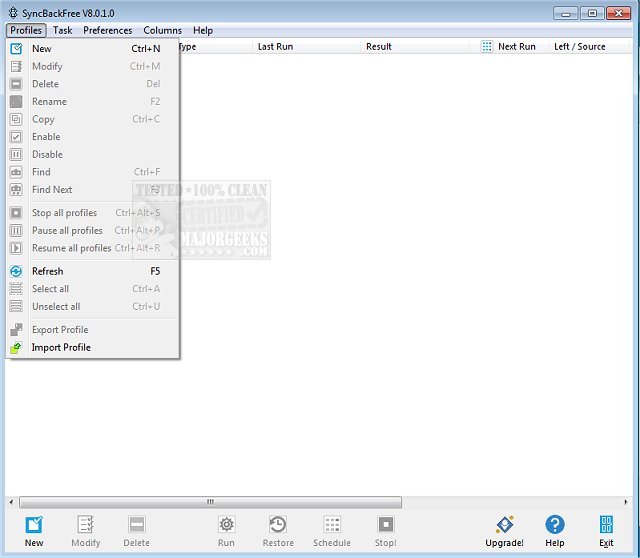
SyncBackSE 12.0.17.0 has been released as a robust file backup and synchronization solution designed to protect your valuable data. Suitable for both beginners and advanced users, SyncBackSE ensures that your data remains secure, whether at home or in a professional environment.
Key features of SyncBackSE include:
- File Management: The software can copy locked or open files (excluding Windows 2000) and offers versioning, ensuring you have access to previous file versions if needed.
- FTP Engine: SyncBackSE includes a powerful FTP engine, enhancing the efficiency of file transfers.
- Fast Backup: Users can experience accelerated backup processes through the 'Fast Backup' feature.
- User Modes: The software provides both Easy and Expert modes, catering to users with varying levels of expertise.
- Customizable Options: Users can fine-tune their backup and synchronization tasks with a wide range of options available.
- Wizards for Assistance: The Profile Wizard helps create backup or synchronization profiles, while the Restore Wizard simplifies the retrieval of files. Additionally, the Technical Wizard assists users in generating necessary files for technical support.
- Generous Licensing: Personal users can utilize SyncBackSE on up to five computers for home use, making it an economical choice for protecting multiple devices.
- Comprehensive Support: The software is backed by an extensive Help File and a dedicated Support Area that includes a KnowledgeBase, FAQs, and a Troubleshooter.
In summary, SyncBackSE is an effective and user-friendly tool for ensuring data security through reliable backup and synchronization capabilities. Its combination of advanced features, ease of use, and strong support makes it a top choice for both individual users and small businesses looking to safeguard their data.
Furthermore, users can benefit from regular updates and improvements, ensuring that the software remains current with the latest technological advancements and user needs. As the digital landscape evolves, SyncBackSE continues to adapt, providing users with a reliable solution for their data protection requirements
Key features of SyncBackSE include:
- File Management: The software can copy locked or open files (excluding Windows 2000) and offers versioning, ensuring you have access to previous file versions if needed.
- FTP Engine: SyncBackSE includes a powerful FTP engine, enhancing the efficiency of file transfers.
- Fast Backup: Users can experience accelerated backup processes through the 'Fast Backup' feature.
- User Modes: The software provides both Easy and Expert modes, catering to users with varying levels of expertise.
- Customizable Options: Users can fine-tune their backup and synchronization tasks with a wide range of options available.
- Wizards for Assistance: The Profile Wizard helps create backup or synchronization profiles, while the Restore Wizard simplifies the retrieval of files. Additionally, the Technical Wizard assists users in generating necessary files for technical support.
- Generous Licensing: Personal users can utilize SyncBackSE on up to five computers for home use, making it an economical choice for protecting multiple devices.
- Comprehensive Support: The software is backed by an extensive Help File and a dedicated Support Area that includes a KnowledgeBase, FAQs, and a Troubleshooter.
In summary, SyncBackSE is an effective and user-friendly tool for ensuring data security through reliable backup and synchronization capabilities. Its combination of advanced features, ease of use, and strong support makes it a top choice for both individual users and small businesses looking to safeguard their data.
Furthermore, users can benefit from regular updates and improvements, ensuring that the software remains current with the latest technological advancements and user needs. As the digital landscape evolves, SyncBackSE continues to adapt, providing users with a reliable solution for their data protection requirements
SyncBackSE 12.0.17.0 released
SyncBackSE is a file backup & synchronization solution that ensures your most valuable asset, data, remains protected.