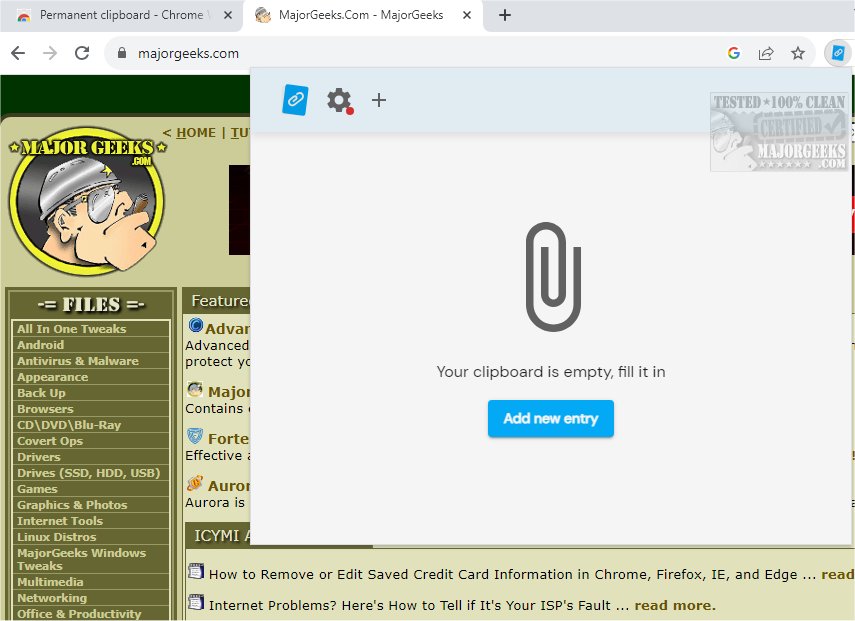
The newly released version 4.6.3 of Permanent Clipboard for Chrome offers an efficient solution for saving and organizing clipboard snippets. This lightweight extension allows users to easily capture text and images, providing a user-friendly interface for managing copied materials. Permanent Clipboard is designed to enhance productivity by allowing users to categorize snippets for quick access and effortlessly search through saved items, making it especially beneficial for students, professionals, and anyone who frequently uses the clipboard.
Key Features of Permanent Clipboard:
- Powerful Yet Simple: The tool is powerful enough to keep all important notes, responses, and snippets just a click away, whether it's phone numbers, email templates, or other vital information.
- Customization Options: Users can assign descriptive names to saved items and organize them into custom categories, allowing for a more personalized and efficient retrieval process.
- User-Friendly Operation: Accessing saved clips is simple with a right-click, enhancing productivity without the need to sift through various documents or applications.
- Cross-Device Sync: The extension enables users to work from any location seamlessly without losing progress, making it ideal for multitaskers.
- Backup and Restore: Users can safeguard their saved data and restore it quickly if needed.
With Permanent Clipboard, you can elevate your productivity by keeping frequently used text snippets at your fingertips. This tool transforms workflows, allowing users to focus on what truly matters. By simplifying clipboard management, Permanent Clipboard becomes an essential asset for anyone looking to enhance their efficiency.
Explore More:
To further optimize your clipboard usage, you may find resources on topics such as copying file paths, clearing clipboard history, and disabling clipboard history in Windows 10/11 helpful. Get Permanent Clipboard today and experience a smoother, more efficient workflow
Key Features of Permanent Clipboard:
- Powerful Yet Simple: The tool is powerful enough to keep all important notes, responses, and snippets just a click away, whether it's phone numbers, email templates, or other vital information.
- Customization Options: Users can assign descriptive names to saved items and organize them into custom categories, allowing for a more personalized and efficient retrieval process.
- User-Friendly Operation: Accessing saved clips is simple with a right-click, enhancing productivity without the need to sift through various documents or applications.
- Cross-Device Sync: The extension enables users to work from any location seamlessly without losing progress, making it ideal for multitaskers.
- Backup and Restore: Users can safeguard their saved data and restore it quickly if needed.
With Permanent Clipboard, you can elevate your productivity by keeping frequently used text snippets at your fingertips. This tool transforms workflows, allowing users to focus on what truly matters. By simplifying clipboard management, Permanent Clipboard becomes an essential asset for anyone looking to enhance their efficiency.
Explore More:
To further optimize your clipboard usage, you may find resources on topics such as copying file paths, clearing clipboard history, and disabling clipboard history in Windows 10/11 helpful. Get Permanent Clipboard today and experience a smoother, more efficient workflow
Permanent Clipboard for Chrome 4.6.3 released
Permanent Clipboard will help you save and organize your clipboard snippets seamlessly.