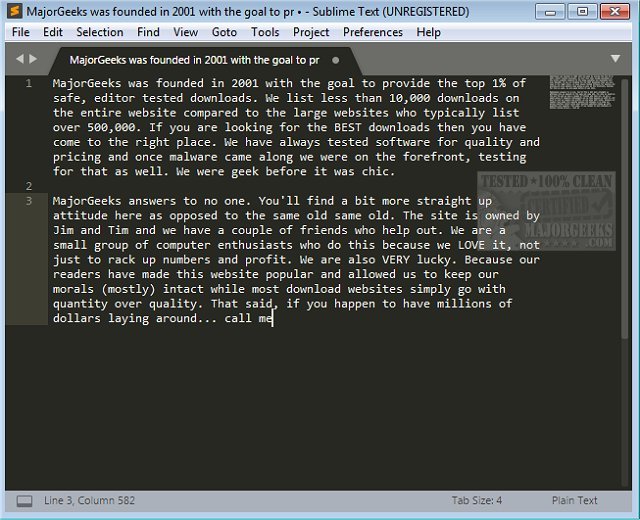
Sublime Text 4 Build 4213 has been released, enhancing this popular cross-platform text editor designed for writing prose, coding, and markup tasks. It is compatible with both Windows and Linux operating systems and continues to stand out for its impressive performance and user-friendly interface.
The latest version offers an array of features that streamline the editing process. Users can access a well-organized menu bar that includes options for preferences, tools, and project management. Important editing functions such as indenting, duplicating, deleting, toggling comments, transposing text, and inserting lines are easily accessible. Users can also join or swap lines, making it versatile for various editing needs.
Sublime Text supports advanced functionalities like "Goto Anything" for quick navigation, multiple selections for batch editing, and split editing for multitasking. It also allows instant project switching and provides a distraction-free mode, helping users focus on their work. The command palette enables easy sorting and modification of syntax and indentation settings, while the Python API allows for plugin development, enhancing the editor's built-in capabilities.
In summary, Sublime Text 4 Build 4213 caters to both casual users and professional developers, offering robust features that improve productivity and efficiency in text editing. As the software evolves, users can anticipate further enhancements and functionalities that align with modern editing needs.
Additionally, users interested in optimizing their workflow can explore other related tools and customizations, such as adding context menu options or managing applications like Microsoft WordPad, to complement their editing experience
The latest version offers an array of features that streamline the editing process. Users can access a well-organized menu bar that includes options for preferences, tools, and project management. Important editing functions such as indenting, duplicating, deleting, toggling comments, transposing text, and inserting lines are easily accessible. Users can also join or swap lines, making it versatile for various editing needs.
Sublime Text supports advanced functionalities like "Goto Anything" for quick navigation, multiple selections for batch editing, and split editing for multitasking. It also allows instant project switching and provides a distraction-free mode, helping users focus on their work. The command palette enables easy sorting and modification of syntax and indentation settings, while the Python API allows for plugin development, enhancing the editor's built-in capabilities.
In summary, Sublime Text 4 Build 4213 caters to both casual users and professional developers, offering robust features that improve productivity and efficiency in text editing. As the software evolves, users can anticipate further enhancements and functionalities that align with modern editing needs.
Additionally, users interested in optimizing their workflow can explore other related tools and customizations, such as adding context menu options or managing applications like Microsoft WordPad, to complement their editing experience
Sublime Text 4 Build 4213 released
Sublime Text is a refined cross-platform text editor for prose, code, and markup. Available for Windows and Linux.