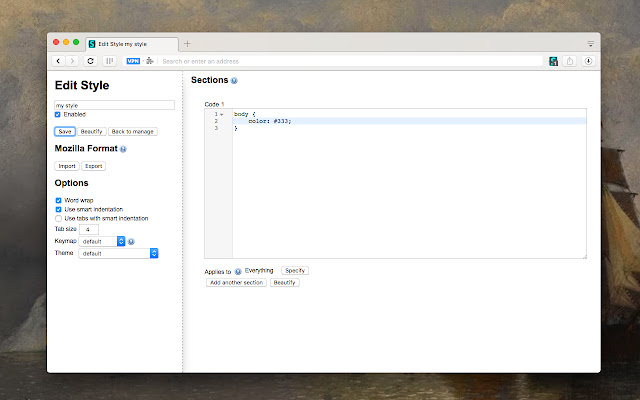
Stylus, the user styles manager for Chrome, Firefox, and Opera, has recently released version 2.4.13. This extension allows users to easily install themes and skins for a wide variety of popular websites, enabling them to personalize their browsing experience. Stylus is actively developed and supported by a vibrant community, making it a go-to tool for web customization.
Key features of Stylus include:
- Versatile Theme Installation: Users can install themes from well-known online repositories or directly from .user.CSS or .user.Styl URLs, enhancing flexibility in theme selection.
- Backup Capability: The extension offers a backup feature that allows users to save their entire database of installed styles, ensuring compatibility with other user style managers.
- Automatic Updates: Stylus includes an intuitive and configurable function that automatically updates installed styles, keeping users’ customizations current.
- Customizable User Interface: Users can enjoy a highly customizable UI, with options for theming, layout configurations, icon and badge colors, along with numerous other personalization tweaks.
- Code Validation Tools: Stylus provides two optional code validators that come with user-configurable rules, aiding in the creation and management of user styles.
In addition to these features, future updates could focus on enhancing collaboration within the community, perhaps by integrating user feedback more effectively or allowing users to share their custom styles more easily. Another potential improvement could involve expanding the range of supported websites or integrating AI-driven suggestions for themes based on user preferences, thereby making the customization process even more user-friendly
Key features of Stylus include:
- Versatile Theme Installation: Users can install themes from well-known online repositories or directly from .user.CSS or .user.Styl URLs, enhancing flexibility in theme selection.
- Backup Capability: The extension offers a backup feature that allows users to save their entire database of installed styles, ensuring compatibility with other user style managers.
- Automatic Updates: Stylus includes an intuitive and configurable function that automatically updates installed styles, keeping users’ customizations current.
- Customizable User Interface: Users can enjoy a highly customizable UI, with options for theming, layout configurations, icon and badge colors, along with numerous other personalization tweaks.
- Code Validation Tools: Stylus provides two optional code validators that come with user-configurable rules, aiding in the creation and management of user styles.
In addition to these features, future updates could focus on enhancing collaboration within the community, perhaps by integrating user feedback more effectively or allowing users to share their custom styles more easily. Another potential improvement could involve expanding the range of supported websites or integrating AI-driven suggestions for themes based on user preferences, thereby making the customization process even more user-friendly
Stylus for Chrome, Firefox, and Opera 2.4.13 released
Stylus for Chrome, Firefox, and Opera allows you to install themes and skins for many popular sites easily.
Stylus for Chrome, Firefox, and Opera 2.4.13 released @ MajorGeeks