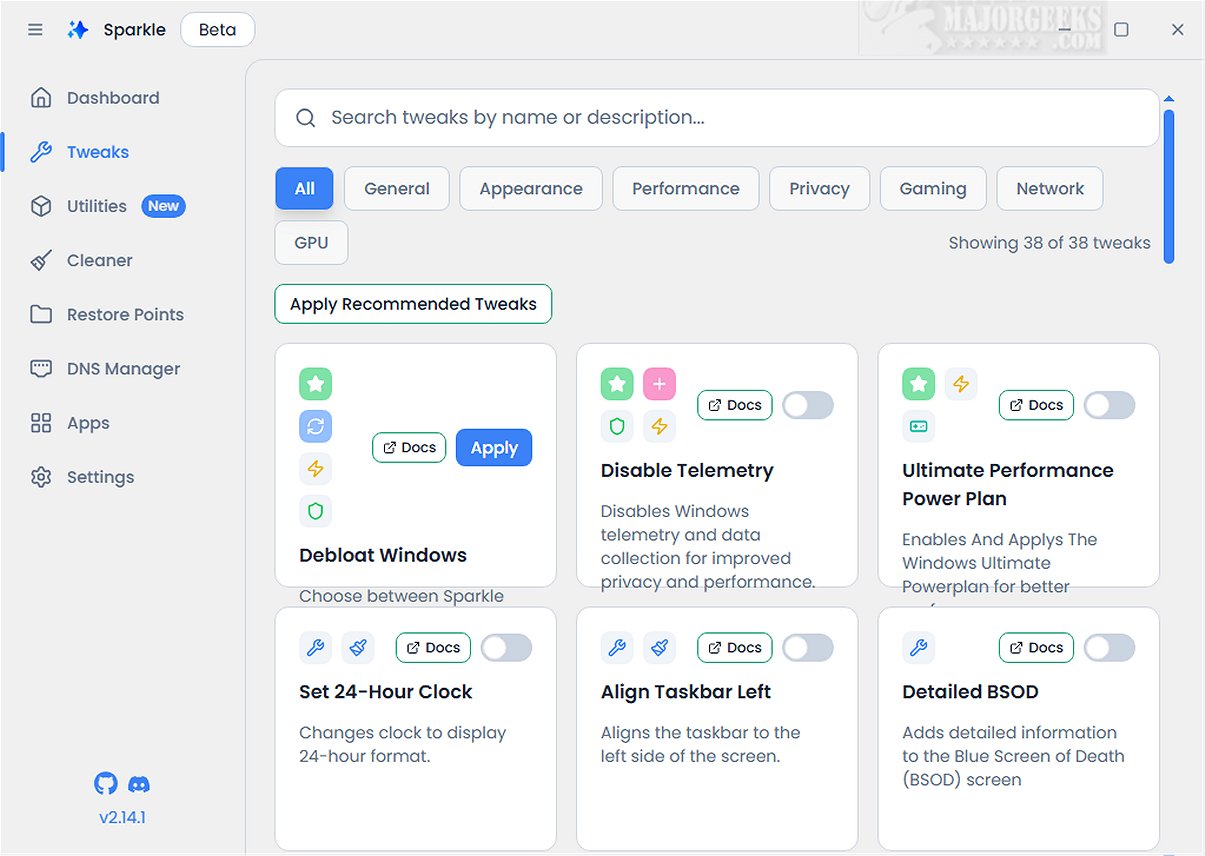
Sparkle is an innovative Windows application aimed at boosting your system's performance through the removal of unnecessary Microsoft bloatware and the implementation of various customization tweaks.
Key Features of Sparkle
With Sparkle, users can disable telemetry features that monitor user activity, deactivate Copilot for a more streamlined workflow, and apply specialized NVIDIA optimizations to enhance gaming performance. Furthermore, Sparkle provides a straightforward way to uninstall OneDrive, granting users greater control over installed applications.
App Installer Integration
One of Sparkle's standout features is its integration with robust app installers. It comes equipped with built-in Winget and Chocolatey app installers, providing users with easy access to the latest software. With regular updates to both installers, users can maintain a fresh toolkit without the hassle of manual downloads.
User-Friendly Interface
The application boasts a user-friendly interface that includes a dedicated Utilities page, allowing users to perform essential maintenance tasks. Users can run Disk Cleanup to free up space, view detailed system information to monitor performance, and quickly restart graphics drivers to resolve display issues.
Creating a Restore Point
Before utilizing Sparkle, it is advisable to create a system restore point—a feature Sparkle offers—ensuring users have a backup of their system state in case of any issues during or after the application is used. Additionally, having a current backup is always recommended for extra security.
Geek Verdict
In conclusion, Sparkle serves as a comprehensive tool that integrates a multitude of essential features into a single, seamless experience. With its intuitive Winget App Installer, versatile Chocolatey App Installer, effective Windows Debloat Tool, efficient temporary file cleaner, and dynamic DNS Changer, Sparkle stands out as the ultimate solution for optimizing and personalizing your Windows experience.
Future Prospects
As Sparkle continues to evolve, upcoming versions may introduce enhanced features such as advanced customization options, more robust performance monitoring tools, and broader software support. Users can look forward to an even more streamlined experience that caters to a wider range of system optimization needs. Additionally, user feedback could lead to new functionalities that further enhance usability and performance, making Sparkle an indispensable tool for Windows users
Key Features of Sparkle
With Sparkle, users can disable telemetry features that monitor user activity, deactivate Copilot for a more streamlined workflow, and apply specialized NVIDIA optimizations to enhance gaming performance. Furthermore, Sparkle provides a straightforward way to uninstall OneDrive, granting users greater control over installed applications.
App Installer Integration
One of Sparkle's standout features is its integration with robust app installers. It comes equipped with built-in Winget and Chocolatey app installers, providing users with easy access to the latest software. With regular updates to both installers, users can maintain a fresh toolkit without the hassle of manual downloads.
User-Friendly Interface
The application boasts a user-friendly interface that includes a dedicated Utilities page, allowing users to perform essential maintenance tasks. Users can run Disk Cleanup to free up space, view detailed system information to monitor performance, and quickly restart graphics drivers to resolve display issues.
Creating a Restore Point
Before utilizing Sparkle, it is advisable to create a system restore point—a feature Sparkle offers—ensuring users have a backup of their system state in case of any issues during or after the application is used. Additionally, having a current backup is always recommended for extra security.
Geek Verdict
In conclusion, Sparkle serves as a comprehensive tool that integrates a multitude of essential features into a single, seamless experience. With its intuitive Winget App Installer, versatile Chocolatey App Installer, effective Windows Debloat Tool, efficient temporary file cleaner, and dynamic DNS Changer, Sparkle stands out as the ultimate solution for optimizing and personalizing your Windows experience.
Future Prospects
As Sparkle continues to evolve, upcoming versions may introduce enhanced features such as advanced customization options, more robust performance monitoring tools, and broader software support. Users can look forward to an even more streamlined experience that caters to a wider range of system optimization needs. Additionally, user feedback could lead to new functionalities that further enhance usability and performance, making Sparkle an indispensable tool for Windows users
Sparkle 2.18.0 Beta released
Sparkle is a versatile Windows application designed to enhance your system's performance by effectively removing unnecessary Microsoft bloatware and applying various customization tweaks.