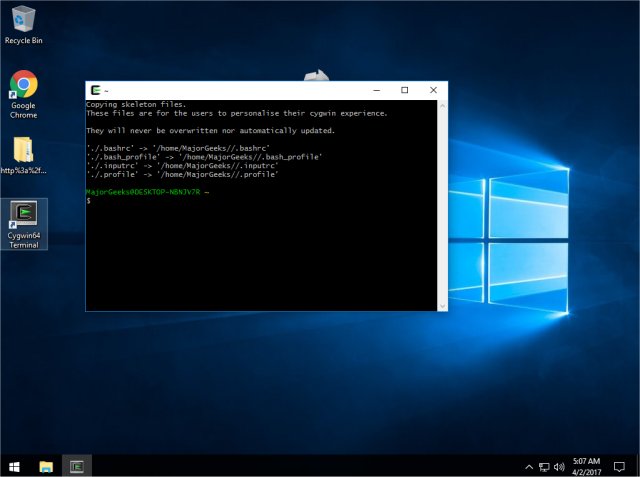
Cygwin 3.6.12 has been released, offering Windows users a Linux-like environment with a diverse array of precompiled applications. Cygwin functions as a terminal that allows users to execute Linux commands on Windows without being a shell replacement or a full operating system alternative. It is designed to be safe for installation, but creating a complete backup image of your system is prudent for safety.
For those unfamiliar with Linux, Cygwin presents a command-line interface reminiscent of a DOS prompt, where prior knowledge of Linux or DOS can be beneficial. Unlike a native Linux environment, Cygwin does not run Linux applications directly; users must either recompile applications to be compatible or select from the available packages during installation.
The installation process is facilitated by an installer that ensures users have the latest version. However, if you encounter issues, such as compatibility problems with virtual machine environments like VMWare, it may hinder your experience. This limitation is a notable drawback for users who intend to run Cygwin in a virtualized setting.
While Cygwin delivers on its promise of providing a Linux-like experience, it lacks the graphical user interface (GUI) that many Linux distributions offer. Users should also be aware of the available FAQs and user guides, as they may need assistance navigating the system. Ultimately, Cygwin serves as a useful tool for experimenting with Linux in a secure manner, but users may find themselves appreciating their Windows operating system more after the experience.
In conclusion, Cygwin 3.6.12 opens doors for Windows users to explore Linux command-line functionality, but it comes with caveats regarding application compatibility and virtual machine integration. As the software continues to evolve, future updates may address these limitations, potentially enhancing the overall user experience and bridging the gap between Windows and Linux environments
For those unfamiliar with Linux, Cygwin presents a command-line interface reminiscent of a DOS prompt, where prior knowledge of Linux or DOS can be beneficial. Unlike a native Linux environment, Cygwin does not run Linux applications directly; users must either recompile applications to be compatible or select from the available packages during installation.
The installation process is facilitated by an installer that ensures users have the latest version. However, if you encounter issues, such as compatibility problems with virtual machine environments like VMWare, it may hinder your experience. This limitation is a notable drawback for users who intend to run Cygwin in a virtualized setting.
While Cygwin delivers on its promise of providing a Linux-like experience, it lacks the graphical user interface (GUI) that many Linux distributions offer. Users should also be aware of the available FAQs and user guides, as they may need assistance navigating the system. Ultimately, Cygwin serves as a useful tool for experimenting with Linux in a secure manner, but users may find themselves appreciating their Windows operating system more after the experience.
In conclusion, Cygwin 3.6.12 opens doors for Windows users to explore Linux command-line functionality, but it comes with caveats regarding application compatibility and virtual machine integration. As the software continues to evolve, future updates may address these limitations, potentially enhancing the overall user experience and bridging the gap between Windows and Linux environments
Cygwin 3.6.12 released
Cygwin is designed to provide functionality similar to a Linux distribution on Windows with a large selection of precompiled apps.