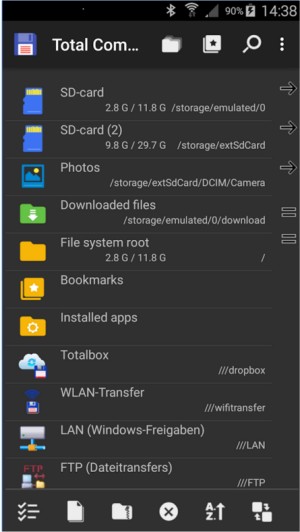
Total Commander 11.58.1 has been released, reinforcing its reputation as a powerful all-in-one file manager for Windows and Android devices. Unlike the standard Windows Explorer, Total Commander offers a no-frills experience focused on efficiency and functionality, making it ideal for users who prefer a robust file management solution.
The dual-pane interface allows for seamless file management, enabling users to copy or move files between directories without unnecessary back and forth. It supports a wide range of archive formats, including ZIP, RAR, and TAR, allowing for direct browsing and manipulating of archive contents without the need for additional software. Additionally, its built-in FTP client is user-friendly and supports secure protocols, simplifying remote server access for tasks like backups or site maintenance.
For enhanced productivity, Total Commander can be integrated with the Everything search tool, significantly improving search speed. The software also supports numerous plugins, enabling functionalities such as browsing Android devices over MTP, unpacking ISO files, and cloud sync with services like Dropbox or OneDrive. The keyboard-driven design allows experienced users to execute file operations quickly, further streamlining workflows.
In practical use, Total Commander excels at managing large file operations, such as renaming batches of images or moving extensive backups across drives. Its Multi-Rename Tool is particularly noteworthy, offering advanced options for renaming files in bulk with a live preview feature to avoid mistakes.
Despite its many advantages, Total Commander does have some drawbacks. The user interface may seem outdated to some, and there is a learning curve associated with its layout and shortcut keys. However, these issues are minor compared to the software’s extensive capabilities.
In summary, Total Commander is highly regarded for its utility, especially among power users, system administrators, and developers. It is a resource-light application that prioritizes functionality over aesthetics, making it an invaluable tool for anyone looking to enhance their file management experience. The free version does include a challenge question at startup, but this is a small trade-off for such a powerful tool. Whether organizing files, managing servers, or performing batch operations, Total Commander stands out as a reliable choice that users can depend on for their file management needs
The dual-pane interface allows for seamless file management, enabling users to copy or move files between directories without unnecessary back and forth. It supports a wide range of archive formats, including ZIP, RAR, and TAR, allowing for direct browsing and manipulating of archive contents without the need for additional software. Additionally, its built-in FTP client is user-friendly and supports secure protocols, simplifying remote server access for tasks like backups or site maintenance.
For enhanced productivity, Total Commander can be integrated with the Everything search tool, significantly improving search speed. The software also supports numerous plugins, enabling functionalities such as browsing Android devices over MTP, unpacking ISO files, and cloud sync with services like Dropbox or OneDrive. The keyboard-driven design allows experienced users to execute file operations quickly, further streamlining workflows.
In practical use, Total Commander excels at managing large file operations, such as renaming batches of images or moving extensive backups across drives. Its Multi-Rename Tool is particularly noteworthy, offering advanced options for renaming files in bulk with a live preview feature to avoid mistakes.
Despite its many advantages, Total Commander does have some drawbacks. The user interface may seem outdated to some, and there is a learning curve associated with its layout and shortcut keys. However, these issues are minor compared to the software’s extensive capabilities.
In summary, Total Commander is highly regarded for its utility, especially among power users, system administrators, and developers. It is a resource-light application that prioritizes functionality over aesthetics, making it an invaluable tool for anyone looking to enhance their file management experience. The free version does include a challenge question at startup, but this is a small trade-off for such a powerful tool. Whether organizing files, managing servers, or performing batch operations, Total Commander stands out as a reliable choice that users can depend on for their file management needs
Total Commander 11.58.1 released
Total Commander is an all-in-one file manager for your Windows and Android devices.