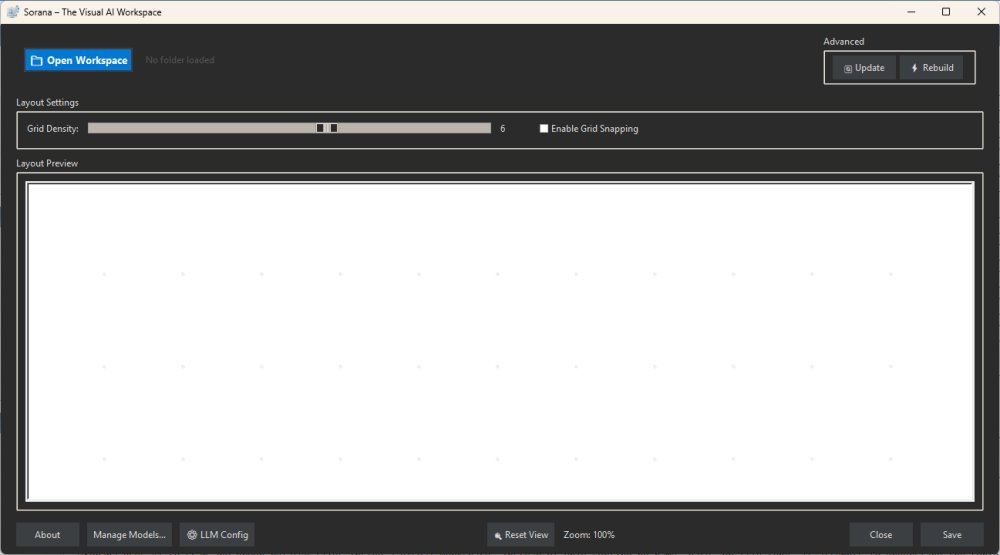
Sorana is a cutting-edge, free AI-powered visual workspace designed specifically for Windows users, aimed at fundamentally transforming how files, documents, and AI workflows are organized. This tool is particularly beneficial for researchers, developers, and creative professionals who often work with extensive collections of documents and files that traditional file management systems, like File Explorer, struggle to handle effectively.
Sorana reimagines file organization by utilizing AI to scan and categorize related files on a visual canvas, rather than relying solely on conventional sorting methods like name or date. This innovative approach allows users to see how their files are interconnected, creating a more intuitive and efficient workspace. With Sorana, users can organize files, PDFs, notes, and project folders visually, enabling a streamlined workflow that eliminates the need for constant navigation through multiple folders and applications.
The application is particularly suited for individuals who require automated organization of diverse materials—ranging from research documents and source code to creative assets. Sorana enables users to consolidate their work into a single visual workspace where files can be grouped, moved, and queried through AI, thus simplifying the management of complex projects.
1. Visual Canvas: Users can easily drag and drop files, form groups, and rename sections, allowing for a flexible organization of projects.
2. AI-Powered Document Interaction: Sorana employs Optical Character Recognition (OCR) and text extraction, enabling users to interact with document-heavy content without manual searching.
3. No-Code AI Pipelines: Users can create interconnected workflows where various AI steps analyze, summarize, and execute actions based on the data processed.
4. Local and Cloud AI Support: Sorana is compatible with local AI backends like Ollama and LM Studio, as well as cloud services such as OpenAI and Mistral, catering to users concerned about privacy.
To get started, users are advised to avoid inundating the app with their entire Downloads folder. Instead, they should focus on specific project folders. Once Sorana scans the files, users can review the AI-generated visual groups and manually adjust them as necessary. The app also facilitates direct interaction with documents through its chat features, allowing users to ask questions, summarize content, and extract key information from their files.
While Sorana is a powerful tool for project organization, it is not a direct replacement for File Explorer and may not suit casual users seeking a simple file management solution. The learning curve can be steep, and those who are not familiar with AI tools may find the interface overwhelming. Additionally, some features still feel experimental, which may require users to test the application thoroughly before fully integrating it into their workflow.
In summary, Sorana 1.0.47 is an innovative Windows tool that leverages AI to enhance file organization through a visual workspace. While it holds great potential for researchers, developers, and AI enthusiasts, casual users might find it less accessible. The application stands out by integrating various functionalities beyond a standard file manager, offering a fresh perspective on document organization and project management. As the platform evolves, it promises to refine its user experience and broaden its appeal
What Sorana Offers
Sorana reimagines file organization by utilizing AI to scan and categorize related files on a visual canvas, rather than relying solely on conventional sorting methods like name or date. This innovative approach allows users to see how their files are interconnected, creating a more intuitive and efficient workspace. With Sorana, users can organize files, PDFs, notes, and project folders visually, enabling a streamlined workflow that eliminates the need for constant navigation through multiple folders and applications.
Target Audience
The application is particularly suited for individuals who require automated organization of diverse materials—ranging from research documents and source code to creative assets. Sorana enables users to consolidate their work into a single visual workspace where files can be grouped, moved, and queried through AI, thus simplifying the management of complex projects.
Key Features
1. Visual Canvas: Users can easily drag and drop files, form groups, and rename sections, allowing for a flexible organization of projects.
2. AI-Powered Document Interaction: Sorana employs Optical Character Recognition (OCR) and text extraction, enabling users to interact with document-heavy content without manual searching.
3. No-Code AI Pipelines: Users can create interconnected workflows where various AI steps analyze, summarize, and execute actions based on the data processed.
4. Local and Cloud AI Support: Sorana is compatible with local AI backends like Ollama and LM Studio, as well as cloud services such as OpenAI and Mistral, catering to users concerned about privacy.
How to Use Sorana
To get started, users are advised to avoid inundating the app with their entire Downloads folder. Instead, they should focus on specific project folders. Once Sorana scans the files, users can review the AI-generated visual groups and manually adjust them as necessary. The app also facilitates direct interaction with documents through its chat features, allowing users to ask questions, summarize content, and extract key information from their files.
Limitations and Considerations
While Sorana is a powerful tool for project organization, it is not a direct replacement for File Explorer and may not suit casual users seeking a simple file management solution. The learning curve can be steep, and those who are not familiar with AI tools may find the interface overwhelming. Additionally, some features still feel experimental, which may require users to test the application thoroughly before fully integrating it into their workflow.
Conclusion
In summary, Sorana 1.0.47 is an innovative Windows tool that leverages AI to enhance file organization through a visual workspace. While it holds great potential for researchers, developers, and AI enthusiasts, casual users might find it less accessible. The application stands out by integrating various functionalities beyond a standard file manager, offering a fresh perspective on document organization and project management. As the platform evolves, it promises to refine its user experience and broaden its appeal
Sorana 1.0.47 released
Sorana is a free AI-powered visual workspace for Windows that rethinks how you organize files, documents, and AI workflows.