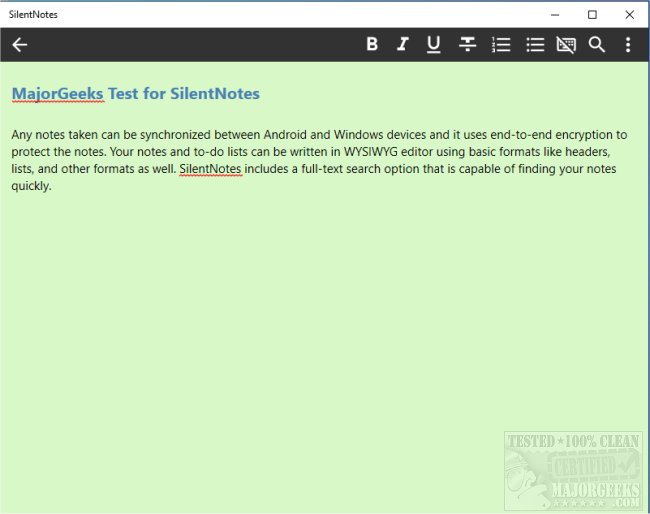
SilentNotes version 8.8.0 has been released, enhancing its reputation as a privacy-focused note-taking application. This app allows users to seamlessly synchronize notes across Android and Windows devices while employing robust end-to-end encryption methods, including XChaCha20-Poly1305, AES256-GCM, and Twofish256-GCM, ensuring that notes remain secure and only accessible on the user's devices.
The application features a user-friendly WYSIWYG editor that supports basic formatting options such as headers and lists, making it easier to organize and present information clearly. SilentNotes also includes a powerful full-text search function, enabling users to find notes rapidly by typing just a few letters. Additionally, users can protect selected notes with a custom password for added security.
SilentNotes offers flexibility in note storage, allowing users to choose their online storage provider for synchronization and backup purposes. Supported services include FTP, WebDav, Dropbox, Google Drive, and OneDrive. Notably, the app does not store user information and does not require unnecessary permissions, prioritizing user privacy.
Key features of SilentNotes include:
- Efficient full-text search for quick note retrieval
- Support for various online storage options for easy synchronization and backup
- End-to-end encryption to ensure notes remain private and secure
- Basic formatting tools for enhanced note readability
- Recovery options for notes accidentally deleted from the recycle bin
- A dark theme for comfortable use in low-light environments
- To-do list functionality to help manage tasks effectively
For those looking for a comprehensive and secure note-taking solution, SilentNotes stands out with its extensive features and commitment to user privacy.
In future updates, developers might consider integrating additional functionalities, such as collaboration tools for shared notes, advanced tagging systems for better organization, or even integrations with task management applications to further streamline user productivity. Enhanced user interface options could also be explored to cater to diverse user preferences and improve overall experience
The application features a user-friendly WYSIWYG editor that supports basic formatting options such as headers and lists, making it easier to organize and present information clearly. SilentNotes also includes a powerful full-text search function, enabling users to find notes rapidly by typing just a few letters. Additionally, users can protect selected notes with a custom password for added security.
SilentNotes offers flexibility in note storage, allowing users to choose their online storage provider for synchronization and backup purposes. Supported services include FTP, WebDav, Dropbox, Google Drive, and OneDrive. Notably, the app does not store user information and does not require unnecessary permissions, prioritizing user privacy.
Key features of SilentNotes include:
- Efficient full-text search for quick note retrieval
- Support for various online storage options for easy synchronization and backup
- End-to-end encryption to ensure notes remain private and secure
- Basic formatting tools for enhanced note readability
- Recovery options for notes accidentally deleted from the recycle bin
- A dark theme for comfortable use in low-light environments
- To-do list functionality to help manage tasks effectively
For those looking for a comprehensive and secure note-taking solution, SilentNotes stands out with its extensive features and commitment to user privacy.
In future updates, developers might consider integrating additional functionalities, such as collaboration tools for shared notes, advanced tagging systems for better organization, or even integrations with task management applications to further streamline user productivity. Enhanced user interface options could also be explored to cater to diverse user preferences and improve overall experience
SilentNotes 8.8.0 released
SilentNotes is a note-taking app designed with privacy in mind.