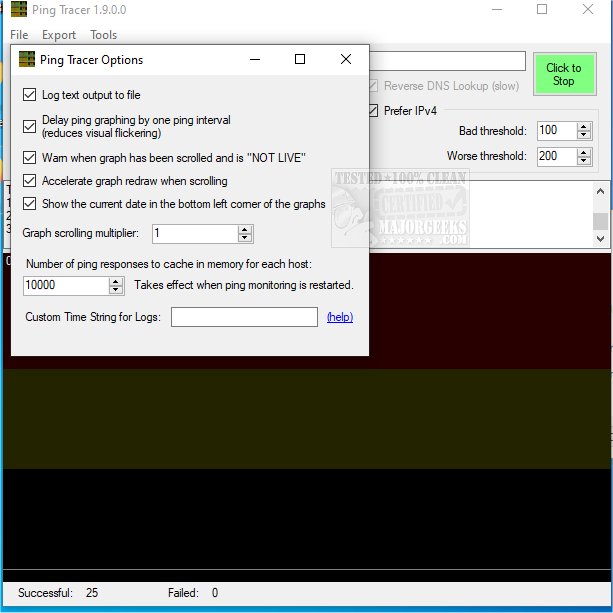
Ping Tracer 2.1 has been released, offering an effective solution for diagnosing connectivity issues by continuously pinging network hosts between a user's computer and a selected destination. This tool visually identifies connection problems at their source, featuring graphs that track latency over time, with instances of packet loss highlighted in red. It is particularly useful in various scenarios, including troubleshooting lag during online gaming.
The utility operates by performing a traceroute to identify all the hosts to be monitored, although this process is not optimized for quick results and can take several seconds to complete. During the traceroute, each network node is contacted only once, meaning that any host that does not respond will not be included in the monitoring process. If five consecutive hosts do not respond, the traceroute will cease, indicating that the destination host has likely been passed without responding to the ping.
Interestingly, some hosts may respond during the traceroute but not to direct pings. While it is possible to monitor these hosts by repeating their traceroute, this may not align with the host owner's permissions. Users can adjust the ping rate up to 10 pings per second per host, although a standard rate of one ping per second is often sufficient.
In addition to Ping Tracer, related topics that might interest users include how to utilize the Ping command in Windows, flush the DNS cache, reset Winsock on various Windows versions, reset TCP/IP settings, and understand Windows Auto-Tuning.
Extension: Applications and Future Enhancements
As connectivity issues continue to be a prevalent challenge for both casual users and IT professionals, tools like Ping Tracer will remain crucial in network diagnostics. Future enhancements could include more sophisticated algorithms for optimizing traceroute speeds, the ability to handle multiple failed responses more gracefully, and better integration with network management systems for enterprise users. Furthermore, incorporating machine learning could allow for predictive analytics, helping users anticipate connectivity issues before they arise. As technology evolves, tools like Ping Tracer will adapt to meet the increasing demands for efficient and effective network management solutions
The utility operates by performing a traceroute to identify all the hosts to be monitored, although this process is not optimized for quick results and can take several seconds to complete. During the traceroute, each network node is contacted only once, meaning that any host that does not respond will not be included in the monitoring process. If five consecutive hosts do not respond, the traceroute will cease, indicating that the destination host has likely been passed without responding to the ping.
Interestingly, some hosts may respond during the traceroute but not to direct pings. While it is possible to monitor these hosts by repeating their traceroute, this may not align with the host owner's permissions. Users can adjust the ping rate up to 10 pings per second per host, although a standard rate of one ping per second is often sufficient.
In addition to Ping Tracer, related topics that might interest users include how to utilize the Ping command in Windows, flush the DNS cache, reset Winsock on various Windows versions, reset TCP/IP settings, and understand Windows Auto-Tuning.
Extension: Applications and Future Enhancements
As connectivity issues continue to be a prevalent challenge for both casual users and IT professionals, tools like Ping Tracer will remain crucial in network diagnostics. Future enhancements could include more sophisticated algorithms for optimizing traceroute speeds, the ability to handle multiple failed responses more gracefully, and better integration with network management systems for enterprise users. Furthermore, incorporating machine learning could allow for predictive analytics, helping users anticipate connectivity issues before they arise. As technology evolves, tools like Ping Tracer will adapt to meet the increasing demands for efficient and effective network management solutions
Ping Tracer 2.1 released
Ping Tracer helps you to zero in on connectivity issues by continuously pinging each network host between your computer and a given destination.