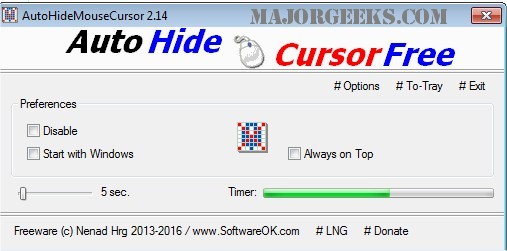
AutoHideMouseCursor version 6.26 has been released, offering users a lightweight and portable solution for managing the visibility of their mouse cursor. This tool is particularly beneficial during presentations, where a constant flashing cursor could be distracting for the audience. The setup process is simple: users can select a specific time on an adjustable timer for the cursor to disappear from the screen, and any movement of the mouse will reset this timer.
Key features of AutoHideMouseCursor include its minimal size, low CPU usage, an adjustable timer, and an optional translation function, making it user-friendly and efficient. This tool can enhance the presentation experience by eliminating distractions.
In addition, similar tools and solutions are available for various cursor-related issues, such as fixing cursor jumping while typing, activating windows by hovering over them, enabling mouse pointer trails, and managing default button snapping in Windows.
Overall, AutoHideMouseCursor is a practical utility for anyone looking to maintain focus during presentations or other activities where a visible cursor is unnecessary
Key features of AutoHideMouseCursor include its minimal size, low CPU usage, an adjustable timer, and an optional translation function, making it user-friendly and efficient. This tool can enhance the presentation experience by eliminating distractions.
In addition, similar tools and solutions are available for various cursor-related issues, such as fixing cursor jumping while typing, activating windows by hovering over them, enabling mouse pointer trails, and managing default button snapping in Windows.
Overall, AutoHideMouseCursor is a practical utility for anyone looking to maintain focus during presentations or other activities where a visible cursor is unnecessary
AutoHideMouseCursor 6.26 released
AutoHideMouseCursor is a small portable tool that allows you to set specific times for your mouse cursor to disappear from the screen.