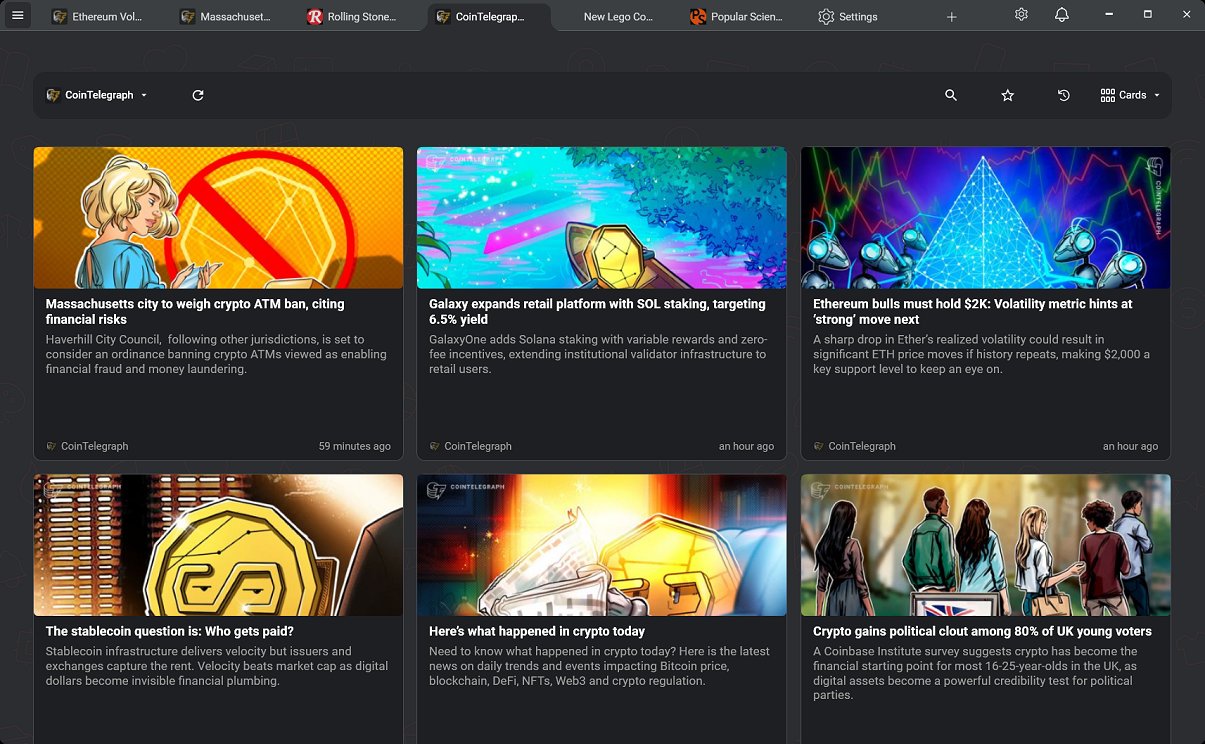
RSSly version 2026.11.2 has been released, enhancing its reputation as an efficient, fully native RSS reader designed exclusively for Windows. This application offers a seamless and responsive experience for users seeking an organized way to manage their RSS feeds. One of RSSly's standout features is its true multi-tab interface, which allows users to view and manage multiple feeds simultaneously without complications.
Importantly, RSSly operates completely offline, eliminating the need for cloud services, account creation, or concerns over telemetry data, thus ensuring a clean and privacy-focused reading environment. This makes it an attractive alternative to popular web-based readers like Feedly and Inoreader, as it prioritizes user privacy while delivering a personalized RSS reading experience.
Users can easily start using RSSly by adding feeds through the Settings section, either manually or by importing an .OPML file. While the app includes 100 curated feeds to jumpstart the user's experience, some feeds may need to be added manually, requiring users to search for them online.
Key Features of RSSly:
- Native Windows desktop application (not built on Electron)
- True multi-tab interface for simultaneous reading
- OPML import for easy migration from other RSS readers
- 100 curated feeds available out of the box for quick access
- Integrated ad-blocking for a distraction-free reading experience
- Fully offline operation with no account requirements, cloud sync, or telemetry tracking
- Free to use as part of a broader initiative to develop user-friendly tools for Windows
The modern design of RSSly resembles a mini RSS browser, allowing effortless navigation between tabs. The built-in ad-blocker enhances user experience, and for those with less powerful systems, there is an option to limit the number of articles loaded, ensuring smoother performance. Users can read complete articles directly within the app, either in a popup overlay or in a dedicated tab for an immersive experience.
In conclusion, RSSly is an excellent tool for efficient RSS feed management, offering a plethora of features that enhance content organization. Its intuitive interface allows users to easily curate and categorize their favorite feeds, ensuring they stay informed on topics that matter to them. Whether for personal interests or professional purposes, RSSly is an indispensable resource, making it easier than ever to keep up with essential content. Future updates could further enhance user experience by introducing more predefined feeds, improving feed search functionality, and adding customization options to cater to diverse user preferences
RSSly 2026.11.2 released
RSSly is an efficient, fully native RSS reader designed specifically for Windows, offering a seamless, responsive experience.