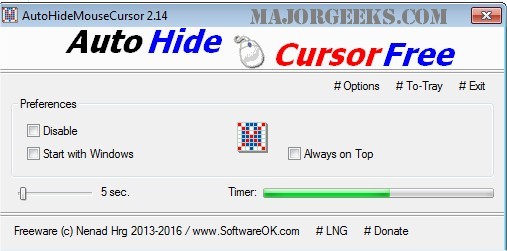
AutoHideMouseCursor 6.31 is a newly released portable application designed to enhance user experience by allowing the mouse cursor to automatically disappear from the screen after a designated period of inactivity. This functionality is particularly beneficial during presentations, as it eliminates the distraction of a visible cursor, allowing the audience to focus on the content being presented.
The setup process for AutoHideMouseCursor is user-friendly; users can easily select their desired timer duration, and the countdown begins. Any movement of the mouse will reset the timer, ensuring that the cursor only hides when the user is inactive. The application is lightweight, requiring minimal CPU resources, which makes it a great addition to any system without burdening performance.
Key features of AutoHideMouseCursor include:
- A very small file size
- Low CPU usage
- An adjustable timer for customized settings
- An optional translation feature for wider accessibility
For users encountering issues with their mouse, related topics to explore include fixing cursor jumping while typing, activating windows by hovering over them, enabling mouse pointer trails, and controlling the snap pointer feature in Windows.
In conclusion, AutoHideMouseCursor 6.31 is a practical tool for anyone looking to streamline their computer interface, particularly in professional settings where focus and clarity are paramount. Its simplicity and efficiency make it an essential application for presentations and other activities requiring minimal distractions
AutoHideMouseCursor 6.31 released
AutoHideMouseCursor is a small portable tool that allows you to set specific times for your mouse cursor to disappear from the screen.