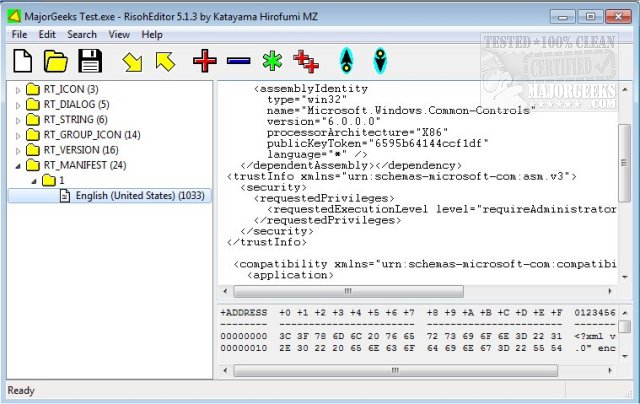
RisohEditor has recently released version 6.2.0, a free tool that facilitates the addition, editing, extraction, and removal of resource data from DLL and EXE files. Its user-friendly interface enables users to easily modify Windows resources, such as dialogs, menus, icons, cursors, string tables, and message tables. The term "Risoh" translates to "ideal" in Japanese, reflecting the software's focus on simplicity and efficiency.
With features like color coding for quick identification and an intuitive design, RisohEditor is particularly suited for users with basic programming skills, making the process of EXE editing straightforward. It allows for the modification of program components, including the ability to edit texts and descriptions as needed. Users are advised to avoid installing the software in "C:\Program Files" or "C:\Program Files (x86)" because the resource compiler (windres) does not accept file paths with spaces.
Key features of RisohEditor 6.2.0 include high scalability, full Unicode support for international resources, the ability to read the "resource.h" header file, GUI editing support, compatibility with Visual C++ 2017 for exported resources, and support for window class libraries.
In conclusion, RisohEditor 6.2.0 stands out as an essential tool for developers looking to manipulate resource data in Windows applications, offering a blend of functionality and ease of use that can significantly enhance the editing experience. As the software evolves, future versions may include even more advanced features to cater to the growing needs of developers and users alike
With features like color coding for quick identification and an intuitive design, RisohEditor is particularly suited for users with basic programming skills, making the process of EXE editing straightforward. It allows for the modification of program components, including the ability to edit texts and descriptions as needed. Users are advised to avoid installing the software in "C:\Program Files" or "C:\Program Files (x86)" because the resource compiler (windres) does not accept file paths with spaces.
Key features of RisohEditor 6.2.0 include high scalability, full Unicode support for international resources, the ability to read the "resource.h" header file, GUI editing support, compatibility with Visual C++ 2017 for exported resources, and support for window class libraries.
In conclusion, RisohEditor 6.2.0 stands out as an essential tool for developers looking to manipulate resource data in Windows applications, offering a blend of functionality and ease of use that can significantly enhance the editing experience. As the software evolves, future versions may include even more advanced features to cater to the growing needs of developers and users alike
RisohEditor 6.2.0 released
RisohEditor is designed for adding, editing, extracting, and removing the resource data from DLL/EXE files for free.