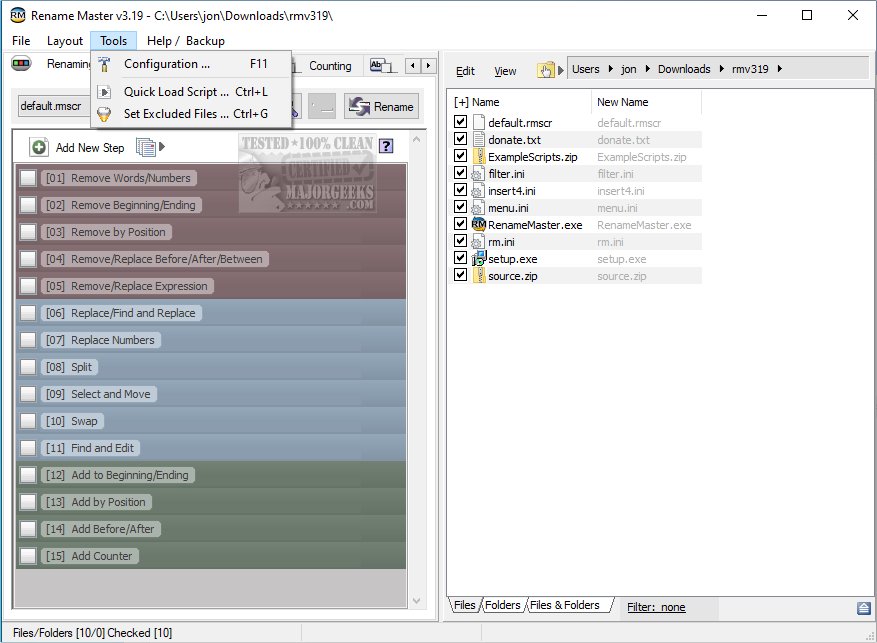
A new hotfix, version 4.04, has been released for Rename Master, a free utility that simplifies the process of renaming multiple files with minimal effort. This tool is particularly beneficial for individuals who manage websites, file archives, or extensive collections of media such as music, videos, or images, as it significantly reduces the time spent on the tedious task of renaming numerous files.
Rename Master allows users to easily add, remove, or replace components of filenames. It also facilitates renaming based on file properties, MP3 tags, and JPEG/JFIF/EXIF tags, making batch renaming both straightforward and powerful. Key features of Rename Master include intelligent number sorting, the ability to rename files and folders, customizable file list columns, an auto-preview function, and subfolder scanning for renaming files across multiple directories. Additionally, it supports renaming variables for JPEG/MP3 tags and file properties, offers the option to save commonly used renaming scripts, and provides command prompt style wildcards as well as full Regular Expression support. Optional integration with Windows Explorer allows for right-click functionality on files and folders.
This utility is especially useful for those who require efficient file management in their daily tasks, offering advanced features that cater to both casual users and professionals alike.
In future updates, users can anticipate enhancements that may include improved user interface options, additional file format support, and more customizable features to further streamline file management processes. As the digital landscape continues to evolve, tools like Rename Master will remain essential for effective organization and management of files
Rename Master allows users to easily add, remove, or replace components of filenames. It also facilitates renaming based on file properties, MP3 tags, and JPEG/JFIF/EXIF tags, making batch renaming both straightforward and powerful. Key features of Rename Master include intelligent number sorting, the ability to rename files and folders, customizable file list columns, an auto-preview function, and subfolder scanning for renaming files across multiple directories. Additionally, it supports renaming variables for JPEG/MP3 tags and file properties, offers the option to save commonly used renaming scripts, and provides command prompt style wildcards as well as full Regular Expression support. Optional integration with Windows Explorer allows for right-click functionality on files and folders.
This utility is especially useful for those who require efficient file management in their daily tasks, offering advanced features that cater to both casual users and professionals alike.
In future updates, users can anticipate enhancements that may include improved user interface options, additional file format support, and more customizable features to further streamline file management processes. As the digital landscape continues to evolve, tools like Rename Master will remain essential for effective organization and management of files
Rename Master 4.04 Hotfix released
Rename Master is a freeware utility designed to rename multiple files with just a few clicks.