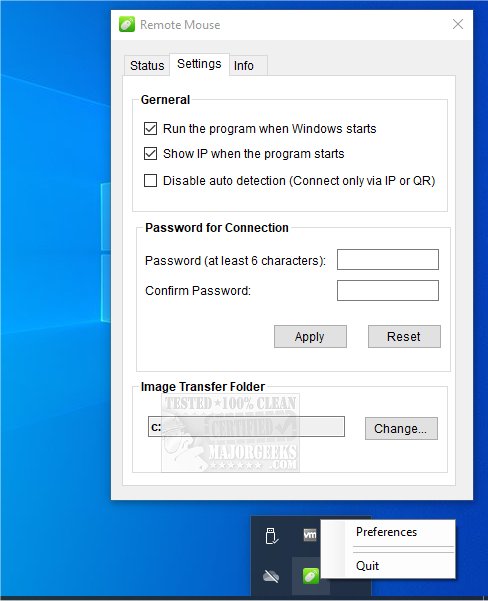
Remote Mouse has just released version 4.708, enhancing its capabilities as a versatile multiplatform app that enables users to turn their smartphones or tablets into Wi-Fi-connected mice, touchpads, and keyboards. The app comprises two components: a mobile app for Android and iOS devices, and a server application for PCs running Windows, Mac, or Linux. Users are encouraged to download the mobile app first, followed by the server.
This innovative tool simulates a wireless mouse, keyboard, and touchpad, offering specialized control panels for tasks like media playback, application switching, and web browsing. These features are aimed at streamlining specific operations, making it user-friendly for one-handed use or quick access to functions. Remote Mouse supports three connection methods: auto-connect, IP address, and QR code, functioning over Wi-Fi or 3G/4G networks. It proves to be a handy solution for scenarios such as when a physical mouse is unavailable, during online movie viewing, or for shutting down a computer remotely.
Key features of Remote Mouse include:
- Mouse Functionality: Full mouse simulation, gyro sensor cursor control, and a left-handed mode.
- Keyboard Features: Compatibility with system and third-party keyboards, multi-language support, voice typing, and shortcut capabilities (available as in-app purchases).
- Touchpad Simulation: Mimics the Apple Magic Trackpad with multi-touch gesture support.
- Specialty Control Panels: Includes a Media Remote (in-app purchase) for various media applications, a Web Remote for browsers, an Application Switcher for easy program navigation, and Power Options for remote shutdown and sleep functions.
- Additional Features: Utilization of physical volume buttons for control, connection password settings, and customizable wallpapers.
Remote Mouse serves a wide array of users, making it an essential app for those needing a quick and efficient way to control their computers from a distance. With the latest update, users can expect even more streamlined functionality and ease of use.
In future updates, it would be beneficial for Remote Mouse to explore additional features such as enhanced security measures, integration with smart home devices, or the ability to customize control panels further. Moreover, expanding support for more operating systems and devices could broaden its user base and enhance its versatility
This innovative tool simulates a wireless mouse, keyboard, and touchpad, offering specialized control panels for tasks like media playback, application switching, and web browsing. These features are aimed at streamlining specific operations, making it user-friendly for one-handed use or quick access to functions. Remote Mouse supports three connection methods: auto-connect, IP address, and QR code, functioning over Wi-Fi or 3G/4G networks. It proves to be a handy solution for scenarios such as when a physical mouse is unavailable, during online movie viewing, or for shutting down a computer remotely.
Key features of Remote Mouse include:
- Mouse Functionality: Full mouse simulation, gyro sensor cursor control, and a left-handed mode.
- Keyboard Features: Compatibility with system and third-party keyboards, multi-language support, voice typing, and shortcut capabilities (available as in-app purchases).
- Touchpad Simulation: Mimics the Apple Magic Trackpad with multi-touch gesture support.
- Specialty Control Panels: Includes a Media Remote (in-app purchase) for various media applications, a Web Remote for browsers, an Application Switcher for easy program navigation, and Power Options for remote shutdown and sleep functions.
- Additional Features: Utilization of physical volume buttons for control, connection password settings, and customizable wallpapers.
Remote Mouse serves a wide array of users, making it an essential app for those needing a quick and efficient way to control their computers from a distance. With the latest update, users can expect even more streamlined functionality and ease of use.
In future updates, it would be beneficial for Remote Mouse to explore additional features such as enhanced security measures, integration with smart home devices, or the ability to customize control panels further. Moreover, expanding support for more operating systems and devices could broaden its user base and enhance its versatility
Remote Mouse 4.708 released
Remote Mouse is a multiplatform app that transforms your smartphone or tablet into a Wi-Fi-connected mouse, touchpad, and keyboard.