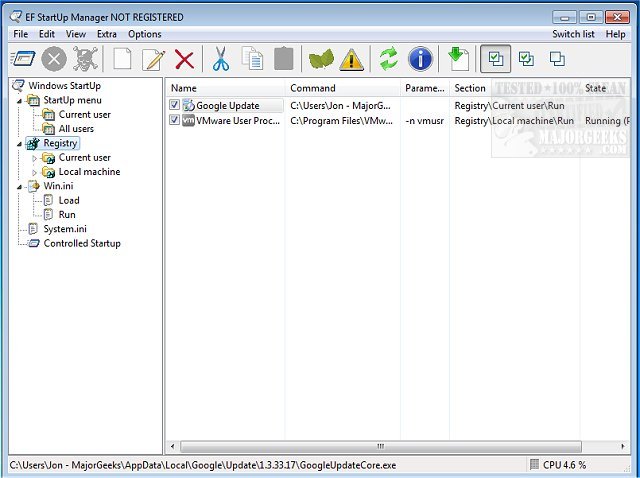
The newly released EF StartUp Manager version 26.05 provides users with an intuitive interface to manage applications that automatically launch when Windows starts. This tool allows for easy insertion, temporary disabling, or removal of startup programs, giving users complete control over their system's startup behavior. While some programs are essential for system operation, others may unnecessarily consume resources or even pose security risks by spying on users.
The software features a Windows Explorer-like interface for a clear overview of startup entries, making it straightforward for users to navigate. Additionally, it includes a controlled starting mode that enables users to arrange the launch order of programs and set delays between them, enhancing system performance and boot times. EF StartUp Manager supports a wide range of languages, including English, German, Arabic, and many more, ensuring accessibility for users worldwide.
In addition to the core functionalities, users can benefit from related resources such as guides on identifying processes or services running on their computers, saving lists of running processes, customizing views in Task Manager, and managing startup apps across different Windows versions.
Overall, EF StartUp Manager is a vital tool for anyone looking to optimize their Windows startup experience, improve system performance, and maintain better control over the applications running on their machines. Future updates could further enhance this tool by incorporating features like automated suggestions for disabling unused programs or integration with antivirus software for enhanced security checks
The software features a Windows Explorer-like interface for a clear overview of startup entries, making it straightforward for users to navigate. Additionally, it includes a controlled starting mode that enables users to arrange the launch order of programs and set delays between them, enhancing system performance and boot times. EF StartUp Manager supports a wide range of languages, including English, German, Arabic, and many more, ensuring accessibility for users worldwide.
In addition to the core functionalities, users can benefit from related resources such as guides on identifying processes or services running on their computers, saving lists of running processes, customizing views in Task Manager, and managing startup apps across different Windows versions.
Overall, EF StartUp Manager is a vital tool for anyone looking to optimize their Windows startup experience, improve system performance, and maintain better control over the applications running on their machines. Future updates could further enhance this tool by incorporating features like automated suggestions for disabling unused programs or integration with antivirus software for enhanced security checks
EF StartUp Manager 26.05 released
EF StartUp Manager allows you a simple handling and complete control of applications that start with Windows. They can insert, temporarily disable or delete any new programs with ease.