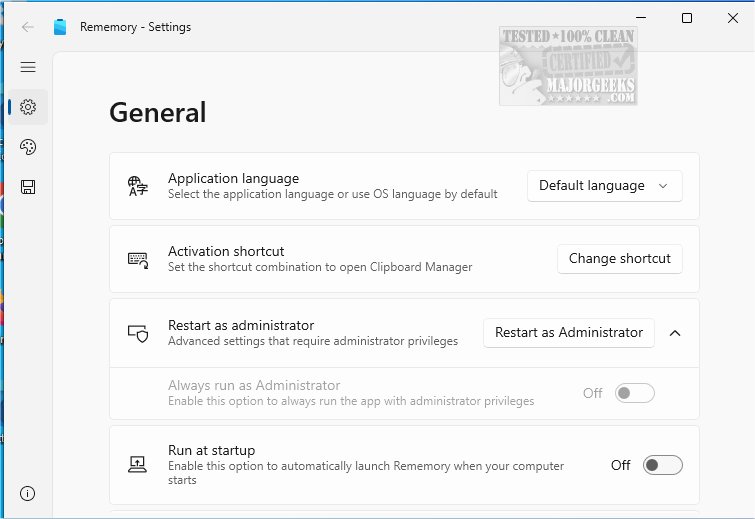
Rememory is an innovative clipboard manager designed to significantly boost productivity by effectively storing and organizing copied content. This advanced tool provides users with a seamless way to retrieve and manage text, images, links, and even entire webpages, ensuring that important information is never lost.
Key Features of Rememory:
1. Comprehensive Clipboard History: Rememory maintains an unlimited history of clipboard activities, allowing users to access past clips effortlessly.
2. Efficient Organization: The application groups data neatly, making retrieval intuitive and efficient.
3. Smart Search and Filters: Users can quickly locate information through powerful search capabilities and customizable app filtering, focusing on applications that are most relevant.
4. Real-Time Editing: Copied content can be edited on-the-fly, ensuring that notes are always current.
5. User-Friendly Interface: Features like drag-and-drop functionality and window pinning enhance usability, although drag-and-drop may have limitations when run as an administrator.
6. Data Previews: Users can view handy links and data previews for quick relevance assessments.
To maximize the benefits of Rememory, it is recommended to run the app with administrator privileges, unlocking all features and capabilities for improved productivity.
Productivity Enhancement: Rememory serves as the perfect tool to manage copied information effectively. By organizing and retrieving content with ease, it eliminates the frustration of misplaced data, allowing users to elevate their workflows and experience enhanced efficiency.
Conclusion: Discover the transformative power of Rememory today and take control of your digital notes and resources like never before.
Additional Resources: The release also includes helpful guides on clipboard management, such as copying paths of files, clearing clipboard history, and disabling clipboard history in Windows 10 and 11.
As technology continues to evolve, tools like Rememory become essential in managing the vast amounts of information we deal with daily, streamlining our tasks and improving our overall productivity
Key Features of Rememory:
1. Comprehensive Clipboard History: Rememory maintains an unlimited history of clipboard activities, allowing users to access past clips effortlessly.
2. Efficient Organization: The application groups data neatly, making retrieval intuitive and efficient.
3. Smart Search and Filters: Users can quickly locate information through powerful search capabilities and customizable app filtering, focusing on applications that are most relevant.
4. Real-Time Editing: Copied content can be edited on-the-fly, ensuring that notes are always current.
5. User-Friendly Interface: Features like drag-and-drop functionality and window pinning enhance usability, although drag-and-drop may have limitations when run as an administrator.
6. Data Previews: Users can view handy links and data previews for quick relevance assessments.
To maximize the benefits of Rememory, it is recommended to run the app with administrator privileges, unlocking all features and capabilities for improved productivity.
Productivity Enhancement: Rememory serves as the perfect tool to manage copied information effectively. By organizing and retrieving content with ease, it eliminates the frustration of misplaced data, allowing users to elevate their workflows and experience enhanced efficiency.
Conclusion: Discover the transformative power of Rememory today and take control of your digital notes and resources like never before.
Additional Resources: The release also includes helpful guides on clipboard management, such as copying paths of files, clearing clipboard history, and disabling clipboard history in Windows 10 and 11.
As technology continues to evolve, tools like Rememory become essential in managing the vast amounts of information we deal with daily, streamlining our tasks and improving our overall productivity
Rememory 1.3.8.0 released
Rememory is an advanced clipboard manager designed to enhance your productivity.