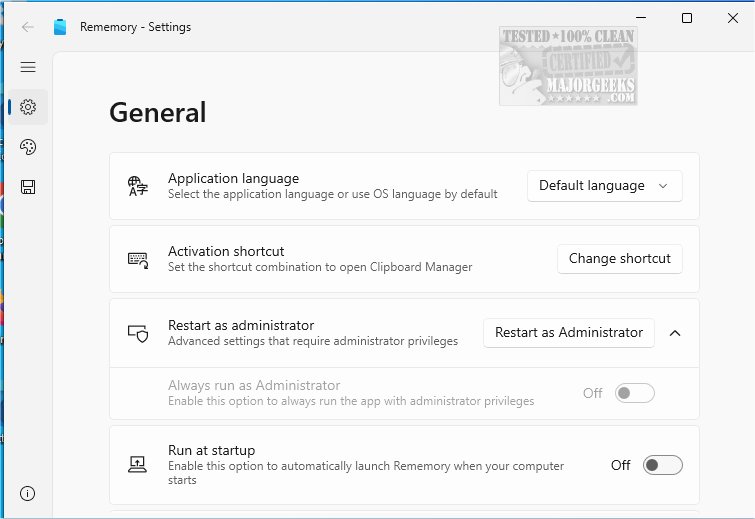
Rememory is an advanced clipboard manager designed to boost your productivity by efficiently storing all content you copy. This innovative tool allows users to easily retrieve and manage copied items, ensuring that important text, images, links, or entire web pages are never lost again. With its comprehensive clipboard history feature, Rememory captures and organizes all clipboard activities, making it an essential tool for anyone conducting research, gathering inspiration, or needing to recall vital information.
Key Features and Enhancements
Rememory enhances productivity through its robust search and filtering capabilities, enabling users to quickly locate needed information. The ability to edit copied content in real-time ensures that notes and materials remain current. Additionally, the user-friendly drag-and-drop functionality simplifies transferring items to other applications, streamlining workflows.
The application also offers app filtering, allowing users to customize which applications are monitored and tracked. This feature helps focus on the most relevant apps, while organized data grouping keeps information neatly categorized for intuitive retrieval.
Highlight Features Include:
- Unlimited clipboard history storage
- Support for various data types: formatted text, images, HTML
- Quick search with filtering options
- Organized data grouping for efficient retrieval
- Drag-and-drop functionality (note: may not work when run as administrator)
- Window pinning for easy access
- Clipboard content editing
- Owner app filters for tailored usage
In addition, Rememory provides handy links and data previews, allowing users to assess content relevance quickly. For optimal performance and access to all features, it is recommended to run the application with administrator privileges.
Geek Verdict
Unlock your productivity with Rememory, the ideal tool for managing copied information. With its comprehensive organization and retrieval capabilities, users can rest assured that crucial information will never be misplaced again. Elevate your workflow and experience enhanced efficiency with Rememory today.
Further Exploration
For users looking to maximize their clipboard management skills, additional resources include guides on copying file paths, clearing clipboard history, and disabling clipboard history in Windows 10 and 11. These complementary tools can further enhance your productivity and streamline your digital tasks
Key Features and Enhancements
Rememory enhances productivity through its robust search and filtering capabilities, enabling users to quickly locate needed information. The ability to edit copied content in real-time ensures that notes and materials remain current. Additionally, the user-friendly drag-and-drop functionality simplifies transferring items to other applications, streamlining workflows.
The application also offers app filtering, allowing users to customize which applications are monitored and tracked. This feature helps focus on the most relevant apps, while organized data grouping keeps information neatly categorized for intuitive retrieval.
Highlight Features Include:
- Unlimited clipboard history storage
- Support for various data types: formatted text, images, HTML
- Quick search with filtering options
- Organized data grouping for efficient retrieval
- Drag-and-drop functionality (note: may not work when run as administrator)
- Window pinning for easy access
- Clipboard content editing
- Owner app filters for tailored usage
In addition, Rememory provides handy links and data previews, allowing users to assess content relevance quickly. For optimal performance and access to all features, it is recommended to run the application with administrator privileges.
Geek Verdict
Unlock your productivity with Rememory, the ideal tool for managing copied information. With its comprehensive organization and retrieval capabilities, users can rest assured that crucial information will never be misplaced again. Elevate your workflow and experience enhanced efficiency with Rememory today.
Further Exploration
For users looking to maximize their clipboard management skills, additional resources include guides on copying file paths, clearing clipboard history, and disabling clipboard history in Windows 10 and 11. These complementary tools can further enhance your productivity and streamline your digital tasks
Rememory 1.3.6.0 released
Rememory is an advanced clipboard manager designed to enhance your productivity.