Reaper 7.81 has been released, marking a significant update to this versatile digital audio workstation (DAW) that allows users to record, arrange, edit, and render multi-track waveform audio. Known for its lightweight design and quick boot times, Reaper stands out from bulkier alternatives like Studio One, offering a streamlined experience without the need for excessive sample content.
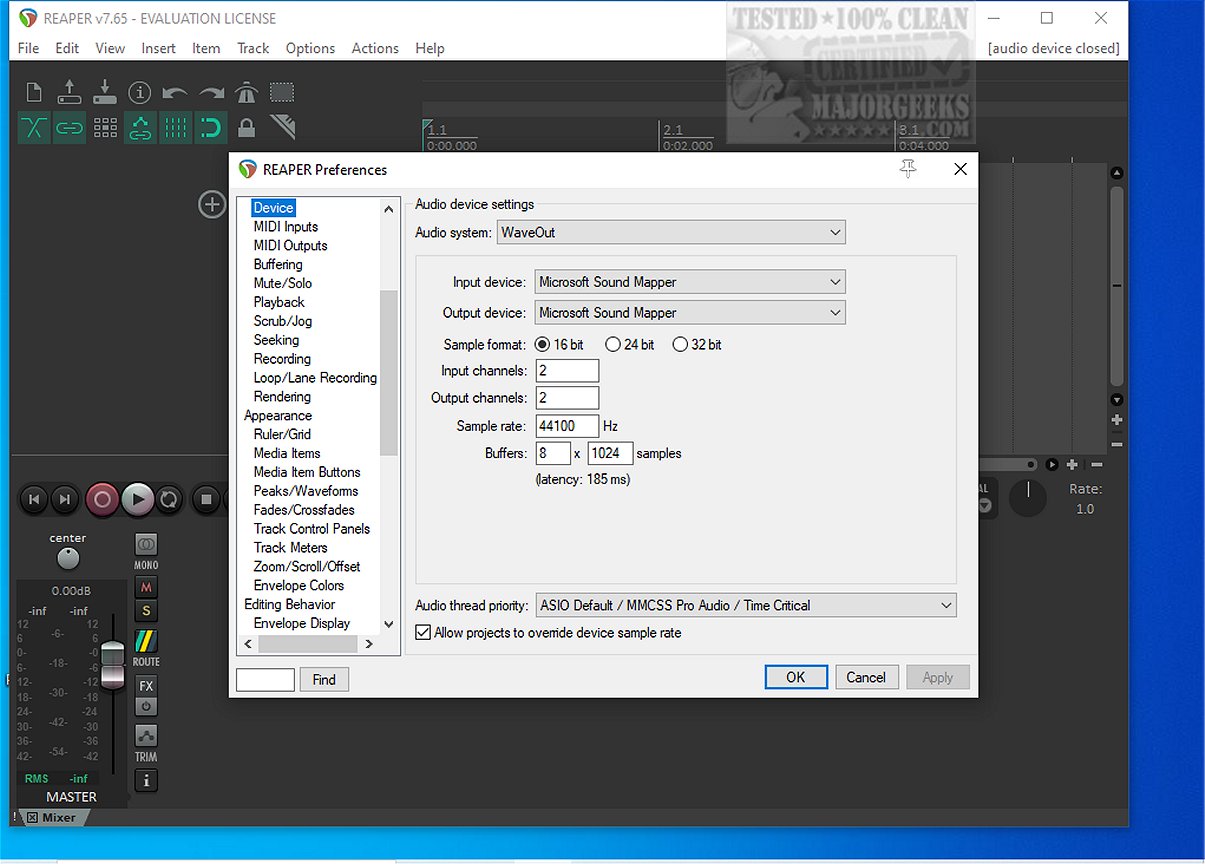
One of Reaper's standout features is its comprehensive driver support, which includes ASIO, Kernel Streaming, WaveOut, and DirectSound. This flexibility allows users to switch drivers seamlessly during a session, ensuring that audio interruptions are minimized, especially during critical late-night mixing sessions.
Reaper supports a variety of audio formats including WAV, OGG, MP3, and MIDI, and allows for unlimited tracks and items, accommodating even the most complex arrangements without limitations. Its compatibility with numerous plugin formats, including DirectX, VST, and Jesusonic, combined with robust automation capabilities, makes it a powerful tool for both amateur and professional audio engineers.
The user interface, while functional, can appear outdated until customized with community themes, which significantly enhance the aesthetic and usability. Reaper is particularly well-suited for users who value stability and customization over pre-packaged content and polished interfaces.
For beginners, Reaper provides an accessible entry point into audio production. Its logical workflow and lightweight design mean that new users can experiment without the software becoming bogged down by excessive plugins.
In summary, Reaper is a highly efficient and customizable DAW that caters to those seeking speed and stability. However, users should be prepared to invest time into theming and customizing the interface to suit their preferences. For those encountering setup or scripting challenges, the supportive community at MajorGeeks is a valuable resource.
To further extend this overview, Reaper's ongoing development means that users can expect regular updates and improvements. This commitment to enhancement ensures that the software remains relevant and competitive in the fast-evolving landscape of digital audio production. Additionally, Reaper’s affordability, particularly with its pay-what-you-want model for continued use after a trial period, makes it an attractive choice for both hobbyists and professionals alike. As the user base continues to grow, the community around Reaper also flourishes, with many resources available for learning and troubleshooting, further solidifying its reputation as a go-to DAW for audio enthusiasts
One of Reaper's standout features is its comprehensive driver support, which includes ASIO, Kernel Streaming, WaveOut, and DirectSound. This flexibility allows users to switch drivers seamlessly during a session, ensuring that audio interruptions are minimized, especially during critical late-night mixing sessions.
Reaper supports a variety of audio formats including WAV, OGG, MP3, and MIDI, and allows for unlimited tracks and items, accommodating even the most complex arrangements without limitations. Its compatibility with numerous plugin formats, including DirectX, VST, and Jesusonic, combined with robust automation capabilities, makes it a powerful tool for both amateur and professional audio engineers.
The user interface, while functional, can appear outdated until customized with community themes, which significantly enhance the aesthetic and usability. Reaper is particularly well-suited for users who value stability and customization over pre-packaged content and polished interfaces.
For beginners, Reaper provides an accessible entry point into audio production. Its logical workflow and lightweight design mean that new users can experiment without the software becoming bogged down by excessive plugins.
In summary, Reaper is a highly efficient and customizable DAW that caters to those seeking speed and stability. However, users should be prepared to invest time into theming and customizing the interface to suit their preferences. For those encountering setup or scripting challenges, the supportive community at MajorGeeks is a valuable resource.
To further extend this overview, Reaper's ongoing development means that users can expect regular updates and improvements. This commitment to enhancement ensures that the software remains relevant and competitive in the fast-evolving landscape of digital audio production. Additionally, Reaper’s affordability, particularly with its pay-what-you-want model for continued use after a trial period, makes it an attractive choice for both hobbyists and professionals alike. As the user base continues to grow, the community around Reaper also flourishes, with many resources available for learning and troubleshooting, further solidifying its reputation as a go-to DAW for audio enthusiasts
Reaper 7.81 released
REAPER is an application that lets you record, arrange, edit, and render multi-track waveform audio. The last freeware version also available.