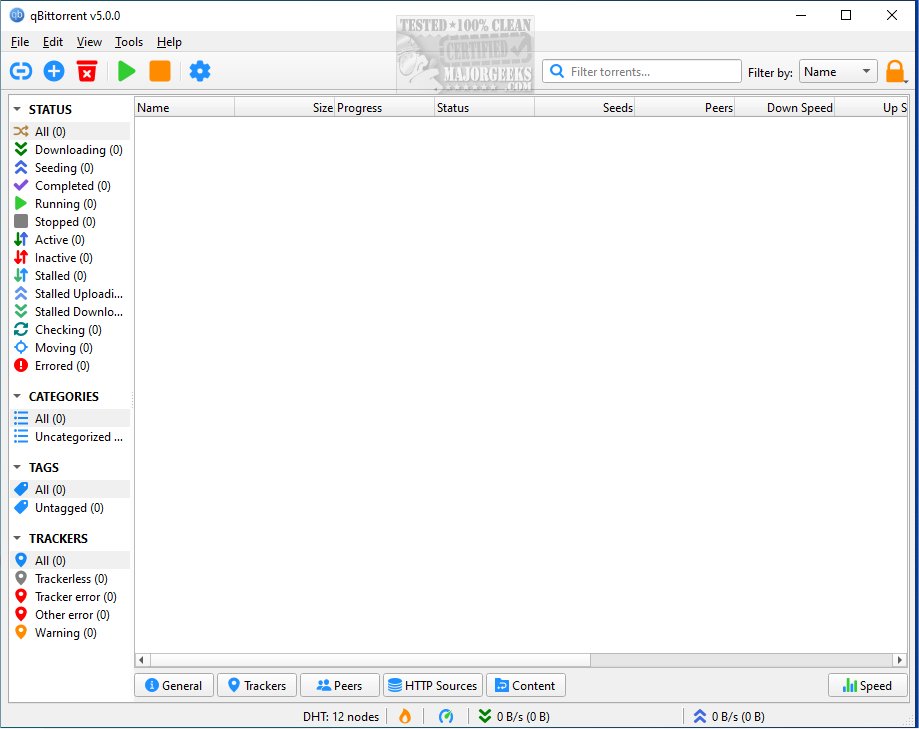
qBittorrent is a highly regarded BitTorrent client that serves as a robust alternative to other torrent clients like µTorrent. The latest version, 5.2.4, continues to emphasize its lightweight design, ad-free experience, and open-source nature. It is available for 32-bit systems (though this version is no longer updated) and also offers a portable version for users who prefer not to install software on their devices.
Why Choose qBittorrent?
qBittorrent simplifies the torrenting process, which allows users to download and share files in fragments from various sources, enhancing speed and efficiency compared to traditional downloads from a single server. It is specifically designed to cater to both newcomers and seasoned torrent users by providing essential features without the clutter commonly found in other clients.
One of the standout features of qBittorrent is its integrated search engine. Users can search for various types of content—such as movies, music, and software—directly within the app, making it a convenient all-in-one solution. Additionally, for those who prefer automation, the client supports RSS feeds for automated downloads of legal torrents, like Linux ISOs.
Remote control capabilities are another notable aspect, allowing users to manage downloads from any device with an internet connection. Coupled with bandwidth scheduling, users can efficiently manage their internet usage during peak times.
Advanced Features for Enthusiasts
For more experienced users, qBittorrent includes features such as sequential downloading, which enables users to stream videos before the entire file has finished downloading. Users have the ability to prioritize files, manage peers and trackers, and implement IP filtering to enhance security. The level of customization available allows users to optimize their torrenting experience based on their individual needs.
Considerations When Torrenting
While torrenting itself is legal, the legality of the content being downloaded is paramount. Users should only download from trustworthy sources, particularly when it comes to copyrighted material, which may lead to legal issues. Additionally, users should be cautious of malware that can accompany certain torrents, especially pirated content. Utilizing a VPN can help maintain privacy while torrenting.
Complementary Software
To maximize the qBittorrent experience, users can pair it with tools like VLC Media Player for viewing partially downloaded videos, and 7-Zip for extracting compressed files. For enhanced privacy, a VPN can conceal the user's IP address and encrypt their connection, while antivirus software like Windows Defender or Bitdefender, along with MalwareBytes, can protect against malicious downloads. Automation enthusiasts can also utilize tools like Sonarr, Radarr, and Jackett to seamlessly manage their media downloads.
Conclusion
Overall, qBittorrent is an excellent choice for anyone seeking a reliable, fast, and free torrent client without unwanted advertisements. Whether you are a casual user or a torrenting enthusiast with a large collection, qBittorrent offers the necessary tools without unnecessary distractions. As with all torrenting, it's crucial to use the software responsibly, protect your privacy, and avoid questionable downloads. Enjoy a streamlined torrenting experience with qBittorrent!
Additional Resources: For further information on optimizing your internet performance, consider exploring articles on improving wireless network performance, monitoring internet usage, and troubleshooting slow internet speeds on Windows
Why Choose qBittorrent?
qBittorrent simplifies the torrenting process, which allows users to download and share files in fragments from various sources, enhancing speed and efficiency compared to traditional downloads from a single server. It is specifically designed to cater to both newcomers and seasoned torrent users by providing essential features without the clutter commonly found in other clients.
One of the standout features of qBittorrent is its integrated search engine. Users can search for various types of content—such as movies, music, and software—directly within the app, making it a convenient all-in-one solution. Additionally, for those who prefer automation, the client supports RSS feeds for automated downloads of legal torrents, like Linux ISOs.
Remote control capabilities are another notable aspect, allowing users to manage downloads from any device with an internet connection. Coupled with bandwidth scheduling, users can efficiently manage their internet usage during peak times.
Advanced Features for Enthusiasts
For more experienced users, qBittorrent includes features such as sequential downloading, which enables users to stream videos before the entire file has finished downloading. Users have the ability to prioritize files, manage peers and trackers, and implement IP filtering to enhance security. The level of customization available allows users to optimize their torrenting experience based on their individual needs.
Considerations When Torrenting
While torrenting itself is legal, the legality of the content being downloaded is paramount. Users should only download from trustworthy sources, particularly when it comes to copyrighted material, which may lead to legal issues. Additionally, users should be cautious of malware that can accompany certain torrents, especially pirated content. Utilizing a VPN can help maintain privacy while torrenting.
Complementary Software
To maximize the qBittorrent experience, users can pair it with tools like VLC Media Player for viewing partially downloaded videos, and 7-Zip for extracting compressed files. For enhanced privacy, a VPN can conceal the user's IP address and encrypt their connection, while antivirus software like Windows Defender or Bitdefender, along with MalwareBytes, can protect against malicious downloads. Automation enthusiasts can also utilize tools like Sonarr, Radarr, and Jackett to seamlessly manage their media downloads.
Conclusion
Overall, qBittorrent is an excellent choice for anyone seeking a reliable, fast, and free torrent client without unwanted advertisements. Whether you are a casual user or a torrenting enthusiast with a large collection, qBittorrent offers the necessary tools without unnecessary distractions. As with all torrenting, it's crucial to use the software responsibly, protect your privacy, and avoid questionable downloads. Enjoy a streamlined torrenting experience with qBittorrent!
Additional Resources: For further information on optimizing your internet performance, consider exploring articles on improving wireless network performance, monitoring internet usage, and troubleshooting slow internet speeds on Windows
qBittorrent 5.2.4 released
qBittorrent is a BitTorrent client that aims to be a superior alternative to other BitTorrent clients. Available for 32-bit (no longer updated), and a portable version is also available.