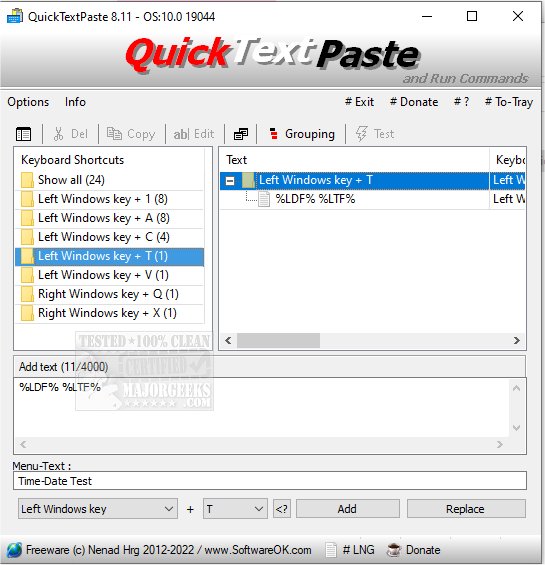
QuickTextPaste 9.55 has been released, enhancing its functionality as a portable application designed to streamline text input across Windows applications. This tool allows users to quickly insert pre-defined text and execute commands using customizable keyboard shortcuts, thereby reducing time spent on repetitive typing and minimizing spelling errors.
Key features of QuickTextPaste include:
- One-hotkey selection for text fields
- Ability to execute multiple commands or start programs with a single keystroke
- Customizable Windows shortcuts
- Support for inserting multi-line text
- Option to launch applications directly from the command line via shortcuts
- Capability to paste frequently used text snippets
- Minimal impact on CPU performance
- Multilingual support for diverse users
In addition to its primary functionalities, QuickTextPaste serves as a valuable desktop tool for enhancing productivity. It aligns with other utilities that improve clipboard management, such as methods for copying file paths, clearing clipboard history, and disabling clipboard history features in Windows 10 and 11.
As technology continues to evolve, users can expect further enhancements in tools like QuickTextPaste, potentially incorporating features such as cloud synchronization of text snippets, customizable templates for different contexts, and improved integration with other software applications for an even more streamlined user experience
Key features of QuickTextPaste include:
- One-hotkey selection for text fields
- Ability to execute multiple commands or start programs with a single keystroke
- Customizable Windows shortcuts
- Support for inserting multi-line text
- Option to launch applications directly from the command line via shortcuts
- Capability to paste frequently used text snippets
- Minimal impact on CPU performance
- Multilingual support for diverse users
In addition to its primary functionalities, QuickTextPaste serves as a valuable desktop tool for enhancing productivity. It aligns with other utilities that improve clipboard management, such as methods for copying file paths, clearing clipboard history, and disabling clipboard history features in Windows 10 and 11.
As technology continues to evolve, users can expect further enhancements in tools like QuickTextPaste, potentially incorporating features such as cloud synchronization of text snippets, customizable templates for different contexts, and improved integration with other software applications for an even more streamlined user experience
QuickTextPaste 9.55 released
QuickTextPaste is a small, portable program that allows you to insert (paste) pre-defined text in any Windows application via keyboard shortcuts.