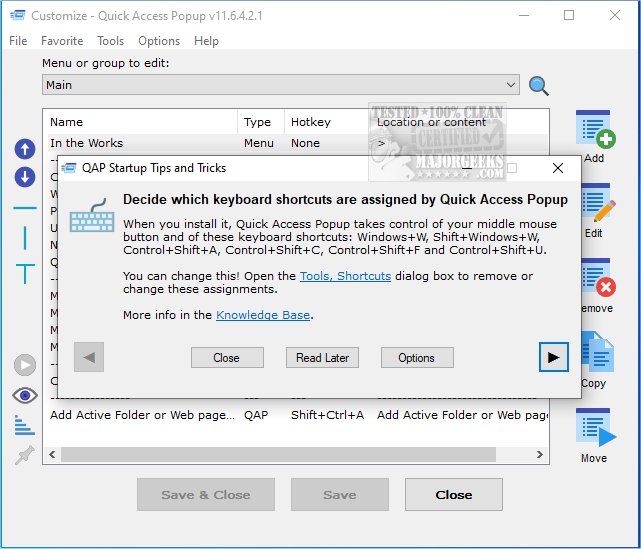
Quick Access Popup version 12.3.0 has been released, enhancing its functionality as an efficient tool for managing files and folders. This application aims to reduce desktop clutter by providing a streamlined way to access frequently used folders without the hassle of navigating through Windows Explorer. Users can create a personalized menu that includes shortcuts to their favorite folders, documents, applications, URLs, and more, all within a user-friendly interface.
The software is designed for ease of use, with clearly marked options that facilitate a simple setup process. Users have reported that it operates smoothly, with responsive performance and minimal lag during usage. Quick Access Popup serves as a practical alternative to maintaining a desktop filled with shortcuts, allowing for a more organized workspace.
In addition to its core functionality, Quick Access Popup can help users optimize their digital environment by integrating with other tools and features in Windows. For instance, it complements methods for managing files, such as using Storage Sense to automatically delete junk files or utilizing PowerShell to remove unwanted applications. This combination of tools can significantly enhance productivity and streamline file management tasks for users looking to maintain a tidy and efficient digital workspace.
Overall, Quick Access Popup stands out as a valuable application for anyone seeking to simplify their file navigation and improve their overall system organization
The software is designed for ease of use, with clearly marked options that facilitate a simple setup process. Users have reported that it operates smoothly, with responsive performance and minimal lag during usage. Quick Access Popup serves as a practical alternative to maintaining a desktop filled with shortcuts, allowing for a more organized workspace.
In addition to its core functionality, Quick Access Popup can help users optimize their digital environment by integrating with other tools and features in Windows. For instance, it complements methods for managing files, such as using Storage Sense to automatically delete junk files or utilizing PowerShell to remove unwanted applications. This combination of tools can significantly enhance productivity and streamline file management tasks for users looking to maintain a tidy and efficient digital workspace.
Overall, Quick Access Popup stands out as a valuable application for anyone seeking to simplify their file navigation and improve their overall system organization
Quick Access Popup 12.3.0 released
Quick Access Popup is a small tool for managing your files and folders. As a result, it will clear up the numerous shortcuts you have cluttering up your desktop.