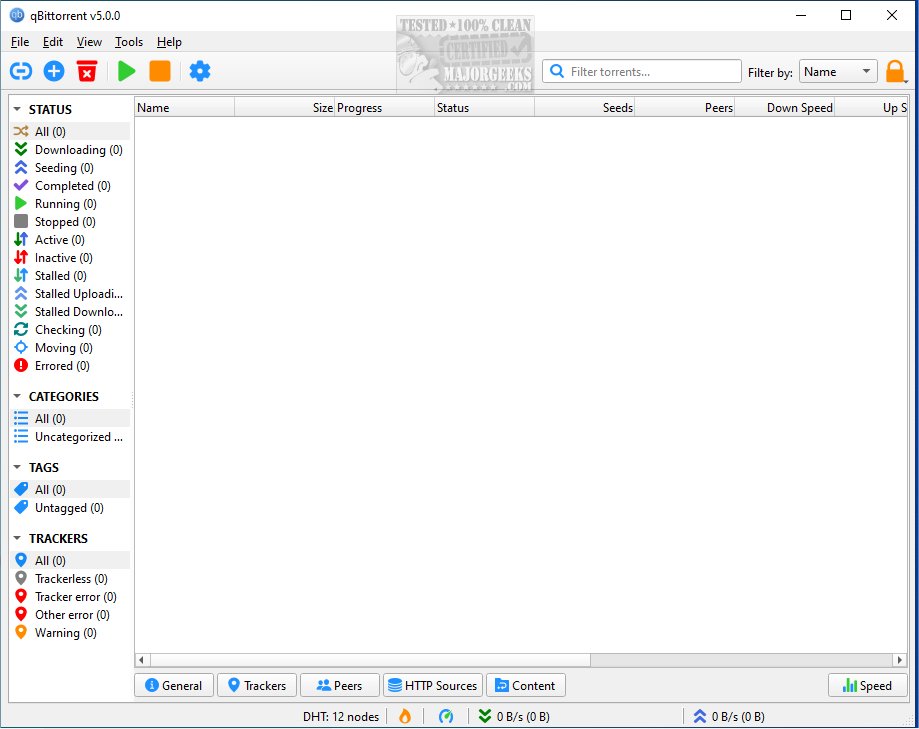
qBittorrent has recently launched version 5.2.3, further establishing itself as a highly regarded BitTorrent client. Designed to be a superior alternative to other torrent clients, it is available for both 32-bit systems (though no longer updated) and as a portable version.
Why Choose qBittorrent?
qBittorrent stands out as a free, open-source torrent client that is lightweight and devoid of advertisements. If you are frustrated with software that is bloated with ads, qBittorrent presents a clean and efficient alternative to clients like µTorrent. It caters to both beginners and advanced users, providing a simple interface while also offering extensive customization options for those who want to optimize their torrenting experience.
Features of qBittorrent
1. Integrated Search Engine: One of qBittorrent's most beneficial features is its built-in search engine, allowing users to locate torrents for movies, music, software, and more without needing to browse multiple websites.
2. Automation and Remote Management: The client supports RSS feeds for automatic downloads and offers remote control functionality, enabling users to manage their torrents from any web-enabled device.
3. Bandwidth Scheduling: This feature allows users to configure download speeds based on peak internet usage times, enhancing performance and user experience.
4. Sequential Downloading: For those who wish to stream content while downloading, qBittorrent supports this feature, allowing you to begin watching videos before the entire file has completed downloading.
5. Customization Options: Users can prioritize files, manage peers and trackers, and apply IP filtering for added security. The software also supports encryption for privacy.
Important Considerations for Torrenting
While torrenting itself is legal, the legality of the content downloaded is crucial. Many torrents are legitimate, such as open-source software and public domain media, but downloading copyrighted material without permission can lead to legal issues. Users should be cautious of potential malware in torrents, especially those involving pirated software. To enhance security, using trusted sources, an IP blocker, or a VPN is advisable.
Enhancing the qBittorrent Experience
For an improved torrenting experience, consider using complementary software. VLC Media Player is great for viewing partially downloaded videos, while 7-Zip is useful for extracting compressed files. For privacy, a VPN such as Mullvad or SurfShark can help obscure your IP address. Additionally, maintaining antivirus software like Windows Defender or Bitdefender and using MalwareBytes Free can protect against security threats. Automation tools like Sonarr, Radarr, and Jackett can also work seamlessly with qBittorrent to streamline media management.
Conclusion
qBittorrent 5.2.3 is an excellent choice for individuals seeking a fast, lightweight, and free torrent client that is free from ads and unnecessary features. Whether you are a casual user or a torrent enthusiast, qBittorrent provides the necessary tools for effective torrent management. Just remember to torrent responsibly, steer clear of suspicious downloads, and prioritize your privacy to enjoy a hassle-free torrenting experience. Download qBittorrent today and start using one of the best torrent clients available!
Additional Resources: Explore articles on improving wireless network performance, monitoring internet usage, and troubleshooting slow internet speeds on Windows 10 & 11 for a better overall internet experience
Why Choose qBittorrent?
qBittorrent stands out as a free, open-source torrent client that is lightweight and devoid of advertisements. If you are frustrated with software that is bloated with ads, qBittorrent presents a clean and efficient alternative to clients like µTorrent. It caters to both beginners and advanced users, providing a simple interface while also offering extensive customization options for those who want to optimize their torrenting experience.
Features of qBittorrent
1. Integrated Search Engine: One of qBittorrent's most beneficial features is its built-in search engine, allowing users to locate torrents for movies, music, software, and more without needing to browse multiple websites.
2. Automation and Remote Management: The client supports RSS feeds for automatic downloads and offers remote control functionality, enabling users to manage their torrents from any web-enabled device.
3. Bandwidth Scheduling: This feature allows users to configure download speeds based on peak internet usage times, enhancing performance and user experience.
4. Sequential Downloading: For those who wish to stream content while downloading, qBittorrent supports this feature, allowing you to begin watching videos before the entire file has completed downloading.
5. Customization Options: Users can prioritize files, manage peers and trackers, and apply IP filtering for added security. The software also supports encryption for privacy.
Important Considerations for Torrenting
While torrenting itself is legal, the legality of the content downloaded is crucial. Many torrents are legitimate, such as open-source software and public domain media, but downloading copyrighted material without permission can lead to legal issues. Users should be cautious of potential malware in torrents, especially those involving pirated software. To enhance security, using trusted sources, an IP blocker, or a VPN is advisable.
Enhancing the qBittorrent Experience
For an improved torrenting experience, consider using complementary software. VLC Media Player is great for viewing partially downloaded videos, while 7-Zip is useful for extracting compressed files. For privacy, a VPN such as Mullvad or SurfShark can help obscure your IP address. Additionally, maintaining antivirus software like Windows Defender or Bitdefender and using MalwareBytes Free can protect against security threats. Automation tools like Sonarr, Radarr, and Jackett can also work seamlessly with qBittorrent to streamline media management.
Conclusion
qBittorrent 5.2.3 is an excellent choice for individuals seeking a fast, lightweight, and free torrent client that is free from ads and unnecessary features. Whether you are a casual user or a torrent enthusiast, qBittorrent provides the necessary tools for effective torrent management. Just remember to torrent responsibly, steer clear of suspicious downloads, and prioritize your privacy to enjoy a hassle-free torrenting experience. Download qBittorrent today and start using one of the best torrent clients available!
Additional Resources: Explore articles on improving wireless network performance, monitoring internet usage, and troubleshooting slow internet speeds on Windows 10 & 11 for a better overall internet experience
qBittorrent 5.2.3 released
qBittorrent is a BitTorrent client that aims to be a superior alternative to other BitTorrent clients. Available for 32-bit (no longer updated), and a portable version is also available.